


Search engine icons as before

I didn't find a suggestion section, please move the post there.
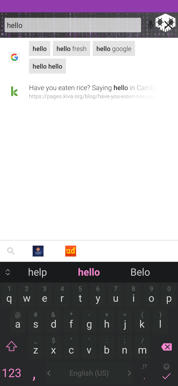
Please, return icons for search engines as was in Firefox <69 and how it's implemented in Vivaldi. I really avoid to update Firefox to "big update" when you changed everything such as interface and addons and themes support. Use themes as earlier would be nice, but without normal search engines icons UI became unusable: list of engines takes more space, search suggestions in list take more space, I must click twice (type a request, click on search engine, click "search").
모든 댓글 (1)
선택된 해결법
Hi,
The people who answer questions here, for the most part, are other users volunteering their time (like me), not Mozilla employees or Firefox developers. If you want to leave feedback for Firefox developers, you can go to the Firefox Help menu and select Submit Feedback... or use this link. Your feedback gets collected by a team of people who read it and gather data about the most common issues.
You can also file a bug report or feature request. See File a bug report or feature request for Mozilla products for details.