


Feedback: Please return "Take screenshoot" button to the "page actions" menu.

Hi to all the developers:
To take screenshoots was a great success, and it was quite agile to take snapshots with the "page actions" menu, but the last update (FF 88.0) disappeared that option.
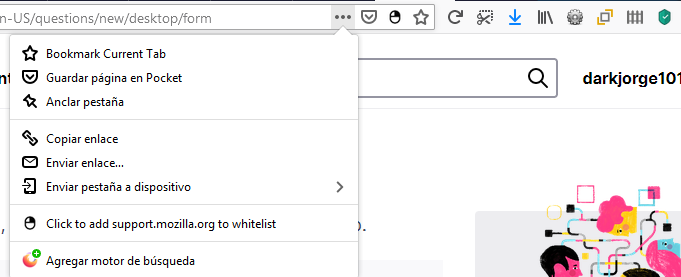
Please return the "Take screenshoot" button" to the "page actions" menu. This seems to be an unimportant thing, but having the button on the toolbar reduces space, especially if we take into account that there are other buttons showing information. (Img1)
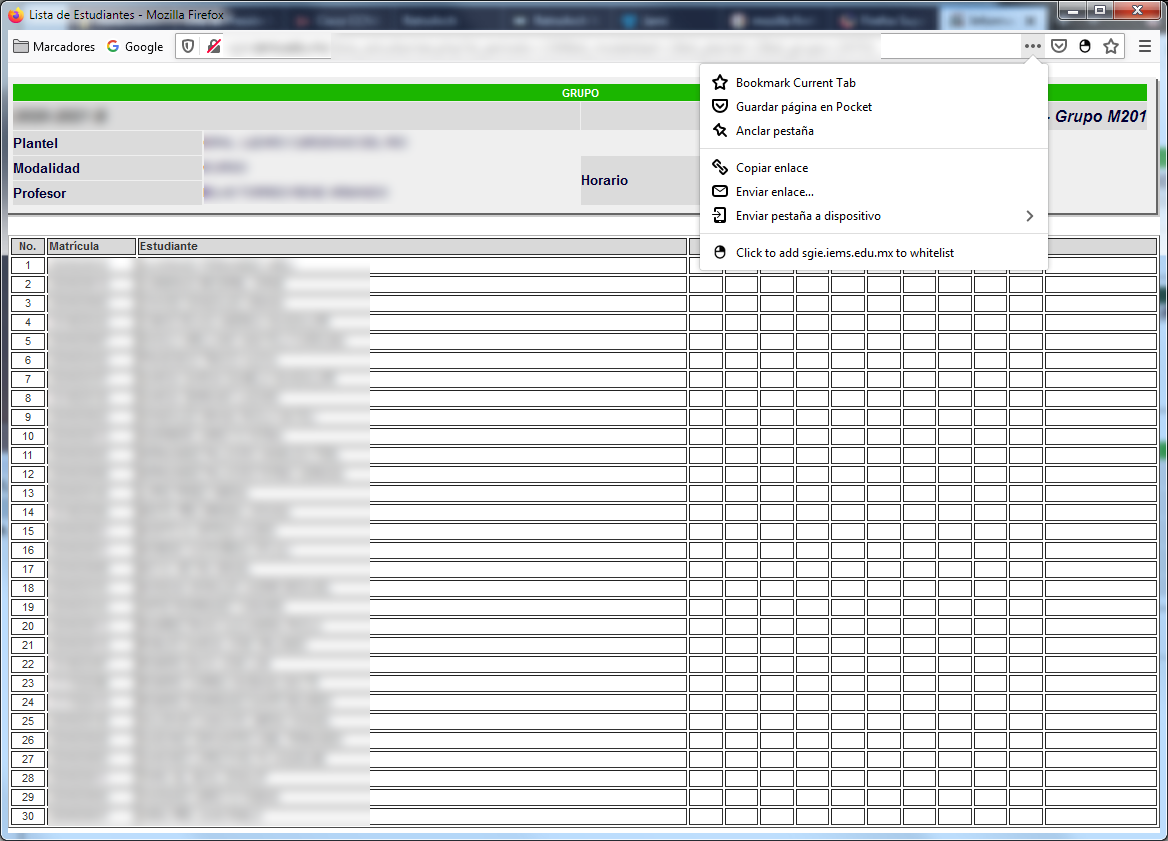
But the worst thing is when some web pages appear in pop-up windows that do not show any buttons. So, how can I take a screenshot if the capture button does not appear. (Img2)
Please keep in mind that there are some people that need to take several screenshots and it is faster to activate the capture and select the desired area both with the mouse.
Since the feedback page seems to be not working, I write it here with the greatest respect, to get this to the developers.
Thank you in advance.
선택된 해결법
Hi, the interface is changing right now and the Take a Screenshot icon has been removed from the Page actions menu. It will be available only under a toolbar button and under the right-click menu.
The full Page Actions menu will be removed soon.
문맥에 따라 이 답변을 읽어주세요 👍 0모든 댓글 (1)
선택된 해결법
Hi, the interface is changing right now and the Take a Screenshot icon has been removed from the Page actions menu. It will be available only under a toolbar button and under the right-click menu.
The full Page Actions menu will be removed soon.