How do I stop folders disappearing

The following folders have disappeared, "Sent", "Drafts" and three folders that I have created for specific contacts. Also. if I delete an email, and then go to the deleted folder, the folder is empty, so ther is no way to recover an email that was deleted by accident.
This is a recurring problem that I have previously recovered from by running "KLS Mail Backup", , then uninstalling and reinstalling "Thunderbird". When I have done this in the past, all the missing folders have reappeared intact with all of the missing content. The re-installed system runs perfectly for several weeks (nine weeks since I reinstalled the current version) and then the folders disappear again. Does anyone have any idea's about a permanent fix. Dont really want the hassle of finding another "Unknown" email system but have about had it with the unpredictable behaviour of Thunderbird.

선택된 해결법
Things may not be that simple. Go through the troubleshooting steps from the link posted above, and see whether this brings up anything.
모든 댓글 (29)
See http://kb.mozillazine.org/Disappearing_mail
What is your anti-virus software?
your earlier message prompted me to look at "trusted applications within Bitdefender, Thunderbird was not listed so added it to the file and re-booted system. Regretably nothing changed and folders are still missing
your earlier message prompted me to look at the trusted users file in Bitdefender. Thunderbird was missing and I have added it tothe list. Re-booted the system buty no change and folders are still missing.
선택된 해결법
Things may not be that simple. Go through the troubleshooting steps from the link posted above, and see whether this brings up anything.
Have been through the check list and everything I could find was set as suggested. Cannot do much in the Profiles folder as all that is left in Inbox folders are the "Deleted Folder" (empty), A new folder I created today ( also empty in spite of the fact that I moved an email into it when it was created and checked that it was there.. Earlier today I also sent and email to a regular contact and was surprised when no address prompt winfow appeared. Opened the address book and found six email adresses only. (there should be 40 plus).
Am tempted to back up system and re-install the package which will put back the missing folders but won't replace the missing contents. From havin done just that previously it gave me an apparently clean system for few months and then repeated the process of deleting folders.
Any suggestions Best regards
글쓴이 cloudhopper10 수정일시
Have been through the check list and everything I could find was set as suggested. Cannot do much in the Profiles folder as all that is left in Inbox folders are the "Deleted Folder" (empty), A new folder I created today ( also empty in spite of the fact that I moved an email into it when it was created and checked that it was there.. Earlier today I also sent and email to a regular contact and was surprised when no address prompt winfow appeared. Opened the address book and found six email adresses only. (there should be 40 plus).
Am tempted to back up system and re-install the package which will put back the missing folders but won't replace the missing contents. From havin done just that previously it gave me an apparently clean system for few months and then repeated the process of deleting folders.
Any suggestions Best regards
Am tempted to back up system and re-install the package
What package? Re-installing the application will be a waste of time, as the problem is with your profile.
... which will put back the missing folders but won't replace the missing contents.
If that means to restore a backup of your Thunderbird profile, this would certainly make sense.
From havin done just that previously it gave me an apparently clean system for few months and then repeated the process of deleting folders.
The most likely scenario is anti-virus software is messing with your mail files and hence causing corruption and data loss. Some general suggestions wrt anti-virus software below:
Create an exception in your anti-virus software for the Thunderbird profile folder, so that the anti-virus real-time scanner will not scan it. http://kb.mozillazine.org/Profile_folder_-_Thunderbird
Don't let your anti-virus software scan incoming and outgoing messages.
Don't let your anti-virus software scan attachments.
Don't let your anti-virus software intercept your secure connection to the server.
Remove any add-ons your anti-virus software may have installed in Thunderbird.
Keep it working. http://kb.mozillazine.org/Keep_it_working_-_Thunderbird
have followed the advice in your earlier message and added my ISP and the Thunderbird profile to Bitdefenders "White List" which isolates these items from the antivirus software.(I Hope !) As I do not have a backup of the original profile, is there any way of reintating the missing "Sent","Junk" and "Drafts" folders. It would also be nice to recover the stuff thats gone missing from the Address book although I can live without that happening
At the top right of the Thunderbird window, click the menu button  > Options > Account Settings > Server Settings
At the bottom is a field 'Local directory'. Please copy the entire path from that field and paste it into your reply (to the forum topic).
Local directory Path below.
C:\Users\David Marsden\AppData\Roaming\Thunderbird\Profiles\1gg5bgvz.default\Mail\Local Folders
The following folders have disappeared, "Sent", "Drafts" and three folders that I have created for specific contacts.
Are you saying the missing folders were underneath the 'Local Folders' account?
Please post your Troubleshooting Information.
At the top right of the Thunderbird window, click the menu button , then select Help > Troubleshooting Information.
Press the Copy text to clipboard button and paste the information into your reply.
Yes. Mossing folders appeared beneth the " Local folders". missing Folders are Drafts, Sent, Junk and two other folders that I had created in the local Folders that where located directly below the other three missing files . Troble shooting Info:
Application Basics
   Name: Thunderbird
   Version: 45.4.0
   User Agent: Mozilla/5.0 (Windows NT 6.1; WOW64; rv:45.0) Gecko/20100101 Thunderbird/45.4.0
   Profile Folder: Show Folder
             (Local drive)
   Application Build ID: 20160928132736
   Enabled Plugins: about:plugins
   Build Configuration: about:buildconfig
   Memory Use: about:memory
 Mail and News Accounts
   account1:
     INCOMING: account1, , (none) Local Folders, plain, passwordCleartext
   account2:
     INCOMING: account2, , (nntp) pop.daily.co.uk:587, SSL, passwordCleartext
     OUTGOING: , mail.daily.co.uk:587, plain, passwordCleartext, true
   account3:
     INCOMING: account3, , (imap) imap.daily.co.uk:143, alwaysSTARTTLS, passwordCleartext
     OUTGOING: , mail.daily.co.uk:587, alwaysSTARTTLS, passwordCleartext, true
 Crash Reports
   http://crash-stats.mozilla.com/report/index/bp-9a4eac5f-caab-407f-9fc0-2762e2161118 (18/11/2016)
   http://crash-stats.mozilla.com/report/index/bp-3a434f1e-c7eb-481b-9af6-60de42161117 (17/11/2016)
 Extensions
   Bitdefender Antispam Toolbar, 7.0, false, bdThunderbird@bitdefender.com
   Lightning, 4.7.6, false, {e2fda1a4-762b-4020-b5ad-a41df1933103}
Important Modified Preferences
Name: Value
     browser.cache.disk.capacity: 358400
     browser.cache.disk.filesystem_reported: 1
     browser.cache.disk.smart_size_cached_value: 358400
     browser.cache.disk.smart_size.first_run: false
     browser.cache.disk.smart_size.use_old_max: false
     browser.zoom.full: true
     dom.apps.reset-permissions: true
     extensions.lastAppVersion: 45.4.0
     font.name.monospace.el: Consolas
     font.name.monospace.tr: Consolas
     font.name.monospace.x-baltic: Consolas
     font.name.monospace.x-central-euro: Consolas
     font.name.monospace.x-cyrillic: Consolas
     font.name.monospace.x-unicode: Consolas
     font.name.monospace.x-western: Consolas
     font.name.sans-serif.el: Calibri
     font.name.sans-serif.tr: Calibri
     font.name.sans-serif.x-baltic: Calibri
     font.name.sans-serif.x-central-euro: Calibri
     font.name.sans-serif.x-cyrillic: Calibri
     font.name.sans-serif.x-unicode: Calibri
     font.name.sans-serif.x-western: Calibri
     font.name.serif.el: Cambria
     font.name.serif.tr: Cambria
     font.name.serif.x-baltic: Cambria
     font.name.serif.x-central-euro: Cambria
     font.name.serif.x-cyrillic: Cambria
     font.name.serif.x-unicode: Cambria
     font.name.serif.x-western: Cambria
     font.size.fixed.el: 14
     font.size.fixed.tr: 14
     font.size.fixed.x-baltic: 14
     font.size.fixed.x-central-euro: 14
     font.size.fixed.x-cyrillic: 14
     font.size.fixed.x-unicode: 14
     font.size.fixed.x-western: 14
     font.size.variable.el: 17
     font.size.variable.tr: 17
     font.size.variable.x-baltic: 17
     font.size.variable.x-central-euro: 17
     font.size.variable.x-cyrillic: 17
     font.size.variable.x-unicode: 17
     font.size.variable.x-western: 17
     gfx.blacklist.direct2d: 3
     mail.openMessageBehavior.version: 1
     mail.winsearch.firstRunDone: true
     mailnews.database.global.datastore.id: 0a77709c-3d1e-4608-b0b6-ed34731b3e3
     network.cookie.prefsMigrated: true
     network.predictor.cleaned-up: true
     places.database.lastMaintenance: 1483018999
     places.history.expiration.transient_current_max_pages: 104858
     plugin.importedState: true
     plugin.state.flash: 0
Graphics
     Adapter Description: Intel(R) G33/G31 Express Chipset Family
     Vendor ID: 0x8086
     Device ID: 0x29c2
     Adapter RAM: Unknown
     Adapter Drivers: igdumd64 igdumdx32
     Driver Version: 8.15.10.1912
     Driver Date: 9-11-2009
     Direct2D Enabled: Blocked for your graphics driver version. Try updating your graphics driver to version 8.1500.1000.1930 or newer.
     DirectWrite Enabled: false (6.2.9200.21976)
     ClearType Parameters: Gamma: 2200 Pixel Structure: B ClearType Level: 50 Enhanced Contrast: 300
     WebGL Renderer: false
     GPU Accelerated Windows: 0
     AzureCanvasBackend: skia
     AzureSkiaAccelerated: 0
     AzureFallbackCanvasBackend: cairo
     AzureContentBackend: cairo
JavaScript
Incremental GC: 1
Accessibility
   Activated: 0
   Prevent Accessibility: 0
Library Versions
     Expected minimum version
     Version in use
     NSPR
     4.12
     4.12
     NSS
     3.21.1 Basic ECC
     3.21.1 Basic ECC
     NSS Util
     3.21.1
     3.21.1
     NSS SSL
     3.21.1 Basic ECC
     3.21.1 Basic ECC
     NSS S/MIME
     3.21.1 Basic ECC
     3.21.1 Basic ECC
INCOMING: account2, , (nntp) pop.daily.co.uk:587, SSL, passwordCleartext
Can you explain this to me? A news account connecting to a POP server using a port assigned for SMTP (Outgoing).
Short answer is "No" but I do have an idea of where it may have come from. <daily.co.uk> is my ISP. They also sell/rent out domain names. My email address uses the domain <vidmarsden.co.uk> and is rented from daily.co.uk and because of that connection they also become my ISP. The email side is now solely IMAPand POP was dropped completely some six months ago. I have never set up a "News Account". However, periodically the ISP will send an email informing me of any changes and that email will contain a link to thier Bullitin board. It is posibly something that has been fed in originating from <daily.co.uk>. Whatever, it's obsolete as POP is no longer in use at "Daily". Thinking back, at around the same time as POP was dropped by "daily" I also changed to the current Thunderbird software. I'd previously run an earlier version and the entry probably originates from data restored from that earlier version
From the Troubleshooting Information: Profile Folder - Open Folder
This will open the profile folder in Windows Explorer. Got to Mail - Local Folders
Please post a screenshot of the Windows Explorer window with the contents of 'Local Folders'. https://support.mozilla.org/kb/how-do-i-create-screenshot-my-problem
Three screen shots attached which cover contents. Sorry, couldn't persuade "Paint" to do it in one hit
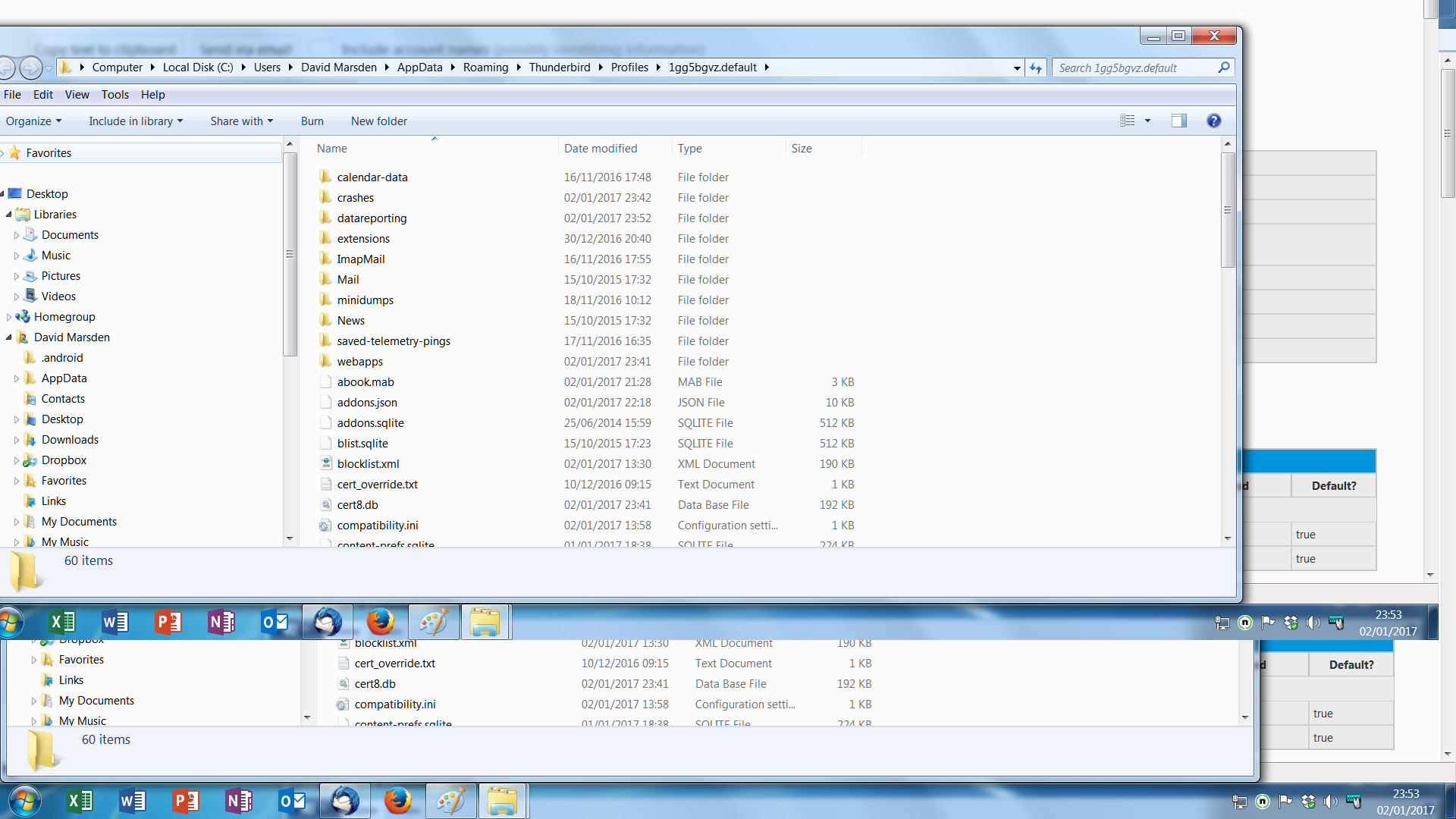
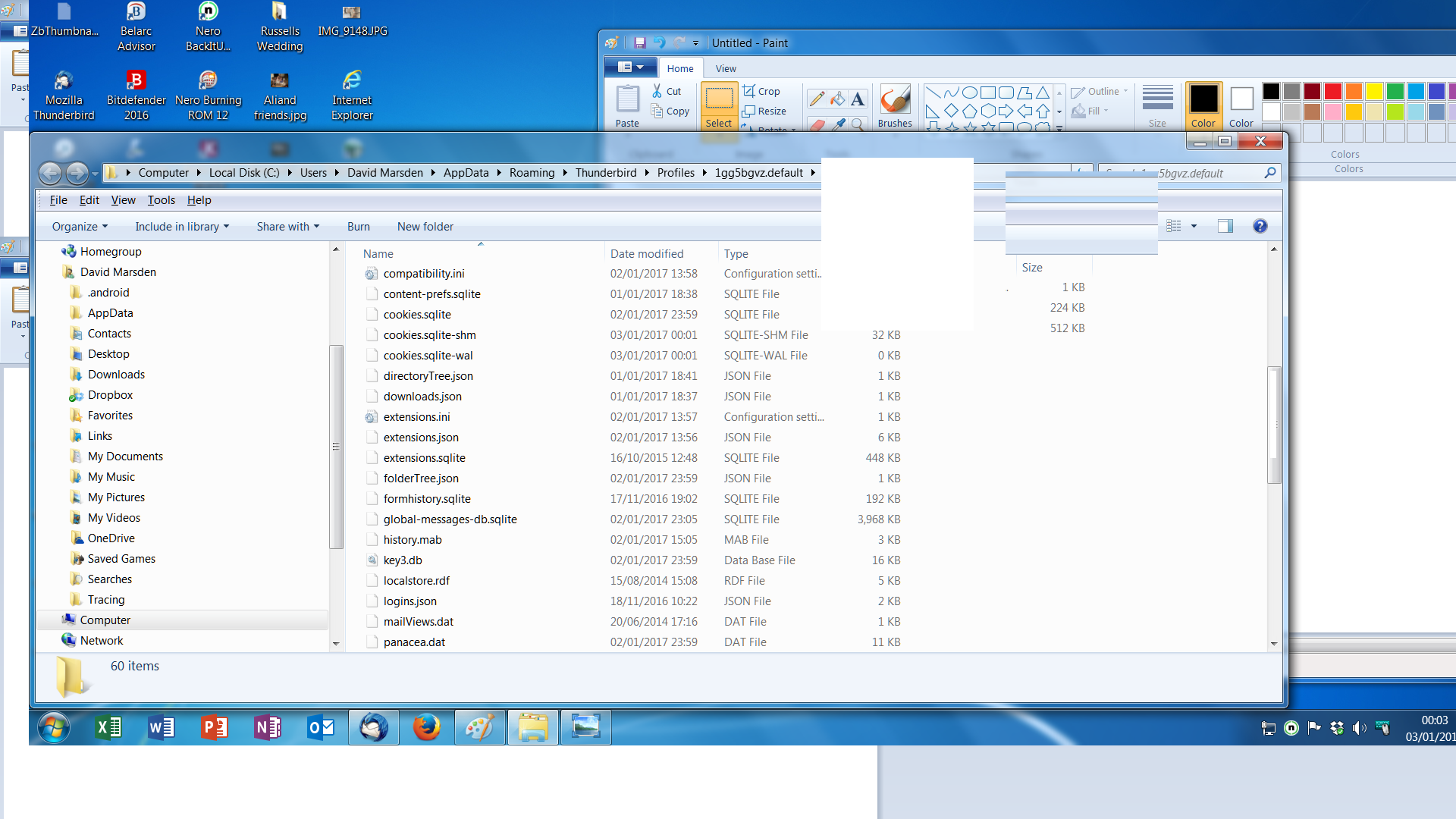
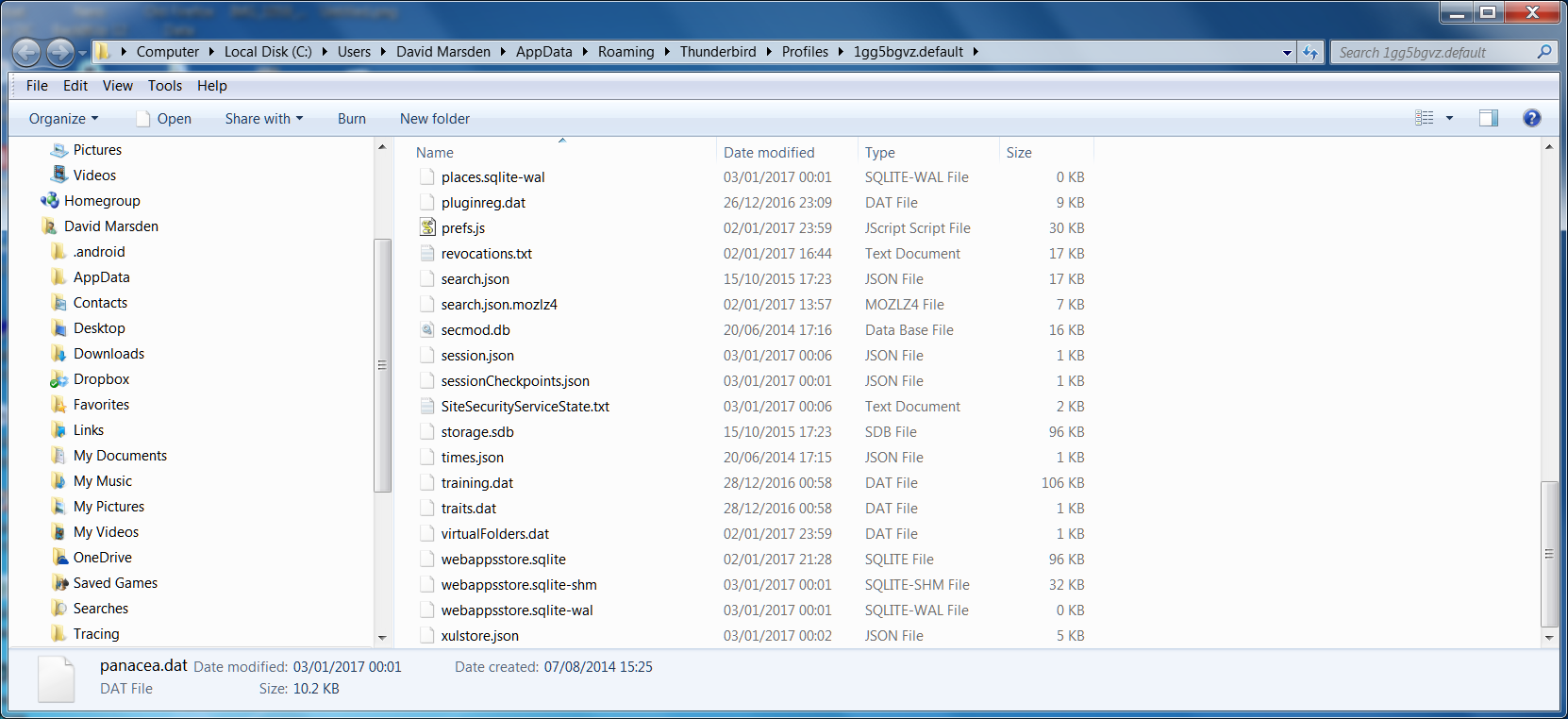
We are not quite there yet. In Windows Explorer go the the 'Mail' folder , and then to the 'Local Folders' folder. What I'm interested in is the contents of the 'Local Folders' folder.
Local Folder attached
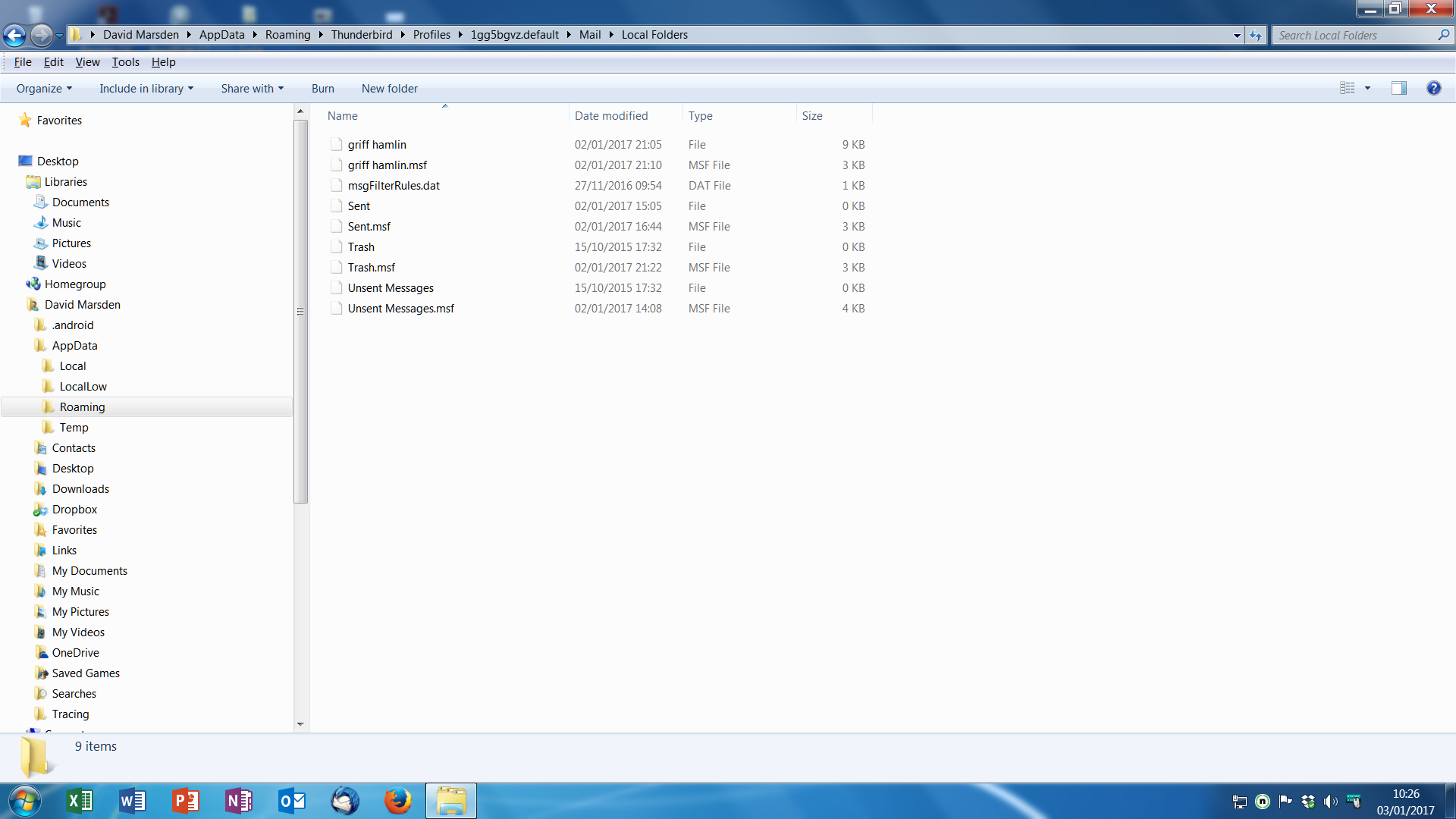
A file 'Sent' exists, but it has a size of 0 bytes, i.e. there are no messages in it. Is 'griff hamlin' one of the missing folders? If so, it's size is only 9 kBytes, so there's not much in there.
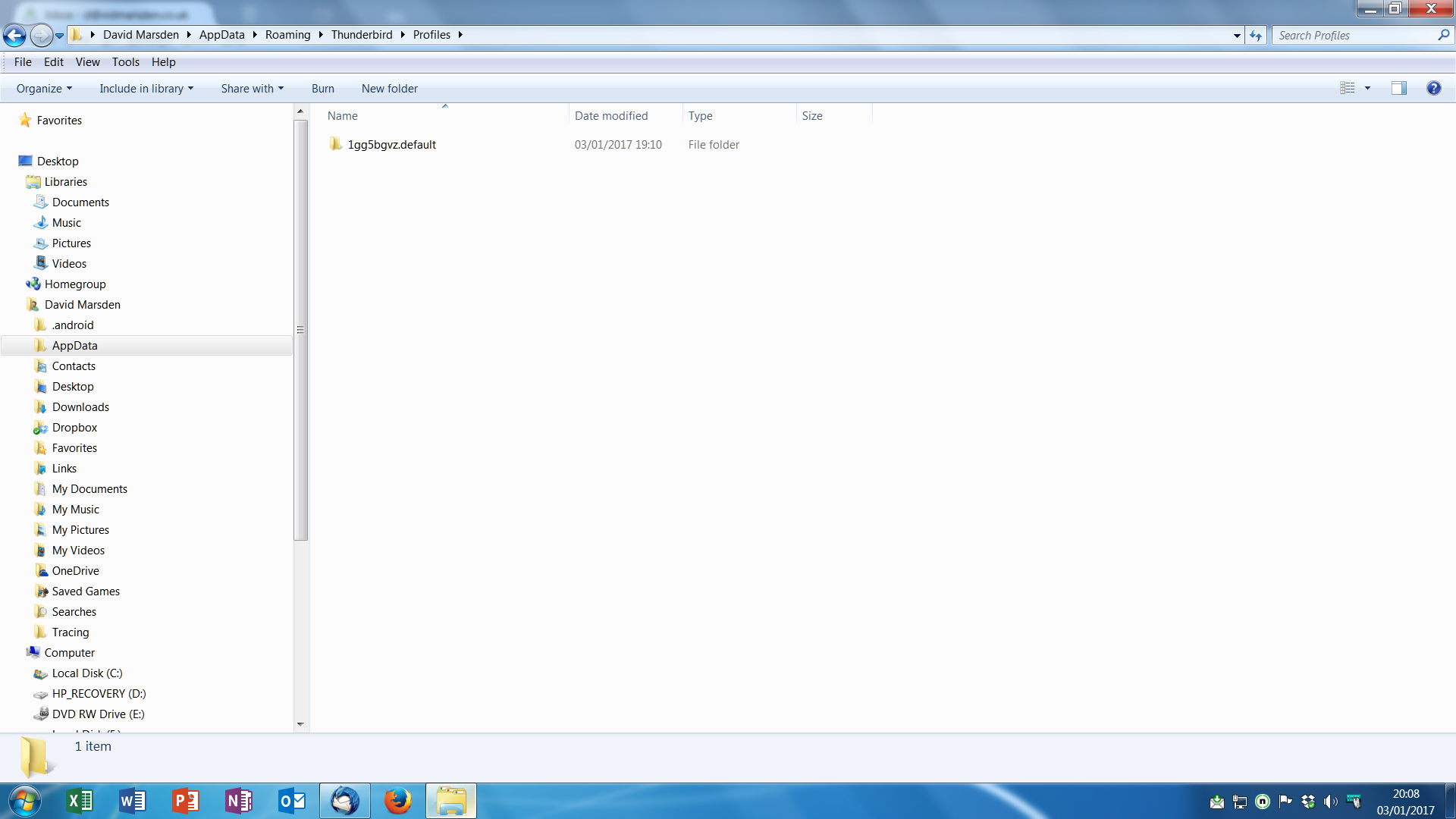
Can you also post a screenshot with the contents of David Marsden\AppData\Roaming\Thunderbird\Profiles ?
This will tell whether there are any other profiles.
'Sent' file originally had 20 plus files in it. 'Griff Hamlin' file had four or five and is one of the missing folders. I have opened a new folder for Griff Hamlin which currentlhas one saved email in it (8.5Kb in size), could this be the same file that show in the previous screen shot. I also created a new 'Sent' folder, but this is not picking up recently sent emails.
Screen shot attached only shows one profile.