


Cannot send emails

Thunderbird will not send emails. Performed all the steps detailed in your support site.
ყველა პასუხი (10)

- Precisely what "steps" have you performed?
- What version of Thunderbird?
- What is your operating system?
- Who is your email provider?
- Is this an IMAP account or POP3?
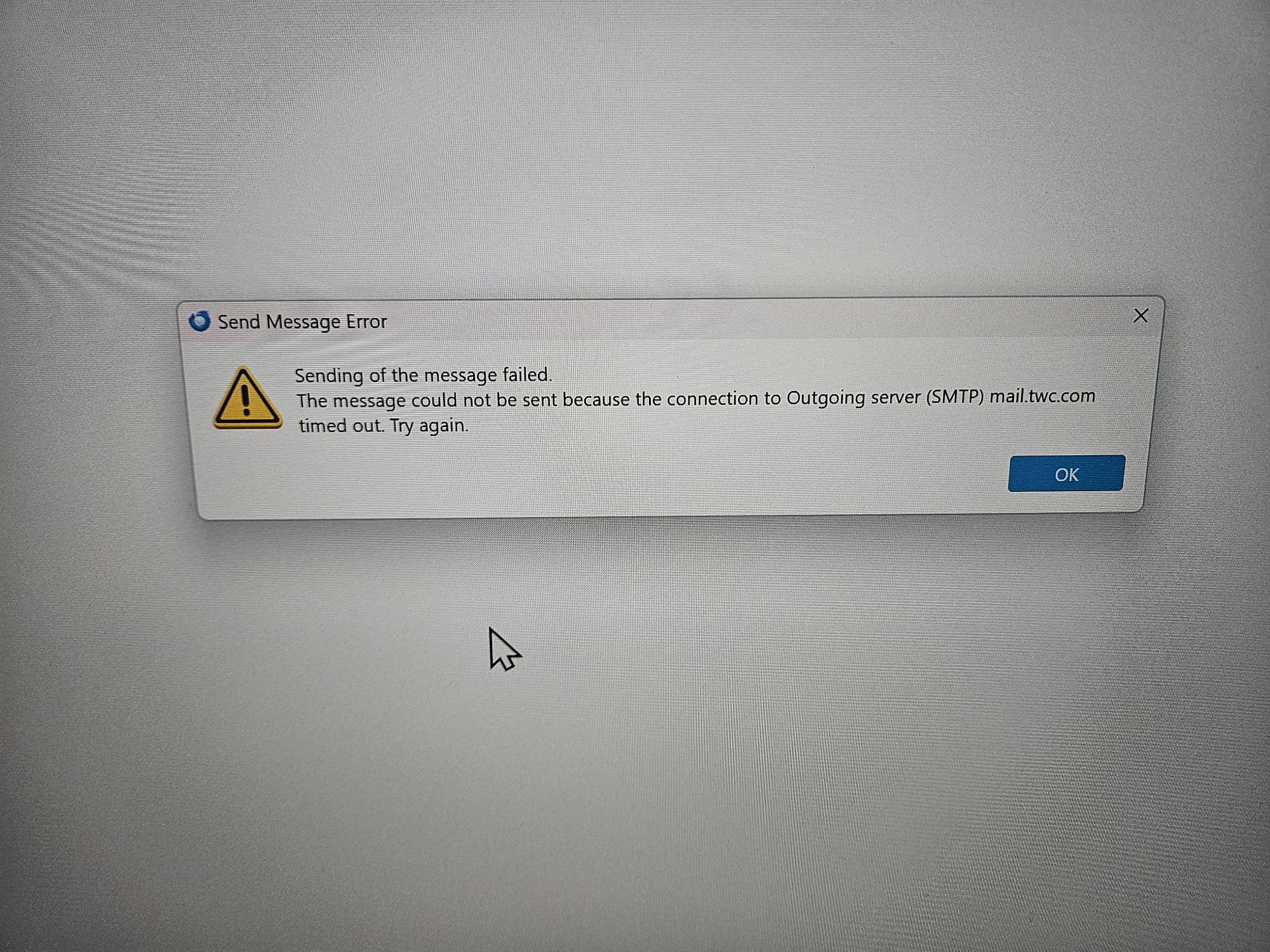
- What error messages do you see? Please quote them precisely and in full. Screen shots would be helpful.
- What Anti-Virus or other security software do you use, if any.
Hello there
It is possible that your settings differ from what you have entered.
We would like to receive the above information so we can assist you further.
Please provide the necessary screenshots.
You can use https://support.mozilla.org/en-US/kb/how-to-make-screenshots to help you with this. We would also like to receive your SMTP settings for review.
Mozilla Support
Per your email:
1. Steps outlined in your support page. 2. Thunderbird 153.0.3 64 bit 3. Windows 4. Spectrum (kbrennan@roadrunner.com) 5. IMAP 6."Sending of the message failed" 7. Bitdefender ( I had turned it off - per steps outlined in your support page)
Please cite the specific support page. There are many here and I don't know which one you are referring to.
Also, please list your SMTP settings.
ჩასწორების თარიღი: , ავტორი: Lin
Home/Thunderbird/Email and messaging/Cannot send messages
Hello there
Going to the smtp settings. Open Thunderbird on your computer. Click the three horizontal lines in the top right corner.
Move down and click Account Settings.Look at the very bottom of the left-hand side menu. Click on Outgoing Server .
See your list of mail servers on the right side.Click on the server you want to check. Click the Edit button to view details like server name, port, and security settings.
Hello there
If you received multiple on-screen notifications from the software on your desktop, please describe your situation. If possible, please also send us these error messages/computer alerts.
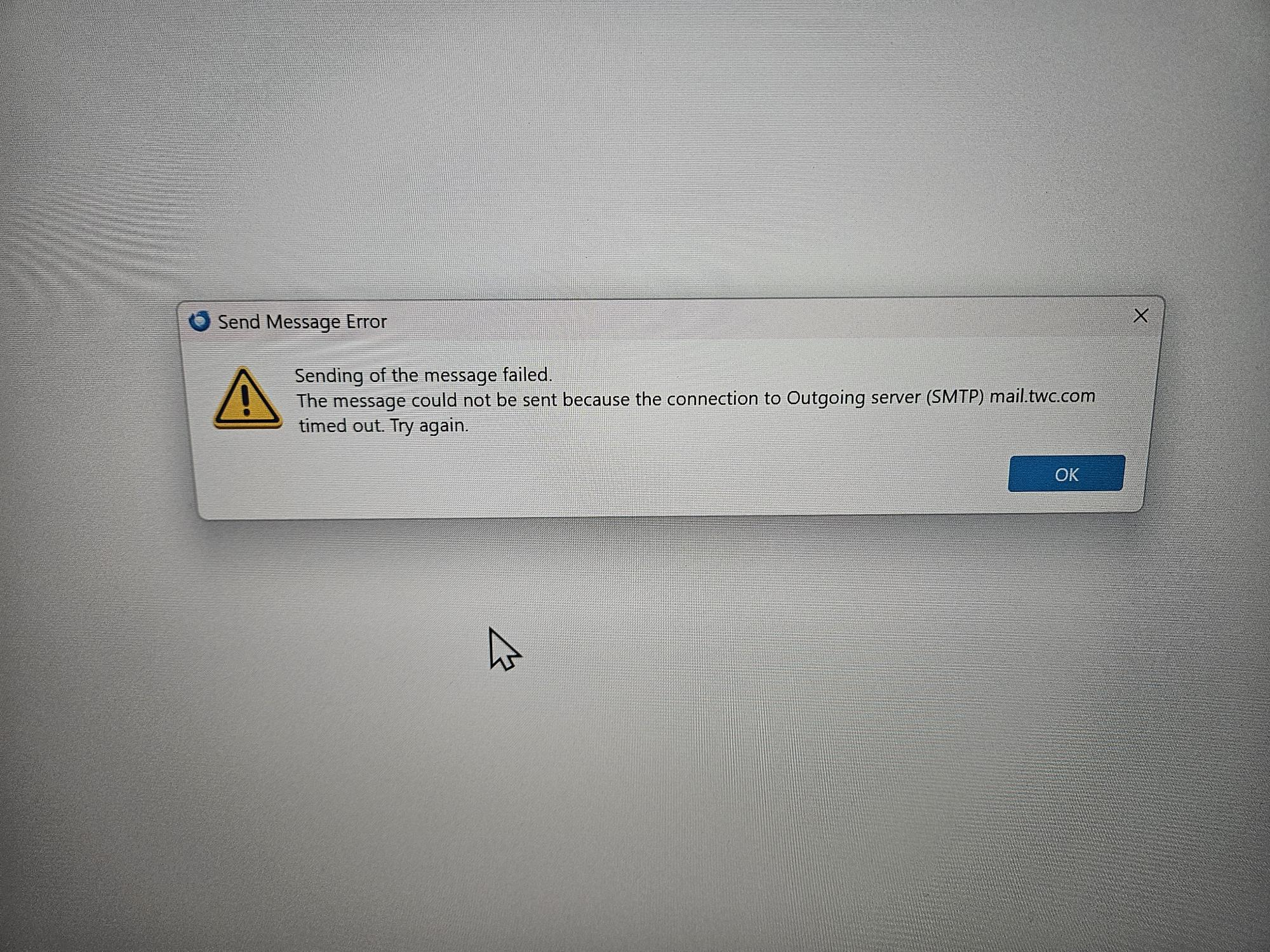
3rd jpeg (rr3) is what is shown in Thunderbird. I reviewed this with Spectrum with the only change being Mail.twc.com. Thanks
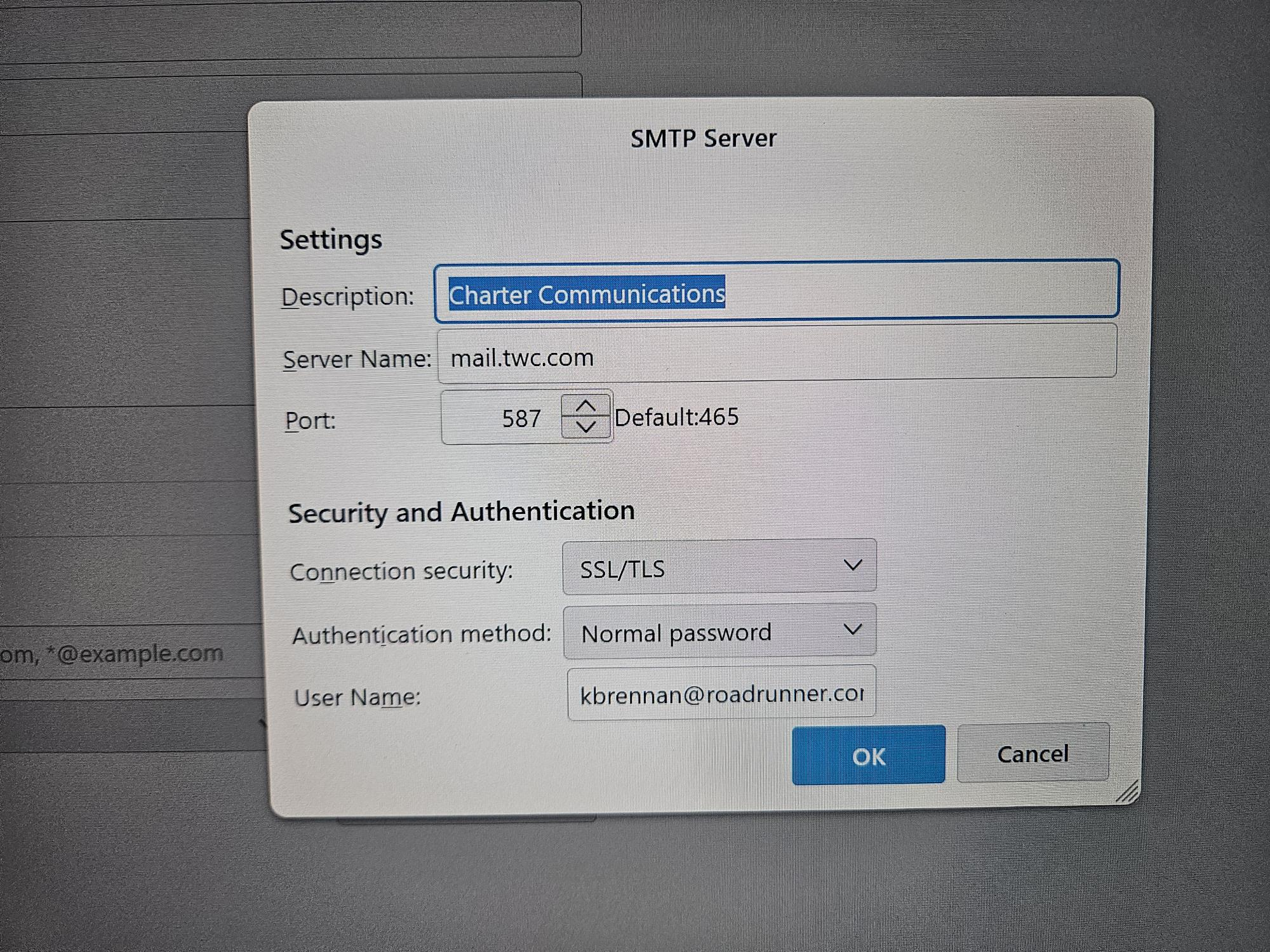
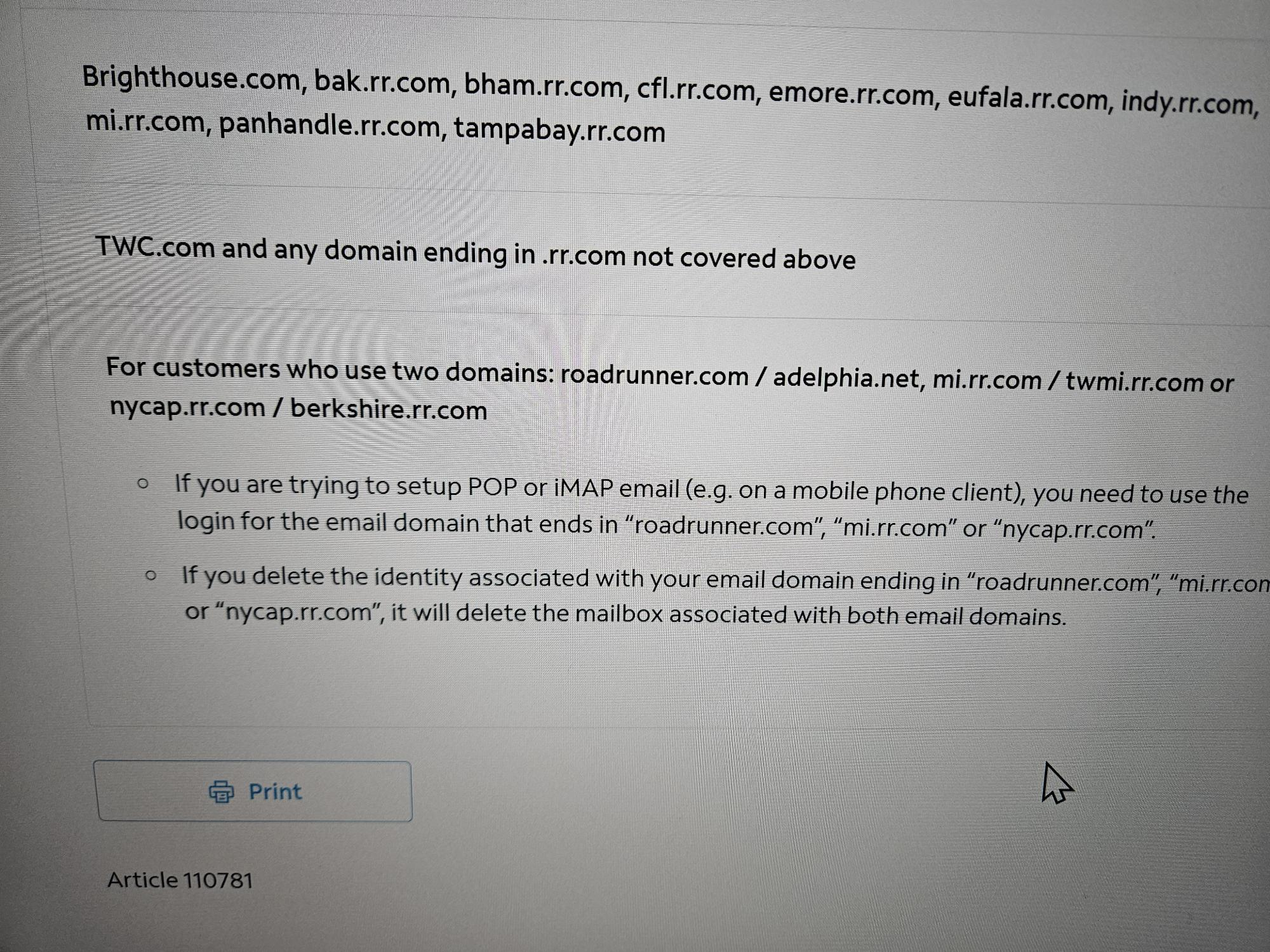
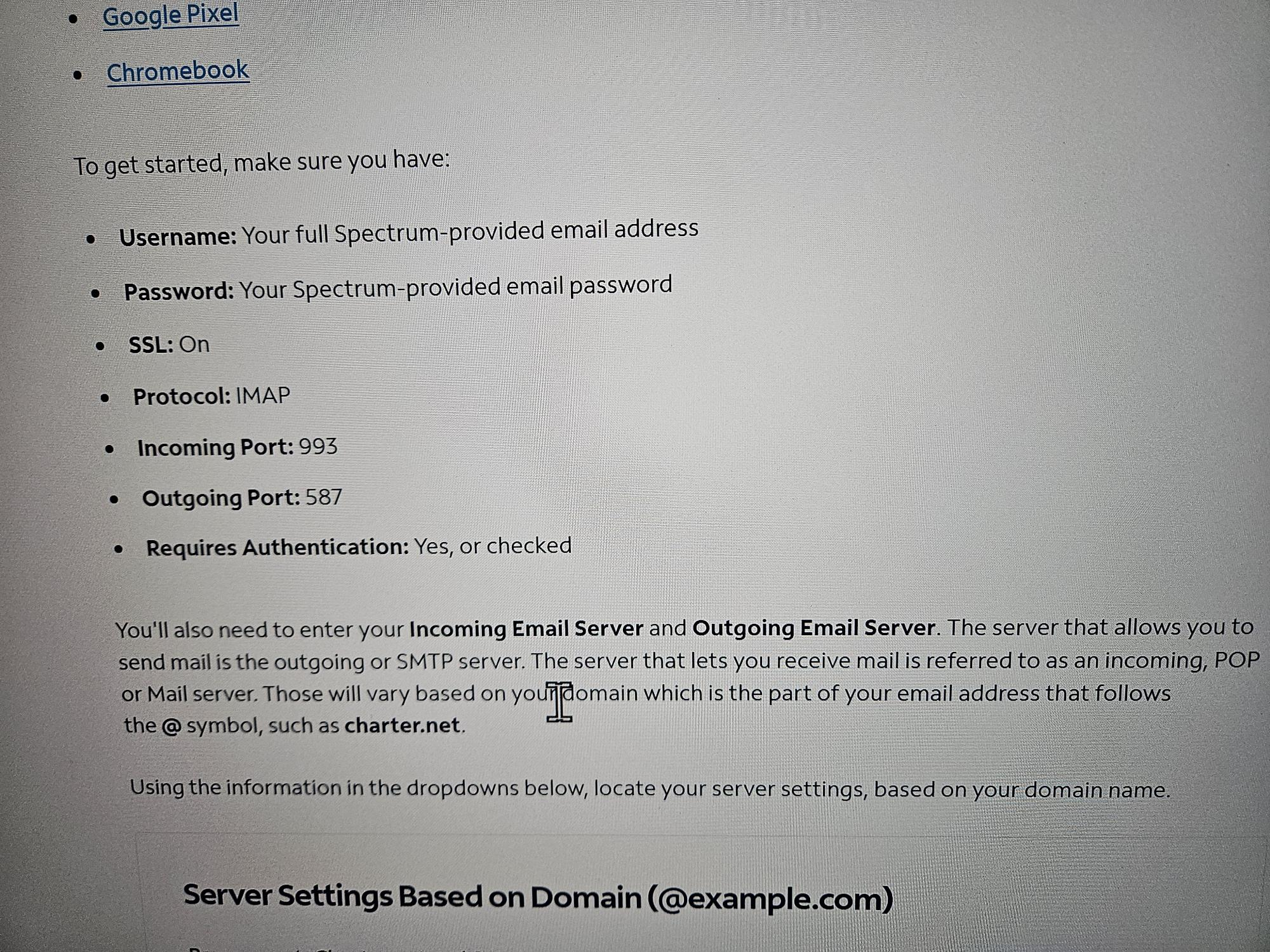
Attached is the only message I get when trying to send an email. I receive emails w/o a problem. See attached.
Hello there
You still seem to use Roadrunner as your mail provider; you should update it.