


VPN doesn't recognize my signing on

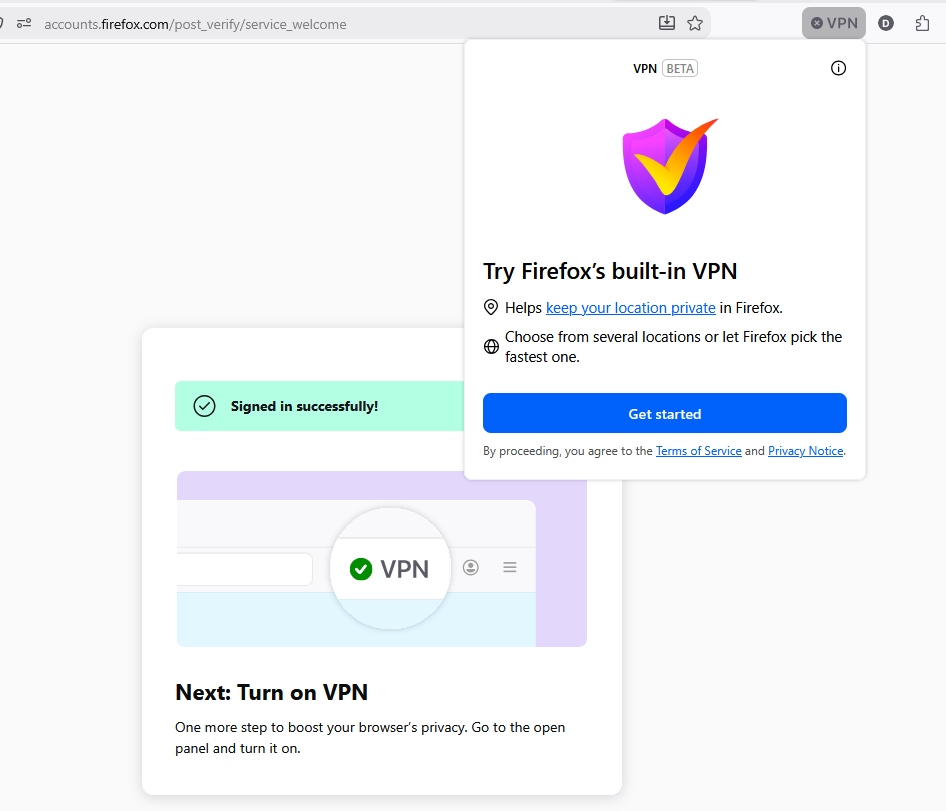
The VPN button is visible on my taskbar. When I click it, I am offered the option to sign in. This takes me to a new tab, where I click "Continue" to finish signing in. The page tells me I am signed in successfully and able to start using the VPN, while the VPN drop-down still urges me to sign in, which starts the new tab and same process over again.
ყველა პასუხი (3)
Hello,
You could try running Firefox with elevated permissions and test.
Then, you could try restarting the browser.
If that doesn't work, try signing out and back in.
If it still doesn't work, go to Firefox settings under permissions and data and make sure "Allow Firefox to improve features, performance, and stability between updates" is checked.
Lastly, you can go to about:config and set browser.ipProtection.enabled to true.
Hello
Unable to find the built-in VPN in Firefox https://support.mozilla.org/en-US/kb/unable-find-built-vpn-firefox
browser.ipProtection.enabled https://support.mozilla.org/en-US/questions/1578173
This parenthesis, take a look at the screenshot (eg) https://support.mozilla.org/en-US/questions/1576925#answer-1812490, if, browser.ipProtection.enabled, false
To complement A subject https://support.mozilla.org/en-US/questions/1594890
Maybe, please, check, browser.ipProtection.guardian.endpoint https://support.mozilla.org/en-US/questions/1590569