


გადაწვეტილი
McAfee antivirus has taken over part of Firefox. I had it a year ago but use Eset. How to get rid of it??

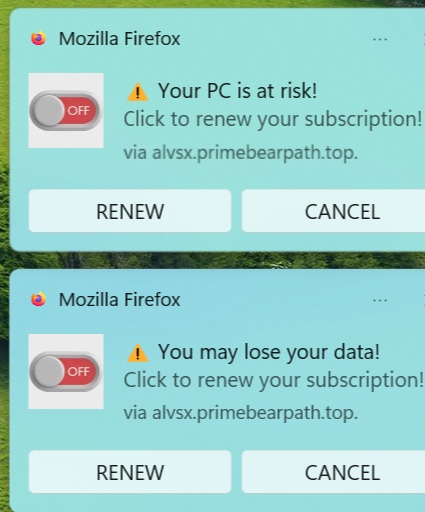
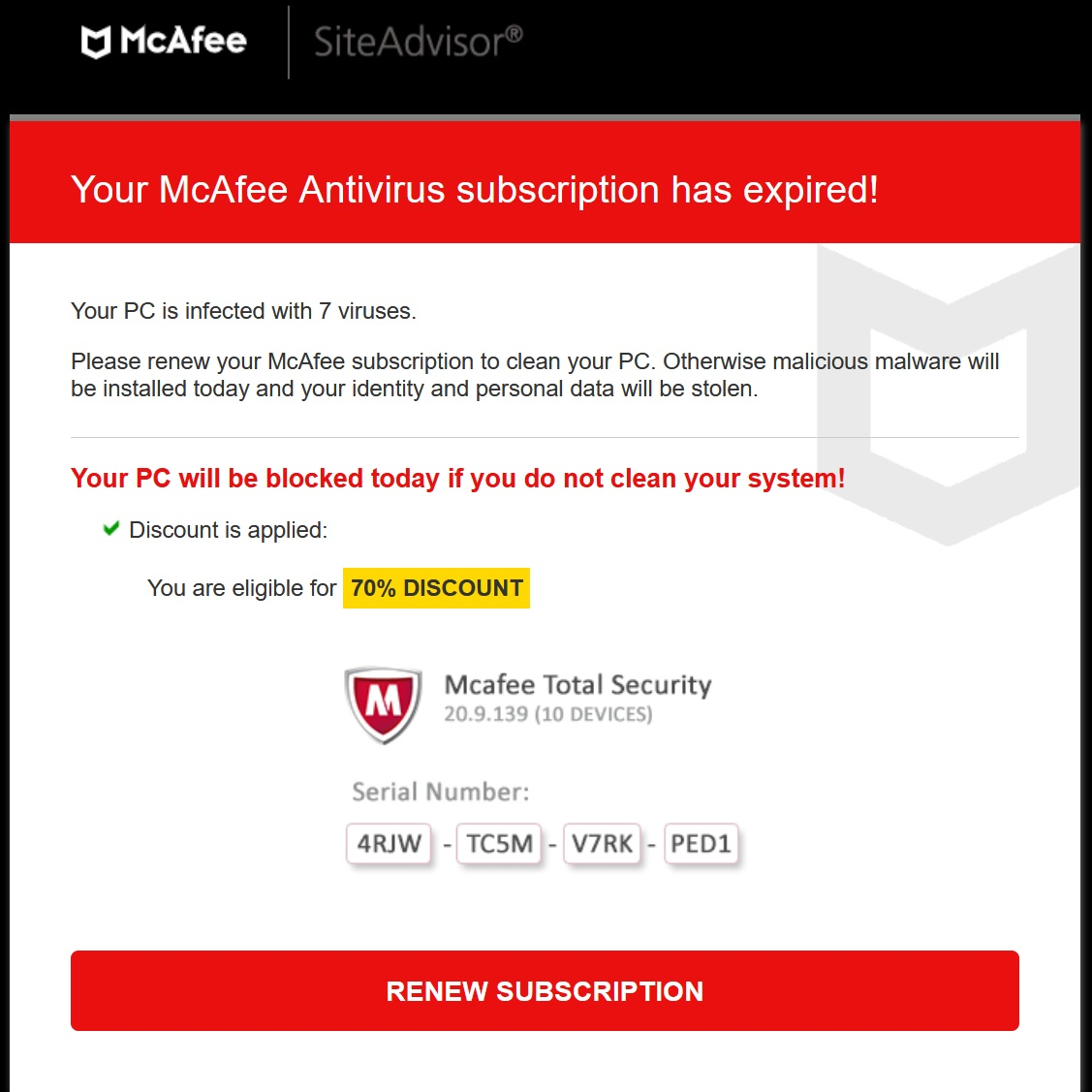
I get the following pop ups, the blue-green ones in images. When I click "CANCEL" I get the McAfee window shown. Can't find where the popups are coming from. I was able to get rid of on another computer by uninstalling Firefox, but lost stuff. I use ESet now and wouldn't go near McAfee again. Does anyone know how to get rid of this?
Beware of McAfee!!!! They act like crooks!!!
I get the following pop ups, the blue-green ones in images. When I click "CANCEL" I get the McAfee window shown. Can't find where the popups are coming from. I was able to get rid of on another computer by uninstalling Firefox, but lost stuff. I use ESet now and wouldn't go near McAfee again. Does anyone know how to get rid of this?
Beware of McAfee!!!! They act like crooks!!!
ყველა პასუხი (2)
შერჩეული გადაწყვეტა
Please read Web Push notifications in Firefox to turn it off.
I agree that the left screenshot show these are just web push notifications from sites you have allowed to send you notifications. You can revoke these sites as the KB article in above reply shows.