


Join us to show up for other Firefox users 🦊. Earn fun badges and Mozilla swag vouchers! Find out more: https://mzl.la/askafox150

Windows 10 reached EOS (end of support) on October 14, 2025. If you are on Windows 10, see this article.

Avatar for Username

ძიება მხარდაჭერაში

ნუ გაებმებით თაღლითების მახეში. აქ არავინ უნდა მოგთხოვოთ ტელეფონზე დარეკვა, შეტყობინების გაგზავნა ან პირადი მონაცემების გაზიარება. რამე საეჭვოს შემჩნევისას გთხოვთ გვაცნობოთ „დარღვევის მოხსენებით“.

ვრცლად

Bookmark Font Color Changed on V140.0

  • 3 პასუხი
  • 5 მომხმარებელი წააწყდა მსგავს სიძნელეს
  • 315 ნახვა
  • ბოლოს გამოეხმაურა ramohr7
  • გადაწყვეტილი

FF ver 140. just loaded and now all my sidebar bookmark fonts are black on black. How do I change the sidebar bookmark font back to white? When I disabled all Themes the white color came back, but enabling any theme and they the font turns black again.
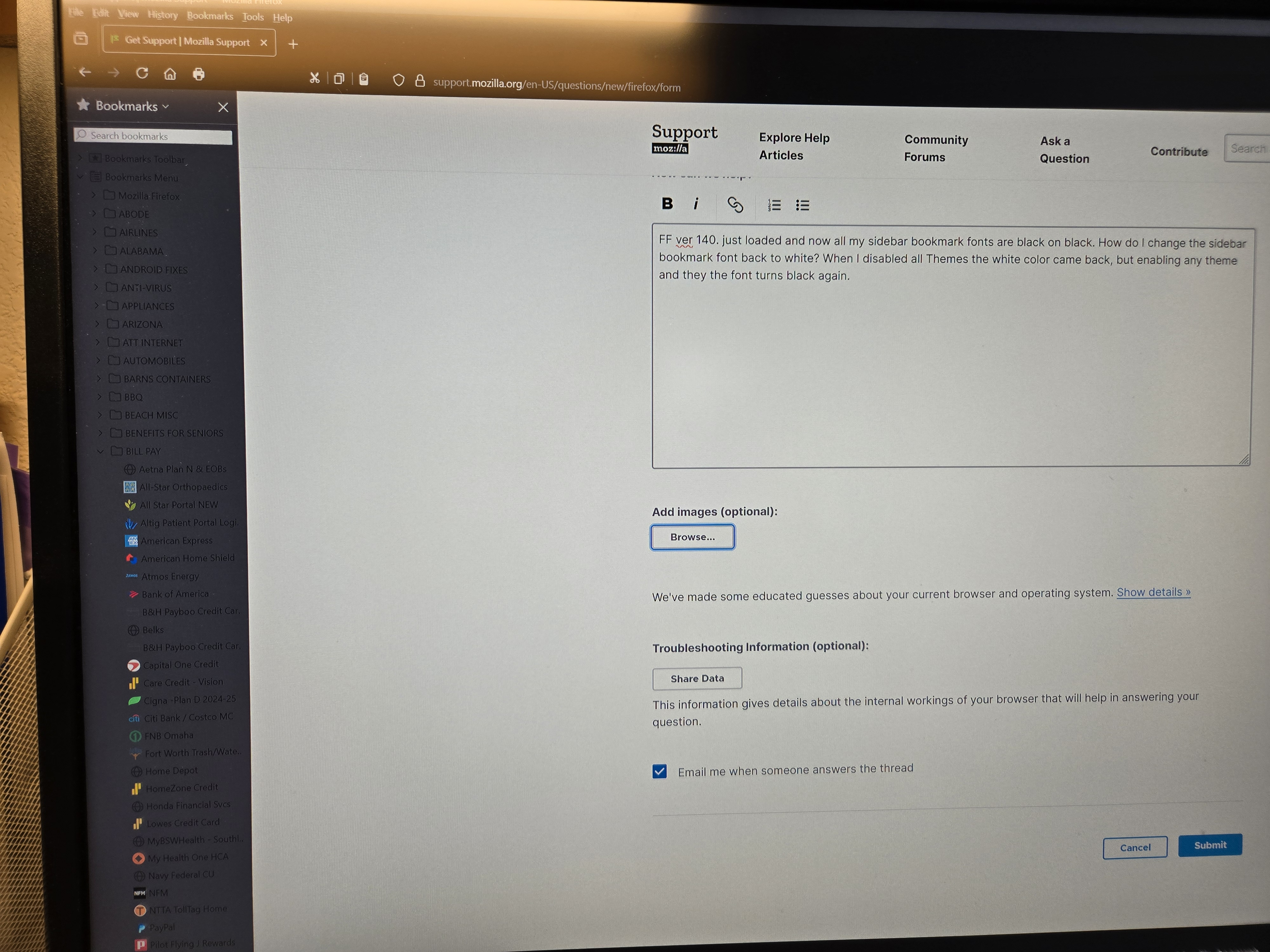
FF ver 140. just loaded and now all my sidebar bookmark fonts are black on black. How do I change the sidebar bookmark font back to white? When I disabled all Themes the white color came back, but enabling any theme and they the font turns black again.
მიმაგრებული ეკრანის სურათები

გადაწყვეტა შერჩეულია

Looks like V 140.0.1 has fixed my sidebar bookmark issue with font colors being Black. Thanks to all involved.

პასუხის ნახვა სრულად 👍 0

ყველა პასუხი (3)

Firefox 140 has a bug causing dark text on a dark background in the bookmarks sidebar with some add-on themes. Could you test whether the built-in Dark theme works?

With all theme's Off, the bookmark font is white whether in Dark Mode or Automatic. However when I turn any theme ON the font color turns black in Automatic or Dark Mode.

შერჩეული გადაწყვეტა

Looks like V 140.0.1 has fixed my sidebar bookmark issue with font colors being Black. Thanks to all involved.