


Website appearance and style display bug

Hello,
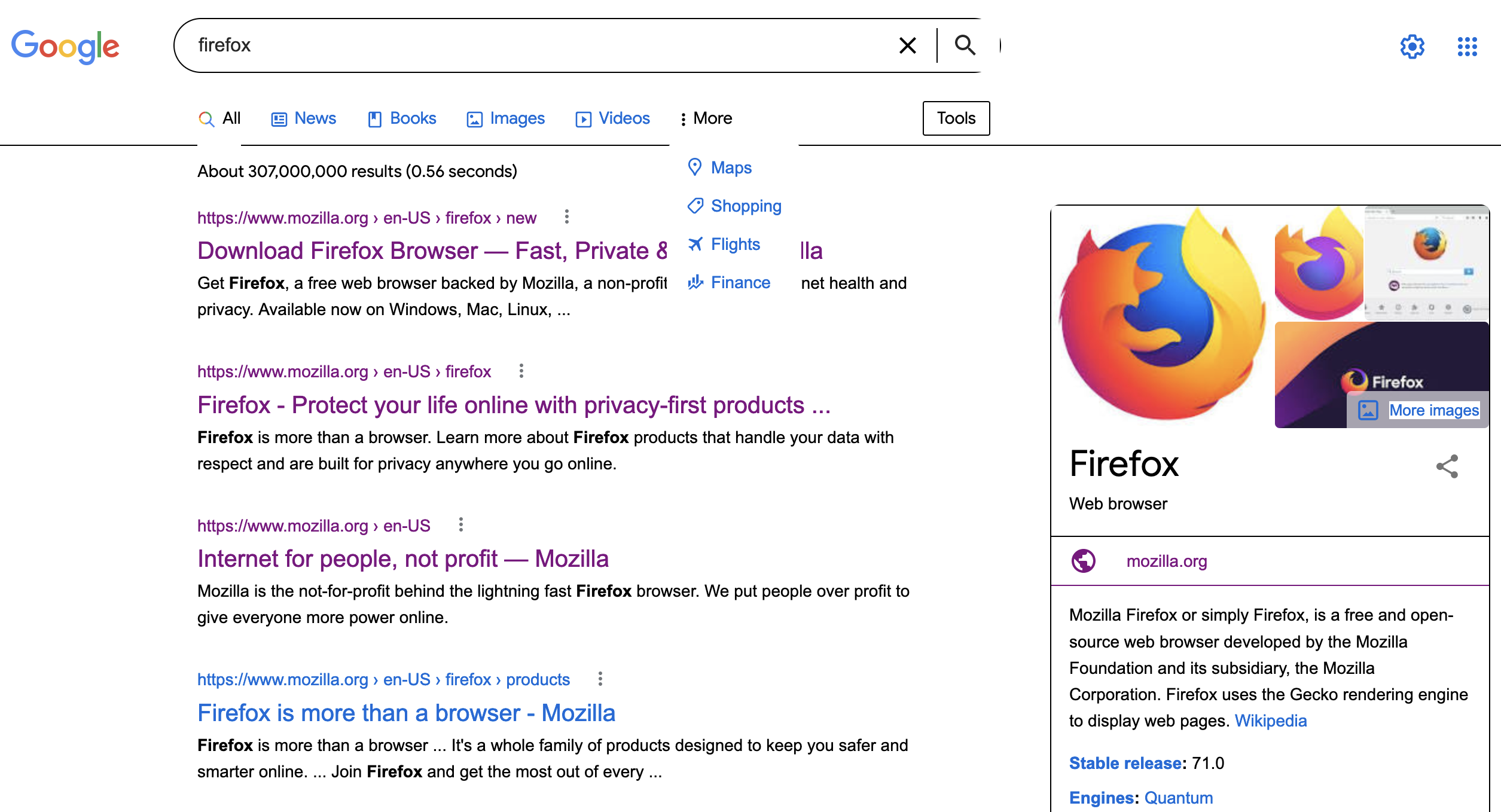
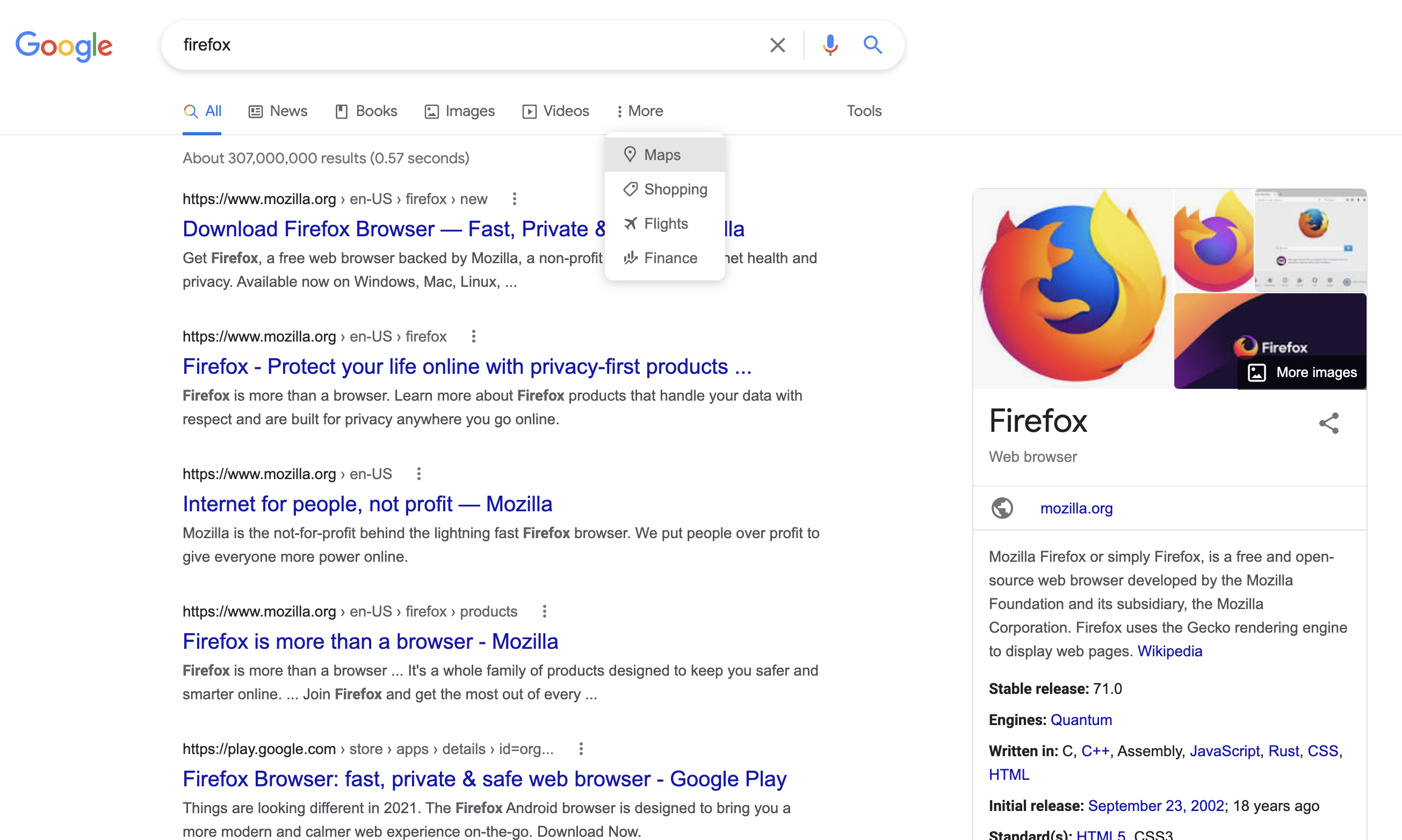
My firefox is displaying websites incorrectly. I tried the suggested fixes (clearing cache, cookies, reinstalling, rebooting) and none of them worked.
I've attached two screenshots, one from firefox (displayed incorrectly) and one from chrome (displayed correctly).
Does anyone know the issue?
Thanks!
გადაწყვეტა შერჩეულია
This could be a problem with High Contrast Mode on Mac.
See "New" in the release notes.
Firefox now automatically enables High Contrast Mode when "Increase Contrast" is checked on MacOS in the Accessibility settings.
Make sure you allow pages to choose their own colors.
- Settings -> General: Fonts & Colors -> Colors: "Override the colors specified by the page with my selections above" => Never
- https://support.mozilla.org/en-US/kb/disable-high-contrast-mode-firefox
ყველა პასუხი (2)
შერჩეული გადაწყვეტა
This could be a problem with High Contrast Mode on Mac.
See "New" in the release notes.
Firefox now automatically enables High Contrast Mode when "Increase Contrast" is checked on MacOS in the Accessibility settings.
Make sure you allow pages to choose their own colors.
- Settings -> General: Fonts & Colors -> Colors: "Override the colors specified by the page with my selections above" => Never
- https://support.mozilla.org/en-US/kb/disable-high-contrast-mode-firefox
This fixed it. Thanks!