


click max widow size box - does not include bottom inch of monitor

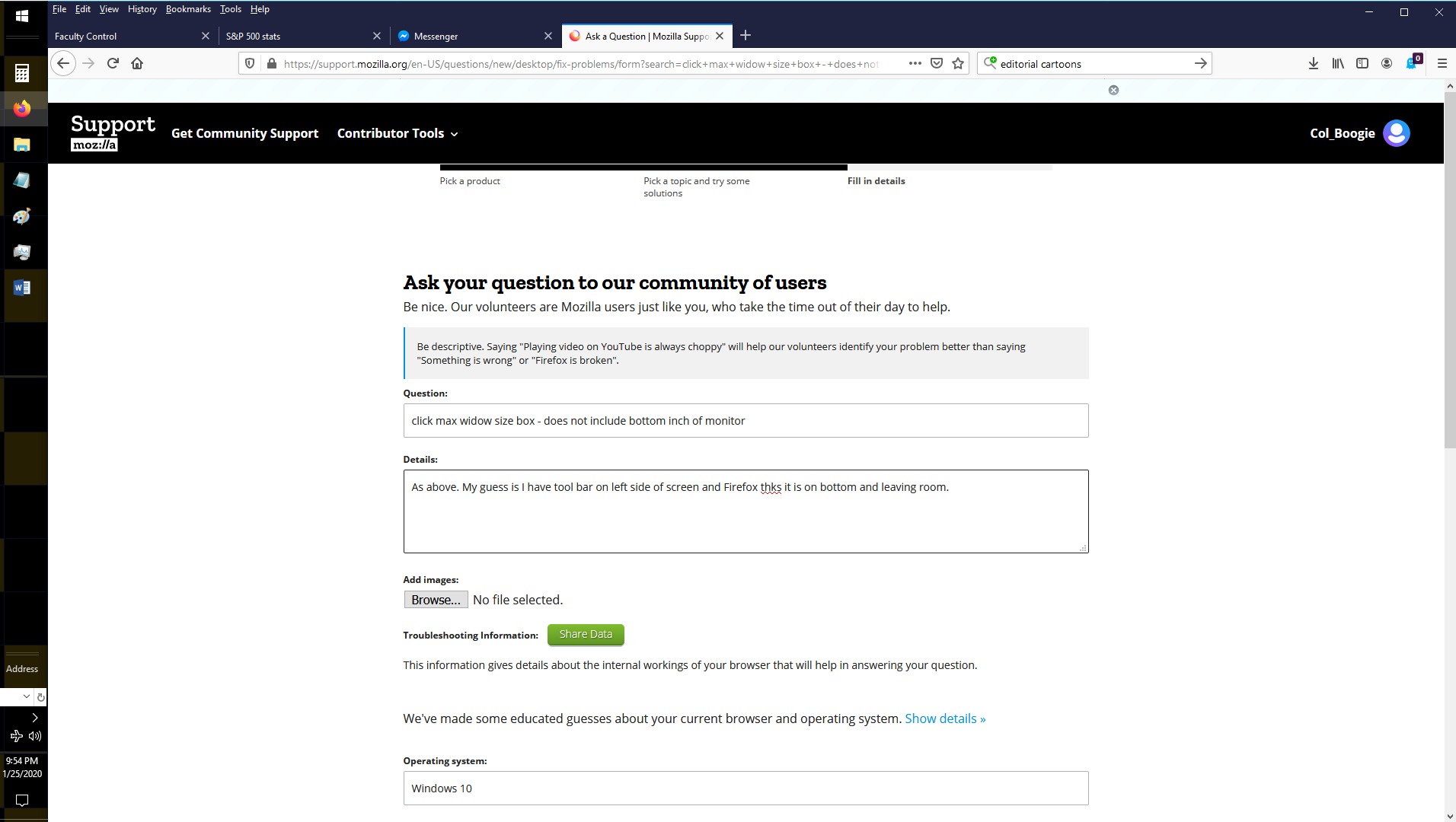
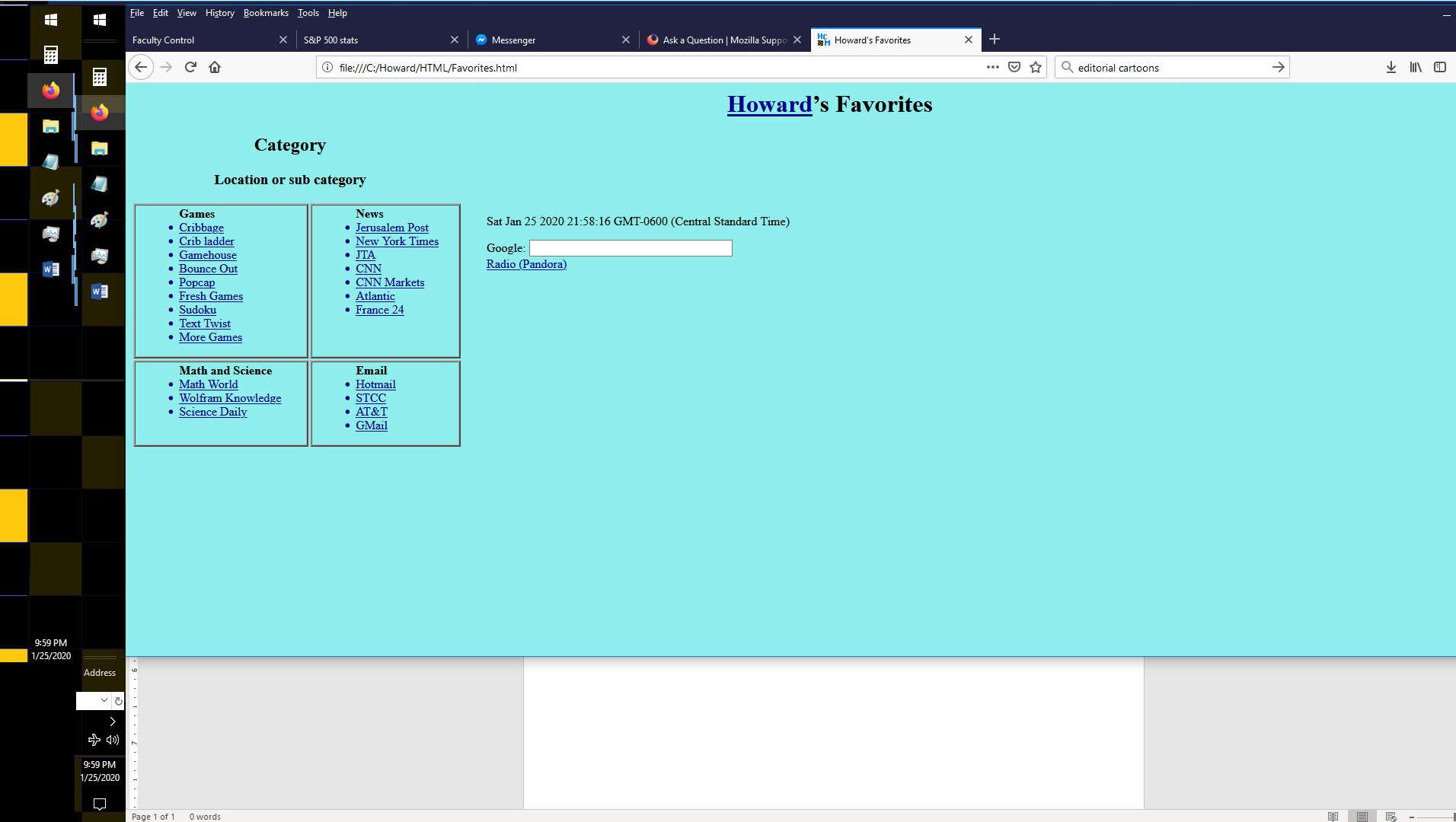
As above. My guess is I have tool bar on left side of screen and Firefox thinks it is on bottom and leaving room. First image is screen when I expand manually to full size. Second image is what screen looks like after clicking max box. Note second uses default background color I picked. on bottom is part of Word Window that I shouldn't be seeing.
ყველა პასუხი (4)
Try to rename/remove xulstore.json in the Firefox profile folder with Firefox closed.
You can use the button on the "Help -> Troubleshooting Information" (about:support) page to go to the current Firefox profile folder or use the about:profiles page.
- Help -> Troubleshooting Information -> Profile Folder/Directory:
Windows: Show Folder; Linux: Open Directory; Mac: Show in Finder - https://support.mozilla.org/en-US/kb/Profiles
შერჩეული გადაწყვეტა
Helped some. But now, sometimes switching between tabs, the bottom doesn't change. Also when I went to restart browser, an update occurred and created new version of file. Will delete again and see what happens.
Problem came back. Where in profile can I find default window size for Mozilla when full size box is clicked.
Does no good. In fact now have problem with enlarged manual size. When I enlarge it, switch to full size and back,going back no langer has my enlargement.