

このスレッドはアーカイブに保管されました。
必要であれば新たに質問してください。

アーカイブに保管済み
Restore Session no longer works properly, the window shows as blank, and the restore button is greyed out. On the history tab, the three associated links are also greyed out and unusable. How do I restore functionality?

Just as the question says, I get a restore session tab whenever I open Firefox, but it no longer shows my tabs, and the Restore button is greyed out. If I open and then close a side, it no longer shows up in the "recently closed tabs" in the History menu. "restore previous session" and "Recently closed windows" are also greyed out.
I'd like this function to work correctly again.
Just as the question says, I get a restore session tab whenever I open Firefox, but it no longer shows my tabs, and the Restore button is greyed out. If I open and then close a side, it no longer shows up in the "recently closed tabs" in the History menu. "restore previous session" and "Recently closed windows" are also greyed out.
I'd like this function to work correctly again.
すべての返信 (3)

Upgrade your browser to Firefox 9 and check
Did so, restore session is still blank.
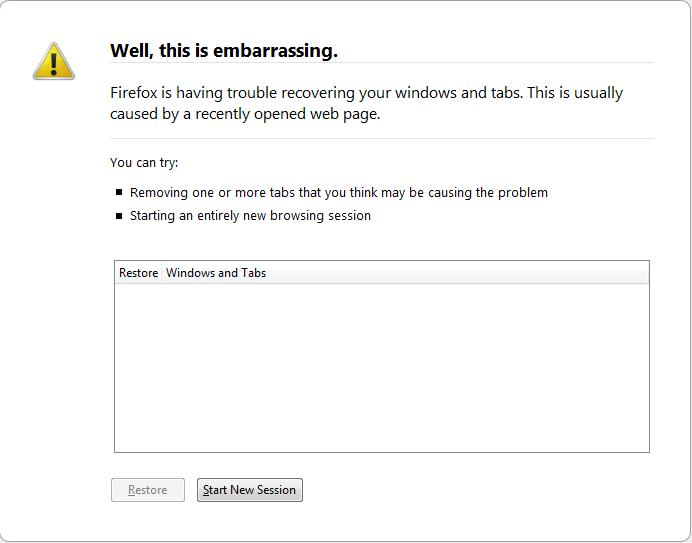
Make sure that you do not use Clear History to clear the Browsing History when you close Firefox.
- Tools > Options > Privacy: History: [X] Clear history when Firefox closes > Settings
Using the "Show my windows and tabs from last time" setting is a more reliable way to restore session data.
- Tools > Options > General > Startup: "When Firefox Starts": "Show my windows and tabs from last time"