


How do I remove google toolbar?. Taking up too much space.

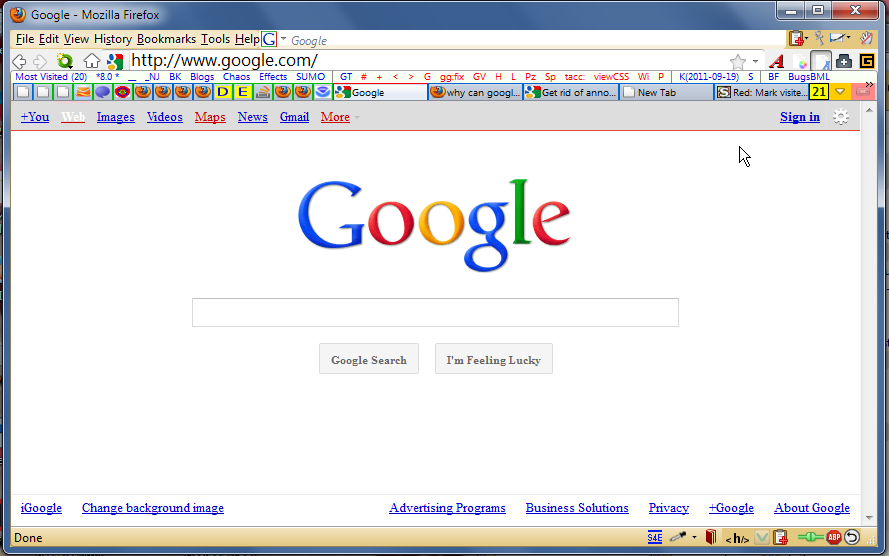
Under the firefox bar I now have a google search box [unwanted] and under that a black google bar [unwanted] and under that a blue google bar [sharing google plus] unwanted. How do I get rid of these please ? Regards Liam Moran
すべての返信 (2)
To get rid of the the Google Toolbar -- uninstall the extension
The Google Toolbar is no longer supported by Google in Firefox 5 and up, you may be able to get what you want from it for a limited time, the directions to install the Google Toolbar were posted before Google actually announced dropping support.
- Enable Google Toolbar in Firefox 5
http://googlesystem.blogspot.com/2011/06/enable-google-toolbar-in-firefox-5.html - the-edmeister posted a brief evaluation of the situation
https://support.mozilla.com/questions/841736
In any case you can find several alternative solutions, and you can start working on them now, see
- "Using Google Toolbar features without toolbars"
http://kb.mozillazine.org/Using_Google_Toolbar_features_without_toolbars - :https://support.mozilla.com/questions/860628#answer-229290
To get rid of the the blue bar advertising Google+
Black bar
- I didn't realize what you meant until I saw pictures elsewhere, you need that one to tell if you are signed into Google or not. Mine is grayish with links in color) because I have the following style (actually is use both style 16842 and style 17357 so both visited and unvisited links are distinguishable).
Or you could change your HomePage.
See How to set the homepage