I have been unable to print since switching to Firefox. I keep getting a "send Fax" page???Don

When I try to print anything, including Firefox data, I get a page with the following info: Send Fax- HP Officejet pro 8500 A910 Send fax to:
   Fax Number:_____________
   Name: _________________
   Company:_______________ , Etc.
This is my correct default printer and it worked fine with Internet Explorer. I do NOT want to make any changes to my computer that would disable having the option to print off of Internet Explorer, but it would be nice if I could also print off of Firefox, Don
When I try to print anything, including Firefox data, I get a page with the following info:
Send Fax- HP Officejet pro 8500 A910
Send fax to:
Fax Number:_____________
Name: _________________
Company:_______________ , Etc.
This is my correct default printer and it worked fine with Internet Explorer. I do NOT want to make any changes to my computer that would disable having the option to print off of Internet Explorer, but it would be nice if I could also print off of Firefox,
Don
すべての返信 (1)
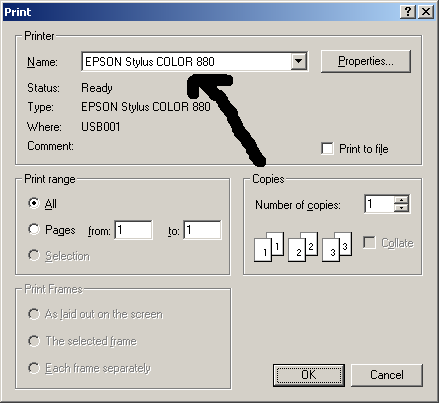
You probably need to select your printer in the Printer - Name dialog box.