


Firefox’s built-in VPN suddenly stopped working despite normal browsing working with it turned off, and restarting Firefox hasn’t helped—how can I fix it?
Hello Mozilla Support,
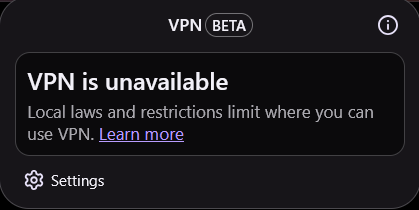
Firefox’s built-in VPN suddenly stopped working on my computer. It had been working well just a few minutes before the issue started. Websites still load normally when I turn the VPN off, but I can no longer use the VPN successfully. Closing and reopening Firefox did not resolve the issue.
I also wanted to share how much I’ve enjoyed this feature. Ever since the built-in VPN became available to me, I’ve been using Firefox all the time and have been very happy with the experience. It has become one of the main reasons I choose Firefox for my everyday browsing.
Could you please help me troubleshoot this issue and get the built-in VPN working again? I would appreciate any steps or solutions you can suggest.
To clarify, this is Firefox’s built-in VPN, not the separate Mozilla VPN application.
Thank you for your help and for making this feature available.
すべての返信 (1)
It's shown when the service can't be used for given geolocation — if you check Unable to find the built-in VPN in Firefox are you sure you're within the "List of countries where the Firefox built-in VPN is available"?