


Firefox Home shows only 8 shortcuts and hides the Add button

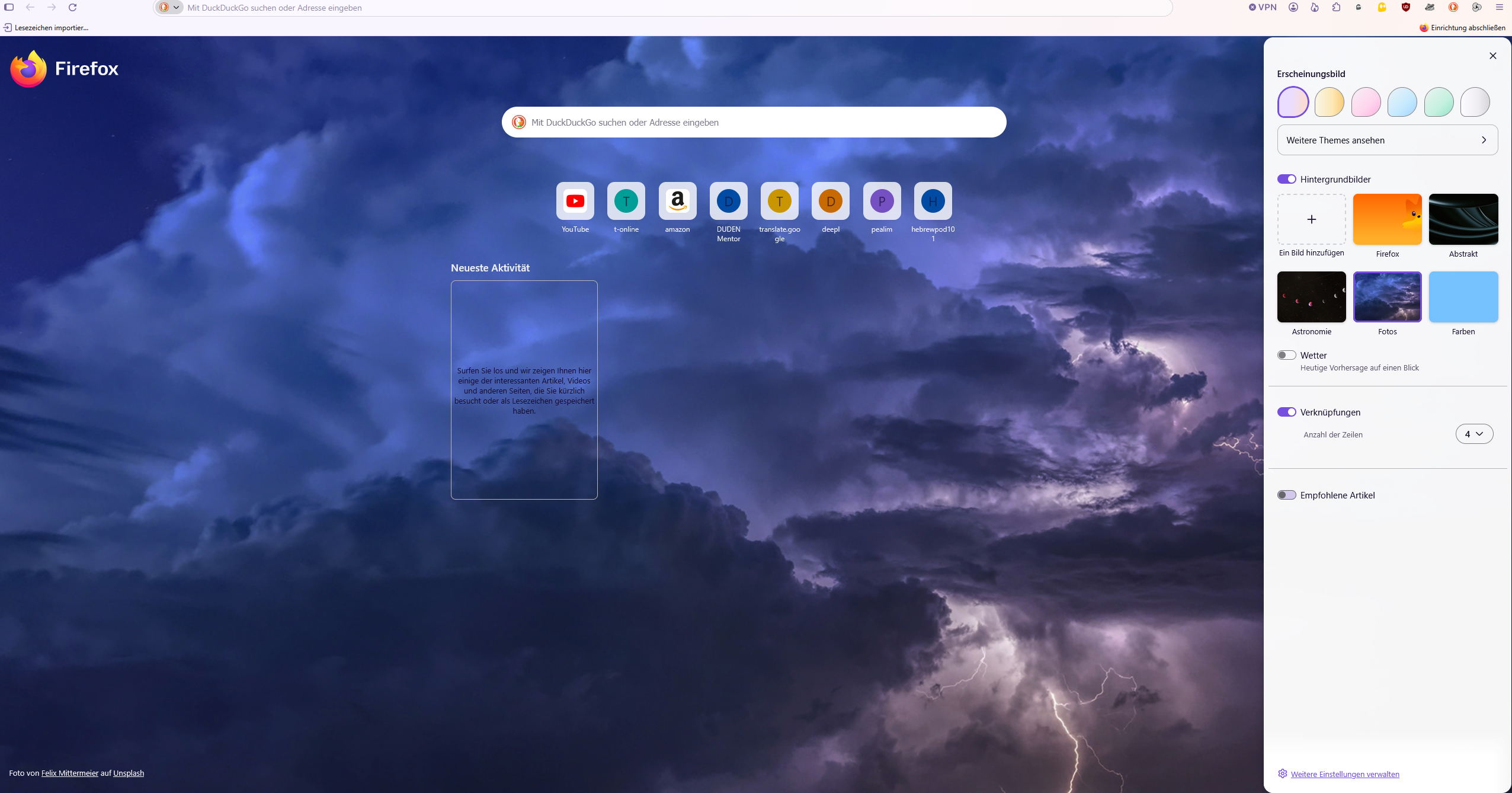
Firefox Home shows only 8 shortcuts and hides the Add button despite being set to 4 rows
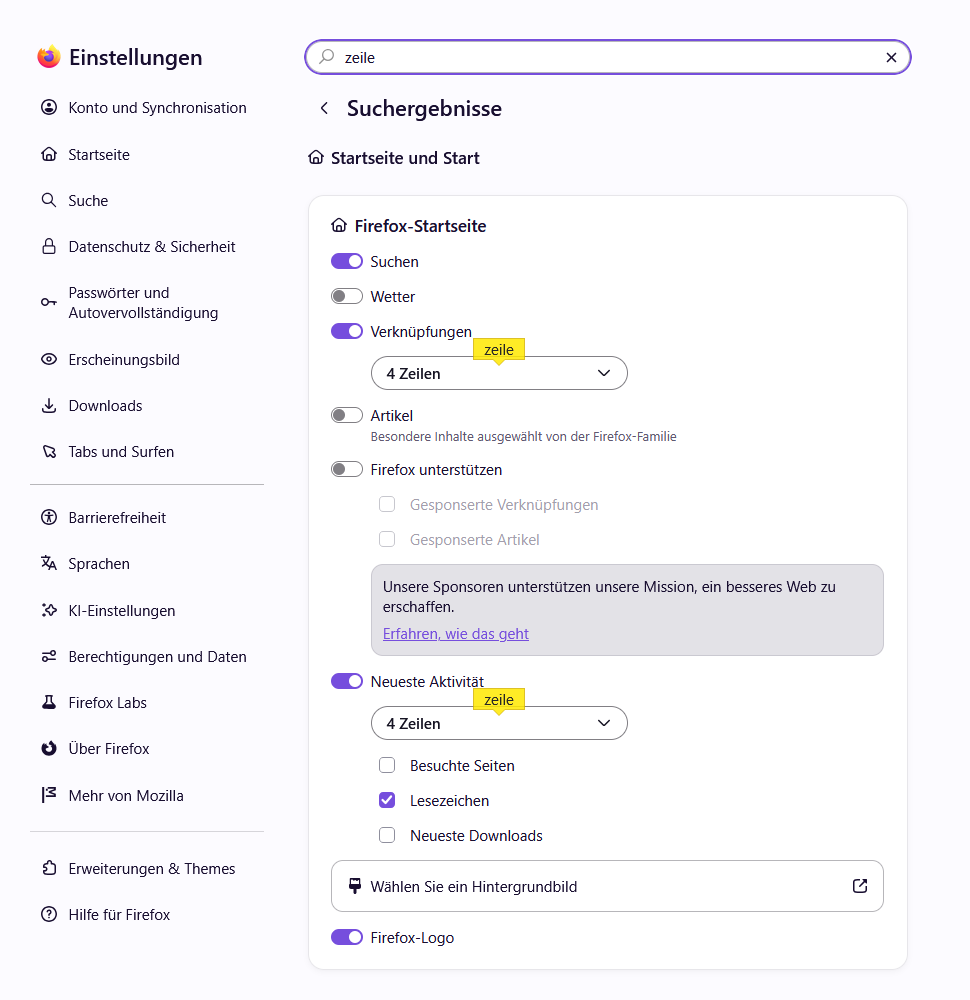
Environment: - Windows - Firefox 157.0 (64-bit) - The same issue occurred in Firefox 156.0.1 before updating. - Built-in Firefox Home is selected for the homepage and new tabs.
Steps to reproduce in my current profile: 1. Enable Shortcuts in Firefox Home settings. 2. Set the number of shortcut rows to 4. 3. Add shortcuts using the "+" button. 4. Once 8 shortcuts have been added, the "+" button disappears. 5. Open another new tab or restart Firefox.
Actual result: Only one row containing 8 shortcuts is displayed. There is no "+" button to add a ninth shortcut, although the settings still show 4 rows.
Expected result: Firefox should allow additional shortcuts in the configured rows and keep an option to add more shortcuts until the available slots are filled.
Checks and troubleshooting: - Confirmed that browser.newtabpage.activity-stream.topSitesRows is set to 4. - The issue also occurred in Troubleshoot Mode. - Temporarily enabling sponsored shortcuts did not help. - Updating from Firefox 156.0.1 to 157.0 did not help. - Testing browser.newtabpage.activity-stream.nova.enabled set to false did not help.
Additional context: During earlier troubleshooting, browser.newtabpage.pinned was manually edited to add a ninth shortcut. After restarting Firefox, the previous shortcuts disappeared except for YouTube. I then rebuilt the shortcuts using the normal "+" button. The same problem returned as soon as I reached 8 shortcuts. The issue therefore existed before and after that manual edit.
I have not tested with a separate, fresh Firefox profile. I do not know which Firefox version first introduced the issue.
すべての返信 (1)

This sounds like a Firefox Home bug rather than a setting issue, especially since it also happens in Troubleshoot Mode. I’d test a fresh Firefox profile next. If the "+" button still disappears after 8 shortcuts there, that gives Mozilla a much cleaner reproducible bug report.