


marvel.com just started logging me out immediately (but not in Chrome) (Windows 11)

I have a "Marvel Unlimited" account at marvel.com and generally use it daily in Firefox, in Windows 11.
Starting this afternoon, the site logs me out immediately--after the standard login procedure, the site shows my username for a moment, looking like I'm logged in normally--then it refreshes and goes back to showing the "LOG IN" button--and I'm logged out.
This problem isn't happening in the Chrome browser--I'm able to stay logged in there just fine.
For Firefox, I've tried clearing site history for marvel.com, restarting the browser, updating the browser (there was actually an update! : ), rebooting Windows 11, turning off all Firefox browser extensions, and turning off Firefox's advanced tracking protection--all to no avail: Firefox just won't stay logged in on marvel.com all of a sudden!
Not having trouble staying logged in to any of my other regular sites, just marvel.com.
I asked on the Marvel Unlimited Discord server if other Marvel Unlimited users were experiencing this problem in Firefox; two users checked and said their Firefox browsers have just started logging them out as well.
この投稿は smbhax3 により に変更されました
選ばれた解決策
Login at marvel.com is working normally in Firefox again.
(Marvel replied to my support request from yesterday about five hours ago, saying "We understand you're having trouble logging into the Marvel Unlimited website via Mozilla Firefox and Safari browsers. Our team is aware of these intermittent login issues, and we are working diligently to resolve this as quickly as possible. In the meantime, we recommend logging into the Marvel Unlimited website using Google Chrome."
Possibly they made some change on their end that has now fixed the issue; at any rate, I'm not getting the site to misbehave in Firefox at the moment.)
すべての返信 (16)
Another MU user on Discord has reported that the problem is also occurring in the Safari browser.
Hi,
Sorry you experience this. You've already gone through a solid number of steps, but here are a couple more things you can try:
Does that help? Looking forward to your update!
Denys said
Hi, Sorry you experience this. You've already gone through a solid number of steps, but here are a couple more things you can try: Does that help? Looking forward to your update!
Oh yeah when I said in the OP that I had cleared "site history" I actually meant that I cleared browsing data by right-clicking marvel.com in browser history and selecting "Forget About This Site...," which I think covers clearing cache, cookies, and site data as well has browser history. Just in case I ran through the steps you linked for marvel.com, then tried logging in at marvel.com again, and it still logged me out again immediately.
Could you quickly spin up a separate new browser profile to test with clean slate if you'd be able to sign in there, to have some comparison? Thanks! Profile Manager - Create, remove or switch Firefox profiles
jbr said
Could you quickly spin up a separate new browser profile to test with clean slate if you'd be able to sign in there, to have some comparison? Thanks! Profile Manager - Create, remove or switch Firefox profiles
I used Profile Manager to make a new profile and open it in a new browser, then used it to log into marvel.com. As happened under my old profile, the browser window using my new profile was logged out of marvel.com immediately.
OK thanks, one last check — if you have e.g. mobile hotspot available to you, so that you could tether using your cell data plan for a test, to see if different network/IP would make any difference (you can also potentially use VPN for that, if one's available to you) — to rule out some Amazon blocklist shenanigans for good measure?
jbr said
OK thanks, one last check — if you have e.g. mobile hotspot available to you, so that you could tether using your cell data plan for a test, to see if different network/IP would make any difference (you can also potentially use VPN for that, if one's available to you) — to rule out some Amazon blocklist shenanigans for good measure?
I set up a mobile wifi hotspot through my phone, logged in to that on my Windows 11 computer, unplugged the network cable from my computer, cleared marvel and disney site data from my computer's Firefox browser, and logged into marvel.com in the browser over the wifi hotspot; as in previous attempts under different configurations, the account on marvel.com was logged out immediately.
この投稿は smbhax3 により に変更されました
jbr said
OK thanks, one last check — if you have e.g. mobile hotspot available to you, so that you could tether using your cell data plan for a test, to see if different network/IP would make any difference (you can also potentially use VPN for that, if one's available to you) — to rule out some Amazon blocklist shenanigans for good measure?
I set up a mobile wifi hotspot through my phone, logged in to that on my Windows 11 computer, unplugged the network cable from my computer, cleared marvel and disney site data from my computer's Firefox browser, and logged into marvel.com in the browser over the wifi hotspot--as in previous attempts under different configurations, the login at marvel.com was logged out immediately.
- Update ah oops that was over wifi, not cell. Trying again with cell, will update momentarily.
この投稿は smbhax3 により に変更されました
jbr said
OK thanks, one last check — if you have e.g. mobile hotspot available to you, so that you could tether using your cell data plan for a test, to see if different network/IP would make any difference (you can also potentially use VPN for that, if one's available to you) — to rule out some Amazon blocklist shenanigans for good measure?
I turned off wifi on my Android phone, set up a mobile hotspot on it, unplugged the network cable from my computer, logged the computer in to the mobile hotspot, told Firefox on the computer to forget about marvel.com and the Disney URL that also comes up during the marvel.com login procedure, then logged in to marvel.com through Firefox over the mobile hotspot cellular data--and as in all previous attempts under other configurations with Firefox since yesterday afternoon, the Marvel account was logged out immediately.
Hmh what if you try "Chrome Mask" addon, to verify there's not something dumb on the server side re. browser identification?
(Also, if you can F12 › Network › "cogwheel" icon › [x] Persist Logs — and have that developer tool open on the Network pane when going through the logins, in case there's something visibly "red" logged in failed endpoints or calls… thanks.)
jbr said
Hmh what if you try "Chrome Mask" addon, to verify there's not something dumb on the server side re. browser identification? (Also, if you can F12 › Network › "cogwheel" icon › [x] Persist Logs — and have that developer tool open on the Network pane when going through the logins, in case there's something visibly "red" logged in failed endpoints or calls… thanks.)
Installing the Chrome Mask extension, switching the mask on for marvel.com--and for the login.disney.com site through which marvel.com's login process routes you--and then logging in on marvel.com, still resulted in immediate logout at marvel.com.
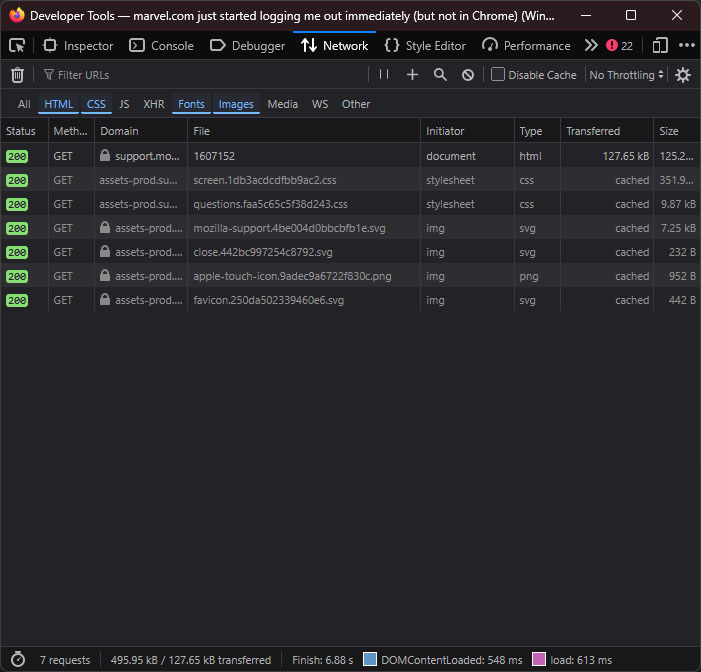
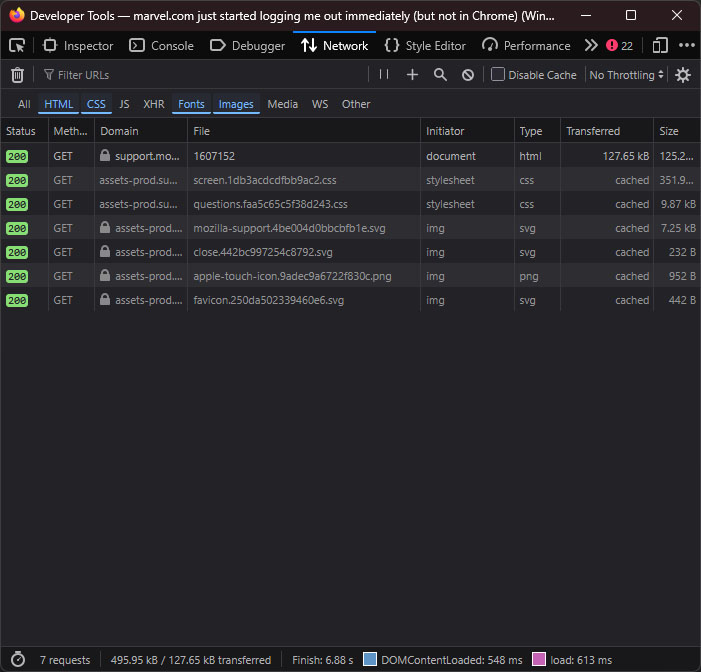
I tried following the Dev Tool directions, but I'm not sure I'm getting the information you were looking for--the window doesn't update as I go through the login process--all the info shown in the attached screenshot appeared there when I clicked the initial "Reload" button in the Network panel.
この投稿は smbhax3 により に変更されました
jbr said
Hmh what if you try "Chrome Mask" addon, to verify there's not something dumb on the server side re. browser identification? (Also, if you can F12 › Network › "cogwheel" icon › [x] Persist Logs — and have that developer tool open on the Network pane when going through the logins, in case there's something visibly "red" logged in failed endpoints or calls… thanks.)
Installing the Chrome Mask extension, switching the mask on for marvel.com--and for the login.disney.com site through which marvel.com's login process routes you--and then logging in on marvel.com, still resulted in immediate logout at marvel.com.
I tried following the Dev Tool directions, but I'm not sure I'm getting the information you were looking for--the window doesn't update as I go through the login process--all the info shown in the attached screenshot appeared there when I clicked the initial "Reload" button in the Network panel.
Oh the screenshot is attached below. (I think I'm screwing things up, when I edit a reply it disappears; just noticed something about requiring moderator approval? I don't know, seems odd my replies don't stick around when I can go and redo them anyway, eh.)
(Incidentally, as with the Google Chrome browser under Windows 11, marvel.com logins are also persisting correctly in the Microsoft Edge browser under Windows 11.
So so far it's just Firefox--observed by me and corroborated by users in the Marvel Unlimited discord--and Safari--reported by a user on the MU discord--that are exhibiting the immediate logout issue at marvel.com.)
Yeah that sounds like something chromium–based browsers only expect to return, and all other engines fail; so possibly a site issue (e.g. relying on some cookie partitioning or something alike…)
Could you add an exception from enhanced tracking protection for the marvel.com and disney.com hosts — seems like they're sharing the credentials in a weird way.
選ばれた解決策
Login at marvel.com is working normally in Firefox again.
(Marvel replied to my support request from yesterday about five hours ago, saying "We understand you're having trouble logging into the Marvel Unlimited website via Mozilla Firefox and Safari browsers. Our team is aware of these intermittent login issues, and we are working diligently to resolve this as quickly as possible. In the meantime, we recommend logging into the Marvel Unlimited website using Google Chrome."
Possibly they made some change on their end that has now fixed the issue; at any rate, I'm not getting the site to misbehave in Firefox at the moment.)