


unable to change built in VPN location
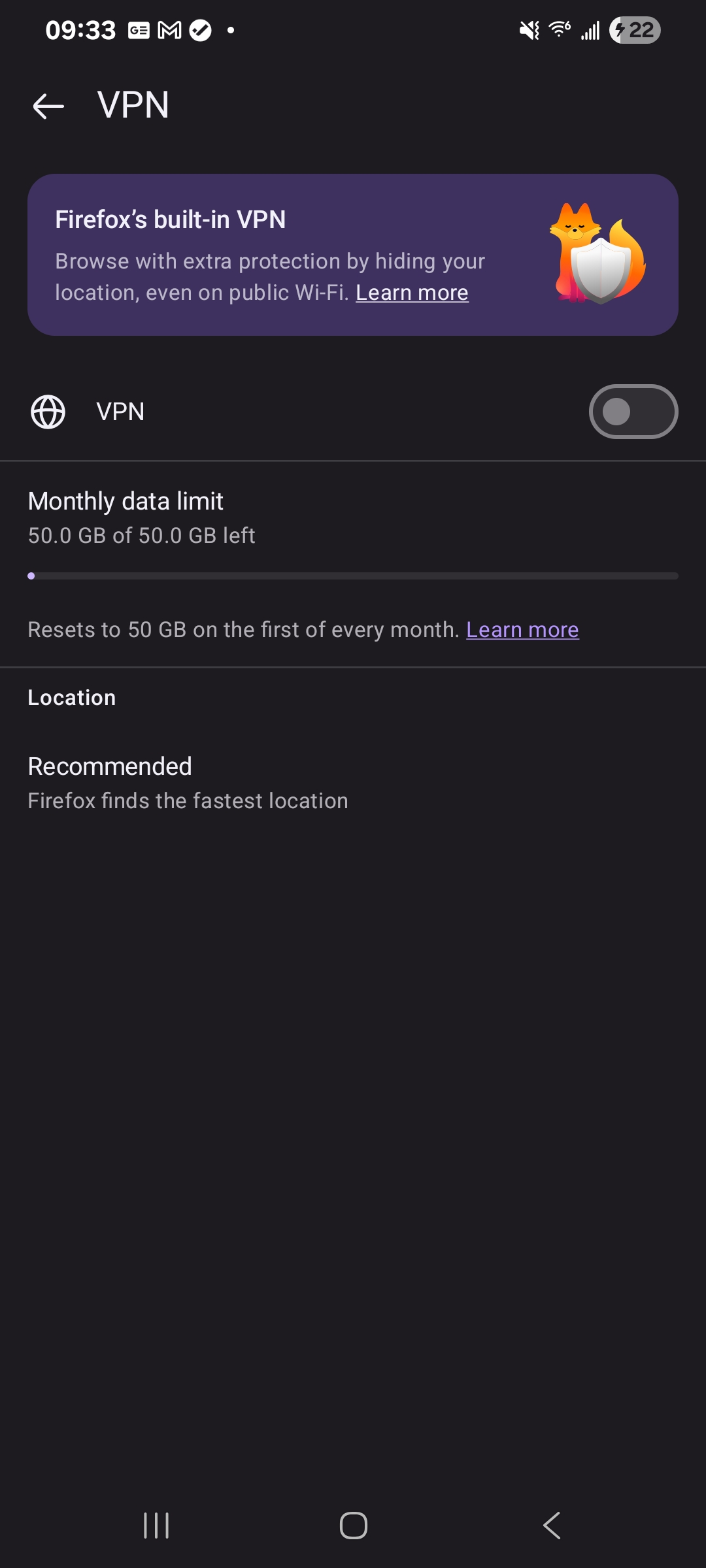
I cannot change the location the built in VPN uses from "recommended". There doesnt seem to be other options for me to select. I'm aware the feature is still in beta, but this seems like a core function that I just can't use for some reason.
すべての返信 (2)

The recommendations are not provided by Mozilla.
The free VPN that Firefox use is a proxy server to Fastly, so Fastly do the sourcing and make servers available.
Ignore the reply by amoun above ^
ndn1x1 said
I cannot change the location the built in VPN uses from "recommended". There doesnt seem to be other options for me to select. I'm aware the feature is still in beta, but this seems like a core function that I just can't use for some reason.
The recent built-in VPN feature in Firefox for Android is experimental and in a progressive rollout in testing. It currently does not have a way to change the location now in Firefox for Android. https://support.mozilla.org/en-US/kb/mobile-android-vpn
https://support.mozilla.org/en-US/questions/1602028 https://support.mozilla.org/en-US/questions/1601657