


T-bird connect to yahoo mail works on one laptop, not the other

This is probably not a T-bird question, per se, but it is so strange it seems that this might be the best place to start, hoping someone might have some insight.
My wife and I each have our own laptops, running Win-11 Pro. Each laptop has T-bird 153.2.0esr (32-bit). We each have an account to yahoo mail (the site now hosting our Comcast email accounts). No problems since ... forever. Until today.
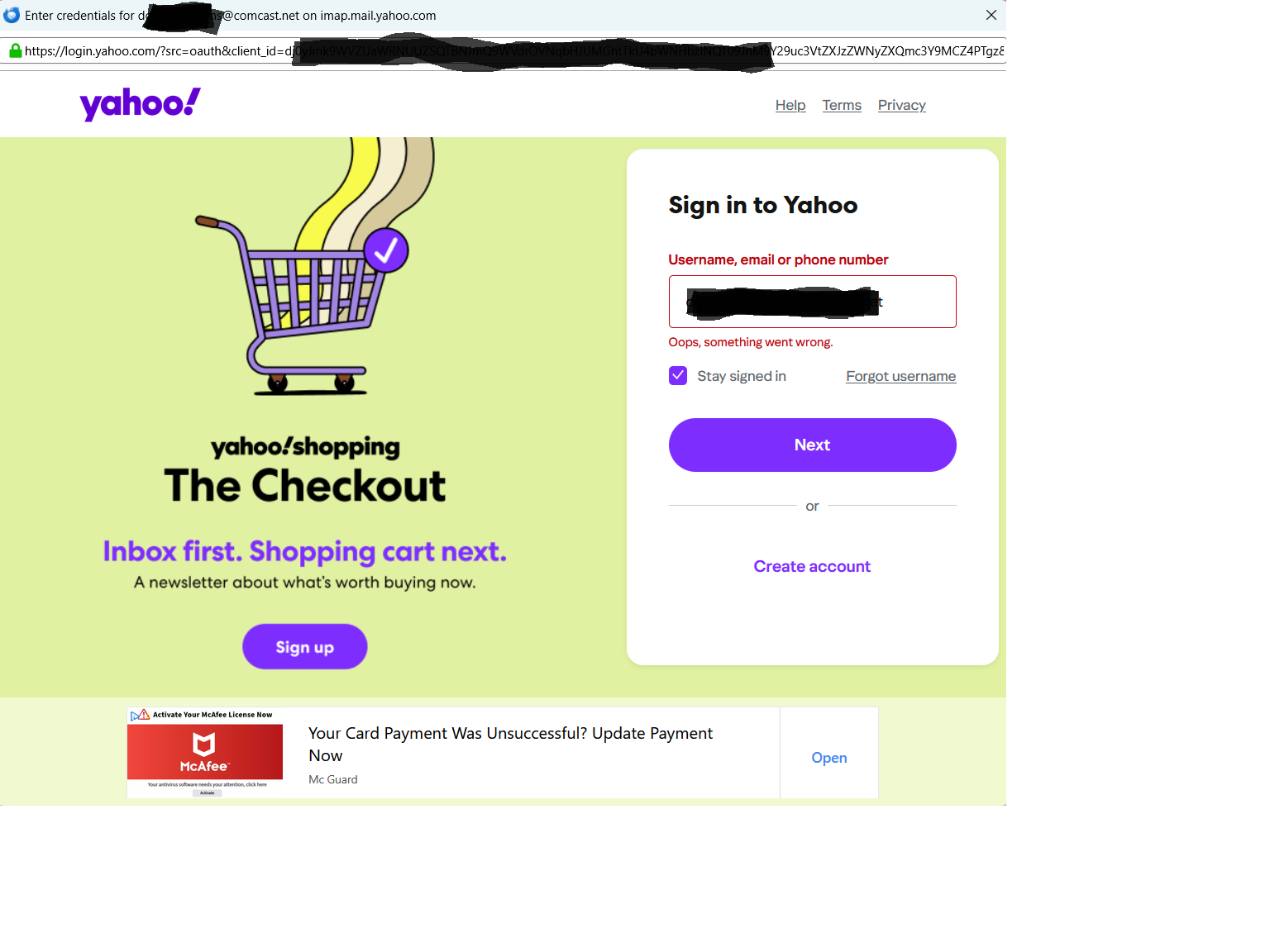
Now, beginning today, on my wife's laptop, when she opens T-bird, she gets a pop-up logon page, pre-loaded with her userid/email address. No input field for a password, but that it not unusual, as a lot of sites put that on a follow-up. But when we click 'next', it just rejects it. We were able to log into the yahoo mail web page (in Firefox) just fine.
After a lot of head scratching, I added her account to the T-bird configuration on my laptop. First time up, it prompted for credentials, but here it accepted them. So now we have her yahoo/comcast account configured and working just fine on my laptop, but continue to get credentials rejected running the same config on hers. Again, this has been working just fine up until today.
(If you are wondering about the connection between Comcast and Yahoo, several years ago we 'cut the cable' with Comcast, after confirming they would continue to support our email accounts. Then some time ago, they off-loaded that to Yahoo, such that we were able to retain our Comcast email address, but it redirected to and is hosted on Yahoo.)

選ばれた解決策
Make sure cookies are allowed in Thunderbird. Don't run a VPN when authenticating. Don't run a local web server listening on TCP port 80 when authenticating.
すべての返信 (4)
... when we click 'next', it just rejects it.
Please post a screenshot of the error. https://support.mozilla.org/kb/how-do-i-create-screenshot-my-problem
Image uploaded.
選ばれた解決策
Make sure cookies are allowed in Thunderbird. Don't run a VPN when authenticating. Don't run a local web server listening on TCP port 80 when authenticating.
Christ1 -
It was the cookies. When I drilled down into "settings - privacy" I saw that 'accept cookies from sites" was de-selected. I selected it and set 'accept third-party cookies' (matching the config on my laptop), and restarted T-bird. It again prompted for credentials, but this time accepted the user-id and prompted for password. I entered that and now everything is back to normal.
Thanks for the tip.