


My emails won't load to open

My emails are listed, but won't load to open...blank page.
すべての返信 (10)
Started yesterday. My emails are listed but won't open (won't load)

What's the solution? I have same problem

Try right-click Inbox > Properties > click 'Repair folder' button.
Good results?

Hello People, I have the same problem, but in my case the emails aren't even listed, just a blank page, see screen shot. I have tried Ed's solution - Try right-click Inbox > Properties > click 'Repair folder' button. - which helped for a short time, but since yesterday evening I have a blank page again. Who could help me solve this problem? Thanks in advance!
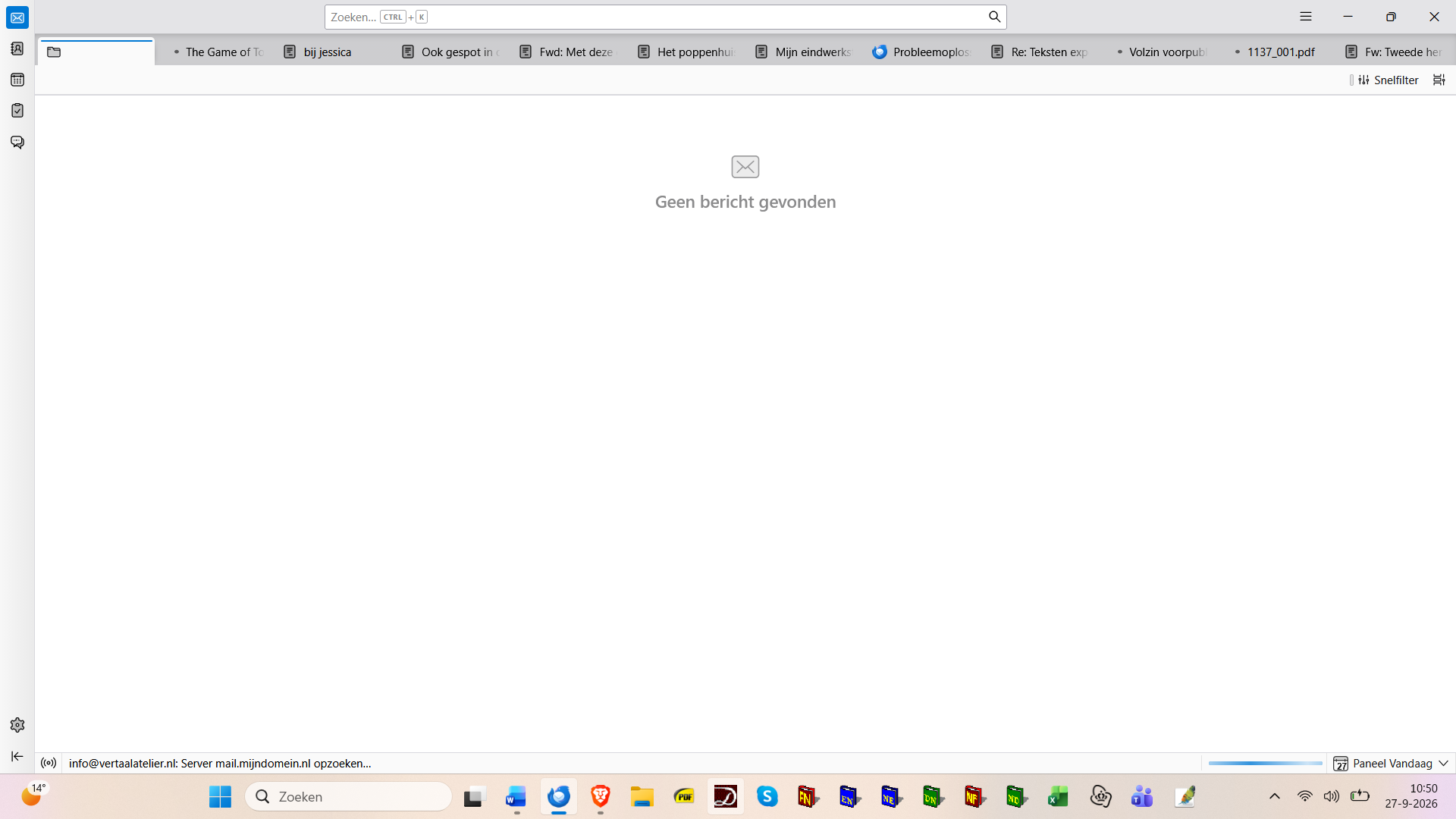
PS: Of course I couldn't have tried Ed's solution seeing a plank page, I did this when - yesterday afternoon - the program decided to work again after showing the plank page... Also, I have tried to solve the problem, that occurred earlier, by upgrading Thunderbird, which at first seemed to have helped, but I can see now that it hasn't.
この投稿は ysart により に変更されました
You could try restarting Thunderbird and checking whether the issue continues in Troubleshoot Mode. Also, make sure Thunderbird is up to date and your internet connection is working properly. If the emails still won't open, check the Error Console for error messages that may help identify the cause.
Ah - thank you. And where do I find trouble shoot mode? And can I find it on a blank page?... I have the last version of Thunderbird, since I tried to solve the problem by upgrading, which at first seemed to help, but here I am again with a blank page.
Also, I forgot to mention that to begin with the program asks for the password of the first of my three accounts, see screen shot.
And that I can see at the bottom of the blank page how the system seems to block on looking for messages on my third account - see the screen shot added to my first message
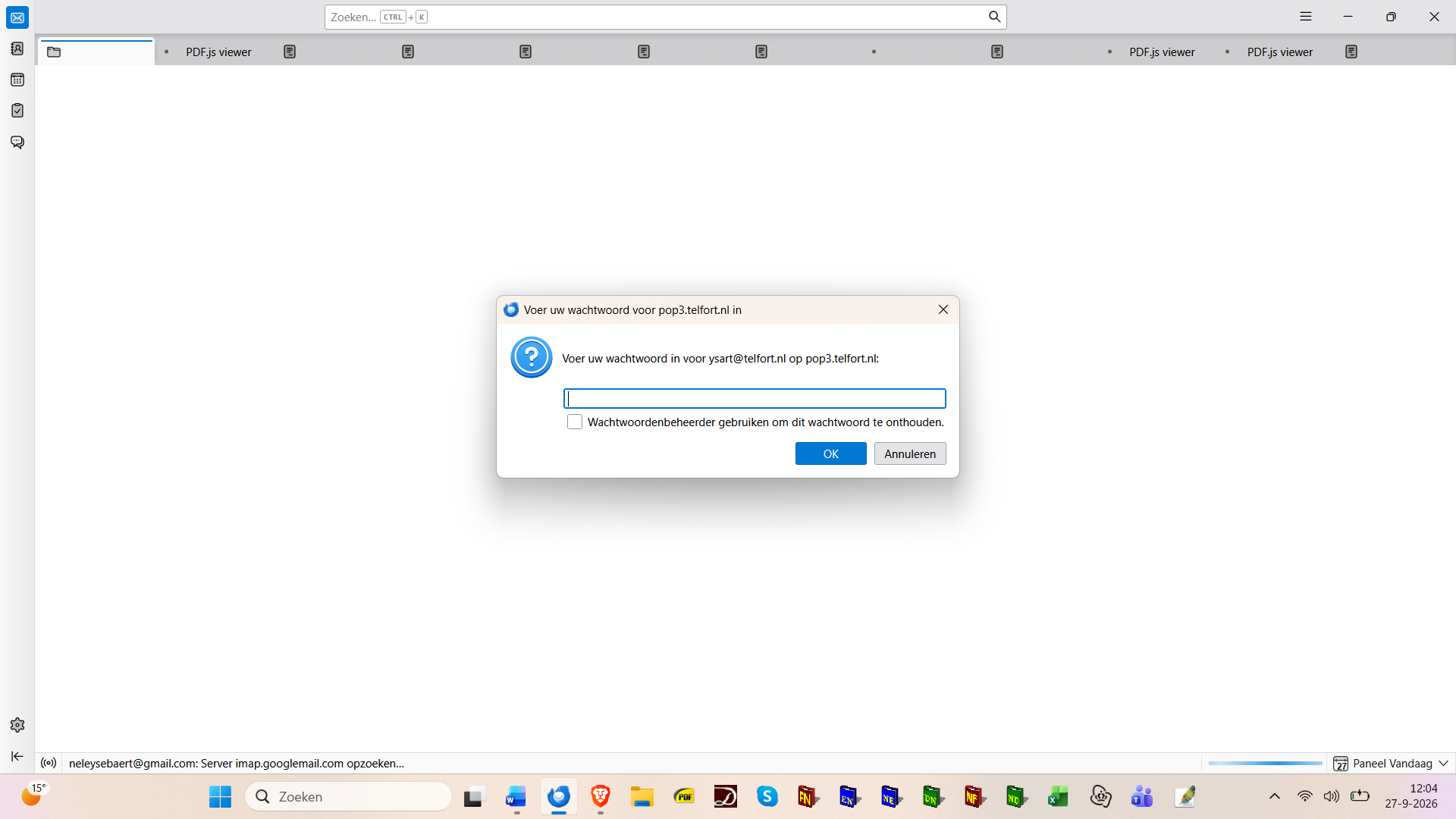
この投稿は ysart により に変更されました
Hello Ysart,
ysart said
Ah - thank you. And where do I find trouble shoot mode? And can I find it on a blank page?...
With "blank page" do you mean the Thunderbird start page shown in your screen shot? You remember our discussion https://support.mozilla.org/en-US/questions/1605628 we left about a week ago? You already had shown a similar screen shot of " blank page" in this discussion but eventually you told me that everything was OK. Does Thunderbird become unresponsive when showing this page after startup? If not go to menu Help > Troubleshoot Mode > ...... Thunderbird closed you can also start in troubleshoot mode by pressing the shift key whilst launching Thunderbird.
Thanks for you answer, Mapenzi. I will investigate further this evening - now heading for a meeting...