


How do I get Contact Name only (no address) in the TO: Field of Outgoing Emails

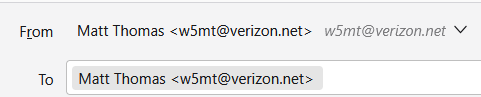
I prefer to have the Contact Name only display in the TO: field of composed or outgoing emails. I already know their address is correct in my Address Book, why do I need to see it? Presently, the TO: field shows "Name <email address>", as shown in the first uploaded image.
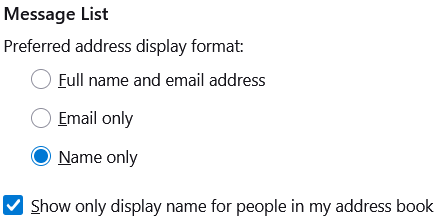
I am a new user to Thunderbird and I have reviwed, and believe, set all the Settings correctly that I could find on the subject (see second uploaded image), but the results do not change.
What am I missing?
Thanks Matt T
すべての返信 (2)

選ばれた解決策
This function works only for "Message List" ( as it is in Message List section of settings ). And a Message List is a list of emails in a folder. If you look into sent folder or any folder you'll see only name for those who are in your address book.
And it does not work for a new email you're are writing and about to send out. The TO field is expected to contain email address ( while writing a new email ). And that how it works.
Remarks: you should mask your email address before posting a screen shot.
この投稿は Michel T により に変更されました
Ok, thanks. I was just used to Windows Live Mail (my prior but ancient email app that still works on the computer I'm moving away from) & Outlook (that I used in the office prior to retirement) that displayed only the Name, in any of the address fields, as the email info was within the contents of the Address Book entry for that Name. So, to understnd the process, it appears Thunderbird only draws info from the Address Book during composition and doesn't access it when actually sending the message. Good to know.