


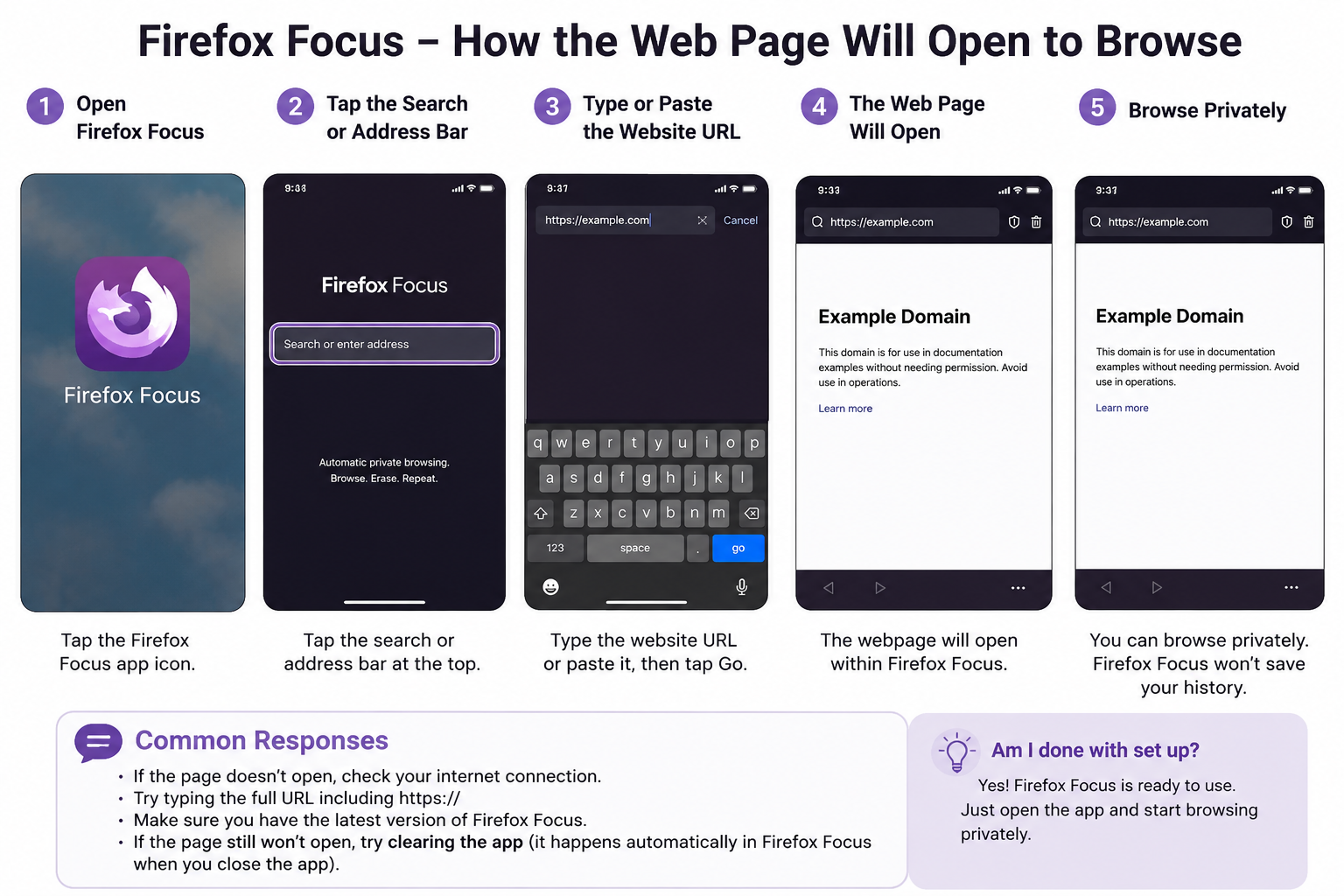
how the web page will open

Am I done with set up
How the Web page is going to open to browse
すべての返信 (1)

es, the setup appears to be complete.
Open Firefox Focus, tap the address/search bar, type either a website address such as mozilla.org or a search phrase, and then tap Go, Enter, or the arrow on the keyboard. The web page should open inside Firefox Focus.
To make links from email or other apps open automatically in Firefox Focus, set Firefox Focus as your phone’s default browser in Settings → Apps → Default apps → Browser app. The exact menu name may vary by phone.
If no page opens, check your internet connection, close and reopen the app, and make sure Firefox Focus is updated.
Firefox Focus is designed to work as a standalone privacy browser, and its address bar is used to open websites and search the web.
この投稿は Liam Parker により に変更されました