


Black bar appears in notification area when selecting a message

This is observed on Pixel 9 Pro. Running Thunderbird v21 from F-Droid.
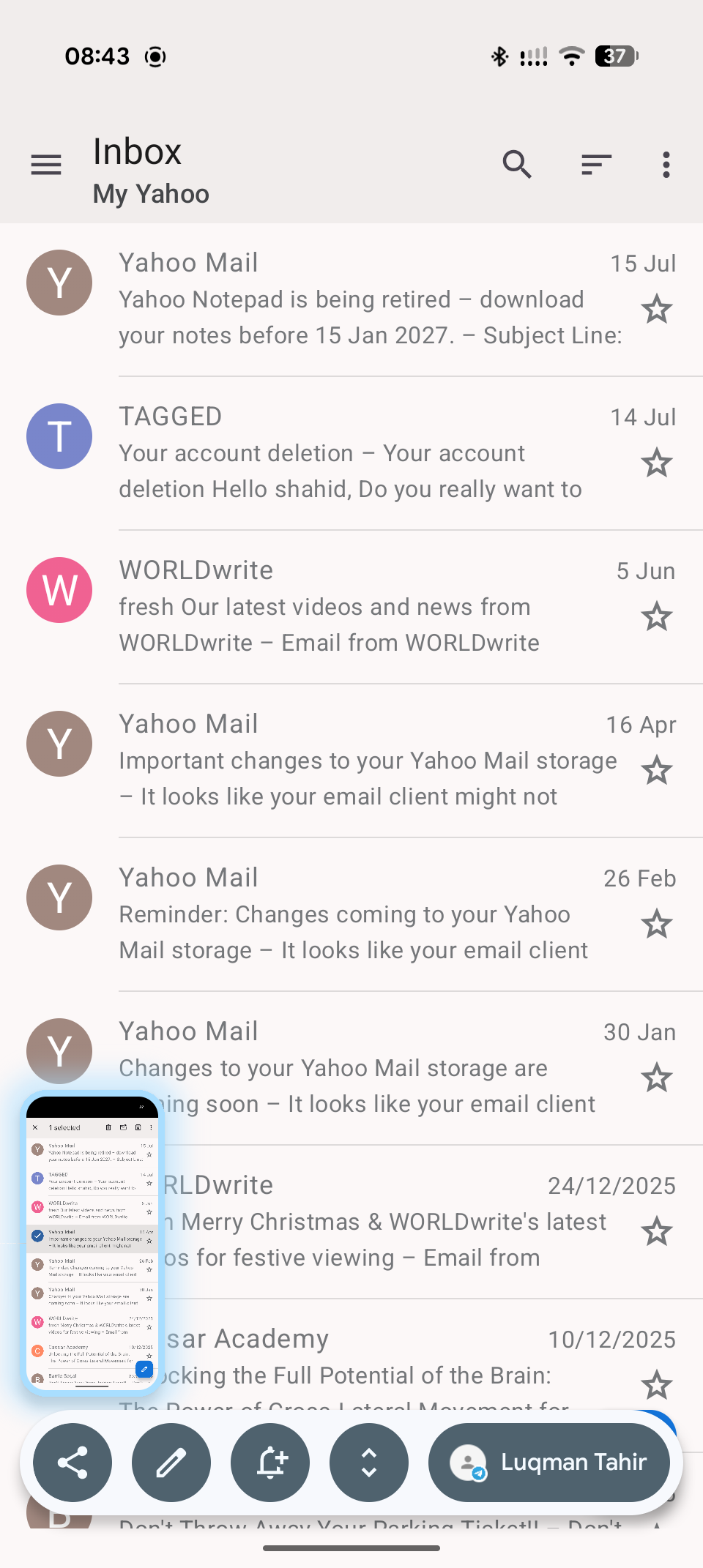
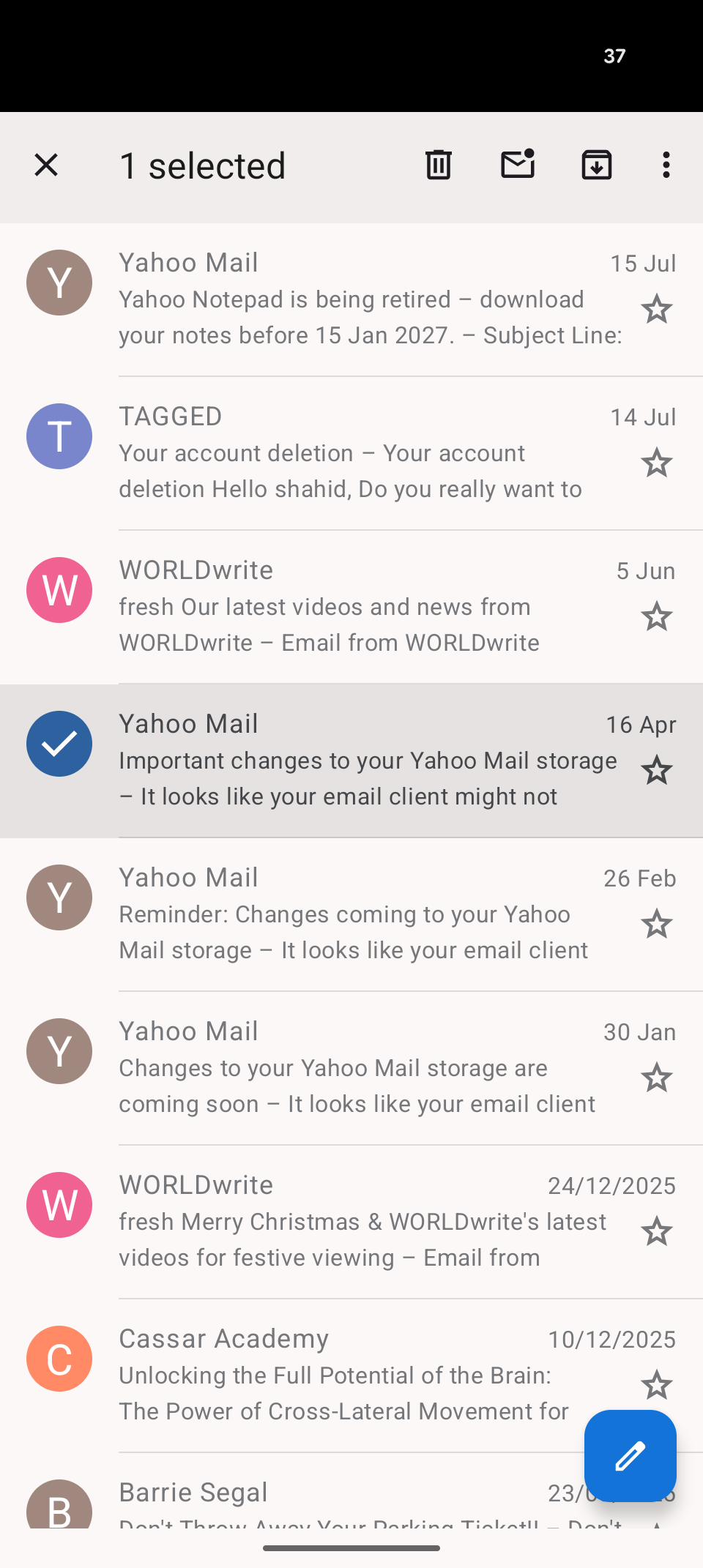
Not sure if this is in the latest update, but if I select a message, the top of the screen (where we are notifications and battery level) turns into a black bar. This happens in, both, the unified mailbox and a specific mailbox.
Is this a bug or normal behaviour?
すべての返信 (3)
Sorry, I missed a screenshot

選ばれた解決策
Hi Shaz
It appers to be a bug. I'm able to reproduce it.
When you select an email, the background colour of the notification bar inverts from white to black. That's normal, however the text and icon colors should also invert from black to white. This isn't occuring so the bar becomes black icons and text on a black background.
In your example, only the "37" from your battery percentage has inverted to white.
In my tests the issue only occurs on the light theme. The dark theme displays correctly.
Can you create a new bug report on github linked below. https://github.com/thunderbird/thunderbird-android/issues
Thanks. I will go ahead and do this.