


images have not been loading properly or are only partially visible.

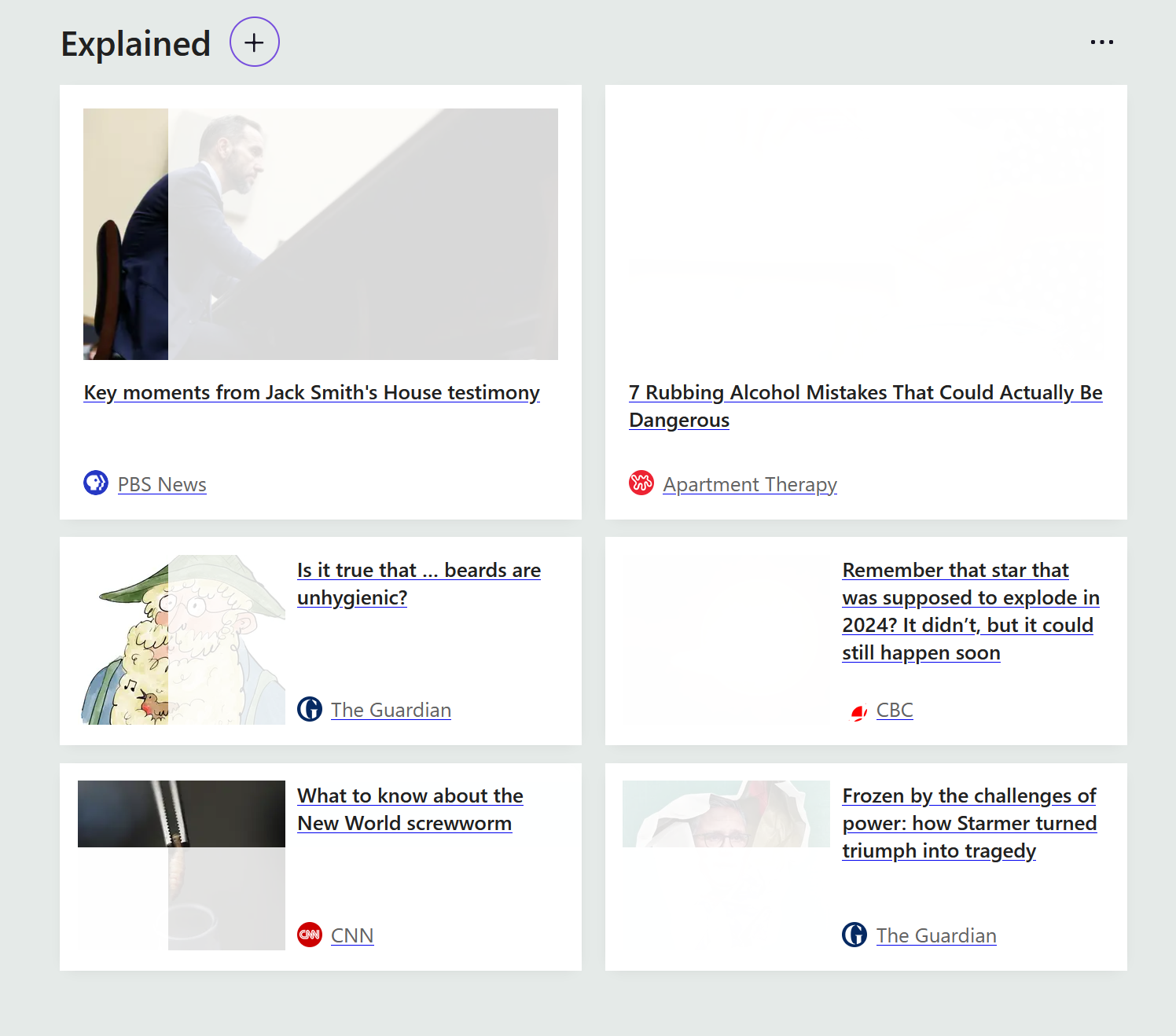
Images have not been displaying properly. Or when they display properly, the images may go blank when scrolling past them or hovering the cursor over them. This is specifically troublesome with buttons to click on to confirm "yes" or "no", "next" or "start" where the text within those buttons is not visible. I've included a screen shot showing how some of the images appear on screen. Thank you for any suggestions you may have.
すべての返信 (3)
Hi.
Can you check what resources your system has and how much is available. It could be an overload.
Have you checked the cache and deleted old stuff?

The local disk had 20 GB free of 118 GB. I have now deleted some items and checked the cache which has freed up some space. Now the local disk has 29.7 GB free. I have restarted the computer but the problem has not resolved. I appreciate the suggestions though.
Just searching for this issue.
Is this a recent issue and do videos work fine, i.e the graphics chip is working fine in that sense.
Is it only Firefox, can you use another browser?
By the way if you use Windows do you ever use [Restart] and not [Shut Down] . The latter keeps setups in memory.
この投稿は amoun により に変更されました