


trying to put thunderbird on laptop, but keep getting authentication error after entering password

I'm trying to put thunderbird on my laptop, but after entering the password I keep getting an error message saying the password or settings must be wrong. But I've checked the incoming & outgoing settings, my password a few times now & I know everything is correct. So why do I keep getting this error message & is there a way to fix this? I'm running windows 10.
選ばれた解決策
Here it is
この回答をすべて読む 👍 0すべての返信 (15)
My suggestion is to NOT enter password until prompted. That fixes many problems.
The last step was to put in the password. That's when I put it in & the authentication error message appeared soon after.
Maybe you should post the exact error message, as passwords and authentication are two different things. Also, posting a screenshot at the time of the error may prove helpful
This is exactly what comes up after entering my password. I know everything is correct looking at the settings on my desktop. I'm about to give up....too frustrating.
Authentication error Unable to log in at server. Probably wrong configuration, username or password.
Can you post a screenshot at the time of the error? That may generate ideas.
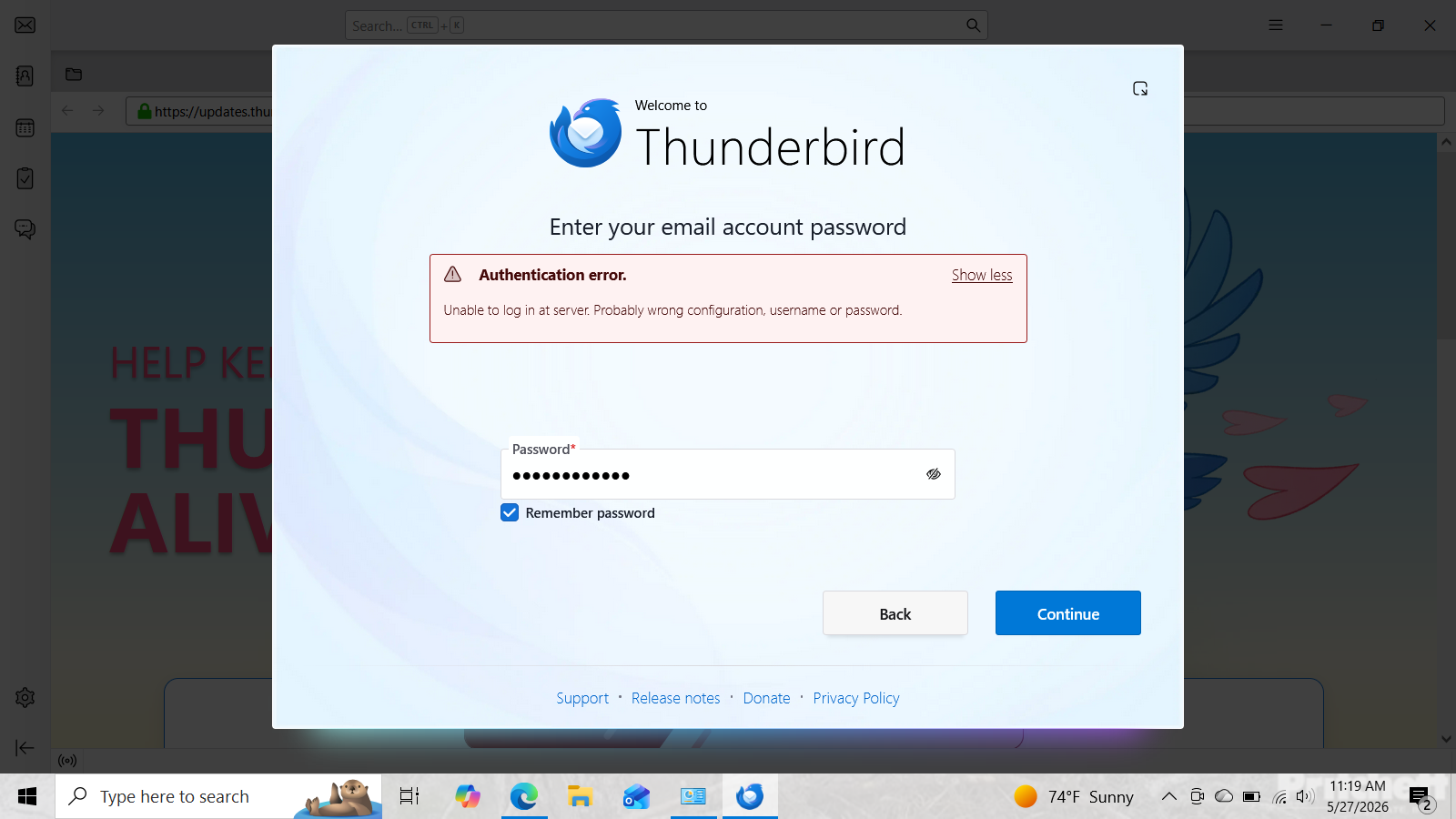
In seting>general do you have the account hub UNticked? I've never seen that screen before. Let's try this: post a screenshot just BEFORE you click to enter password. I share your frustration.
I finally got it done & tried so many different things from researching this online I'm not sure which move I made that got it done. But I do remember checking a box saying make thunderbird your default mail client that wasn't previously checked. I think that was the one that allowed me to move forward & get it set up. Thanks for your help David....much appreciated.
One other thing I forgot to mention was putting in the password for my service provider. That was the final step I needed that finally got it set up. After I checked the box for making thunderbird the default email client, I was then getting the window asking for my thunderbird master password. I think after that is when I put in the password for my service provider & then I was up & running.
Bottom line, I'm pretty sure the main issue was putting in my thunderbird password when I should have been putting in my service provider password in the initial steps.
Just to clarify: I am not sure what you mean by 'thunderbird master password.' Are you referring to the Primary Password? All you should need is the email provider password. ANyway, I'm glad it's working. :)
Sorry, yes, I was referring to the primary password when I sign into thunderbird each time.
Just a reminder: if you forget it, the only solution removes all passwords.
Thanks for that. That password I do seem to remember pretty well because I use it every day. But like all my other ones, I have it written down. I would never trust my sometimes foggy 76-year-old brain to remember them. Not to mention all of the passwords are pretty long, so even a younger version of myself would never remember them.