


Am I witnessing FF failing?
After all of those years, am I witnessing now that FF literally failing?
How could it become mysterious by that it lets user's location leaked to github even though: - third-party HiFi company VPN is active and in OpenVPN UDP/TCP, Wireguard, IPv6 On/Off, etc... - No bookmark to corresponding website - Cache and website data were so-called cleaned, - Other browsers don't give that symptom, only FF - No related plugin, out of only 3
it's impossible to find out how it lends to the language and region query of this website every time after cleaning. Is FF getting closed app?
Is that a no-way-to-explain effect of language models' evolution is exponentially higher in every 4 months after two years?
すべての返信 (5)
I'm sorry, what is the question? GitHub renders in your preferred language? Or doesn't … or you have set something completely else and it still does? You're logged out, no account, no session — no prior cookies et al., never authenticated to GitHub using their MFA that requires a mobile phone number etc., and have setup as to not "appear" as coming from some region, but GitHub still places you in the region you don't want to appear as coming from?
That webpage redirects me to a specific language option URL query. Browsing to root URL, in any condition it redirects to `github.com/?locale=es-sp` or any locale code which should remain in default language even the history or data of that page manually removed.
I had to turn `geo.enabled` to false manually via `about:config` to avoid sharing my location always until I prefer to do, and sacrificed all my sessions by wiping all history. Also had to install extra privacy extensions which I wouldn't need.
My question is, how Firefox, as default, can't avoid this while there's no specific personal setup for the website?
What does https://echo.opera.com/ say for your content negotiation headers? (See the image.)
If you have es-ES as your preference there, it will be the reason as to why.
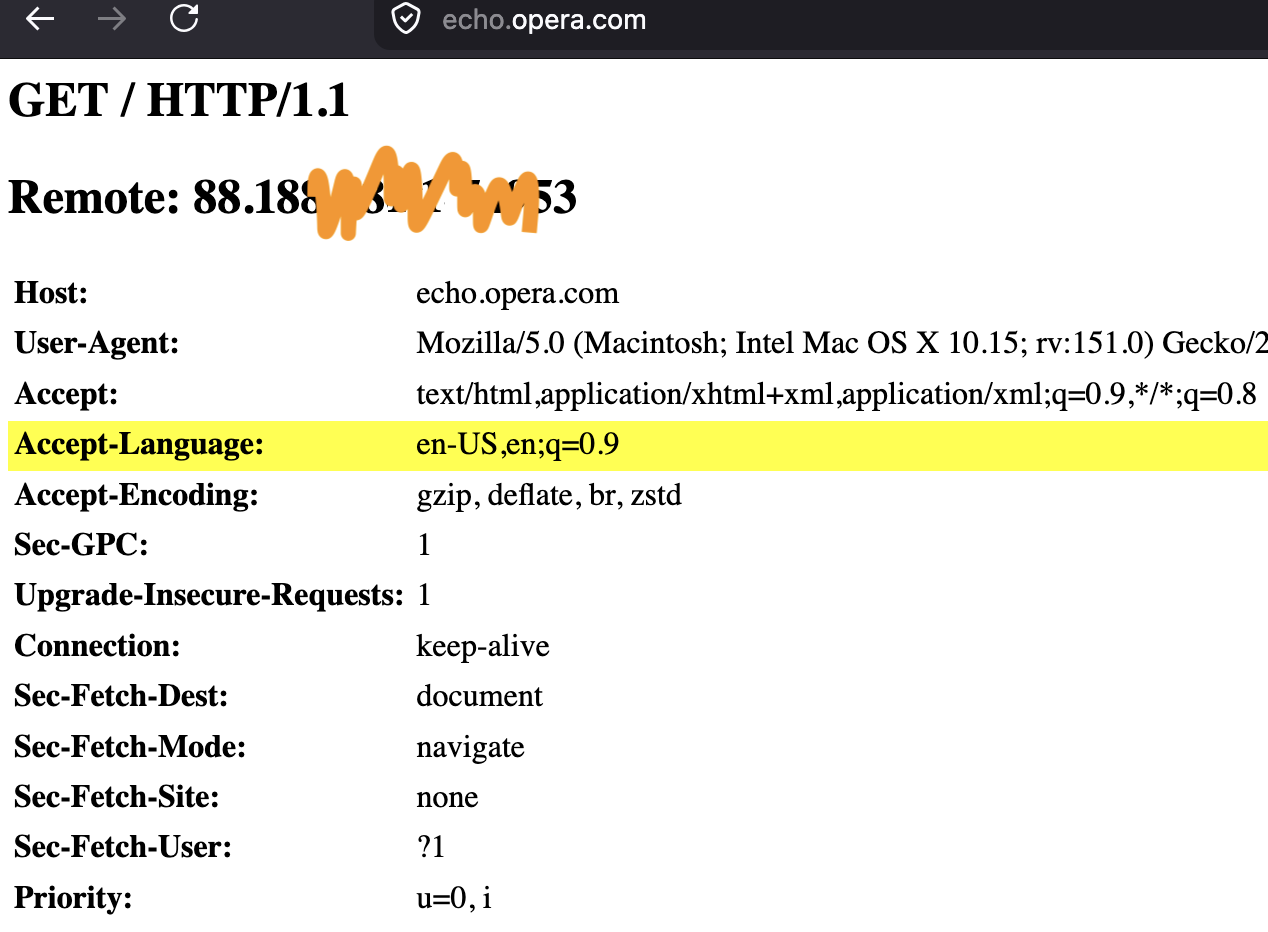
This is the long read: https://www.w3.org/International/questions/qa-lang-priorities/1000
Here's a quick test: https://manytools.org/http-html-text/browser-language/
This is the preference you might need to adjust to your liking if the above shows it's the case: Choose display languages for multilingual web pages
(i.e. this has nothing to do with geolocation (!), but content preference — that might come from your installed language variant or underlying OS setting in the default state.)