


[MacOS] Anyone else getting prompted for their location permission in Google every time they search?

I am running the latest public stable release of Firefox, 151.0.1 (aarch64), and these last few weeks I've been getting prompted to grant my location over and over every time I do a Google search. In MacOS, I've granted Firefox location permission and I've repeatedly saved me giving google permission but it doesn't stop. This is happening on my MacBook Pro and Mac Studio.
Anyone else? Any tips? It's maddening. lol
すべての返信 (4)
Permissions granted e.g. in Private windows won't be saved upon exit. If you're on the site asking you the permissions, if you click on the "knobs" button next to the shield icon, does it list any?

This is happening on every Google search or any site that is asking for location permission and has been previously granted or even in the moment it's asking, I'm granting it permission & checking "remember this decision", closing the window, and coming back. Not using InPrivate.
The prompt says "Allow www.google.com to access your location? This will open your system location settings. Please grant location permission to Firefox" and there's a checkbox to remember + an allow or block button. (This is when it's Google requesting the permission of course. It changes the URL depending on the site.)
1) It's not opening my systems location settings, so that's broken.
As to your question, when I click on the little settings slider widget to the left of the domain name, there is only the "Access your location" setting present, and it's set to "Allowed".
この投稿は AlienAlpaca により に変更されました
OK so it's the macOS not granting the permission.
It might be that once denied in the past, the system Settings deeplink won't be allowed to trigger anymore and you have to go to grant that manually. (I can try researching open bugs for that dialog, or its wording if that's no longer the action invoked.)
Do you know how to go to your System Settings and enable it there? (My version has it in "Privacy & Security" › "Location Services" pane.)
What version of macOS you're running, if you don't mind?
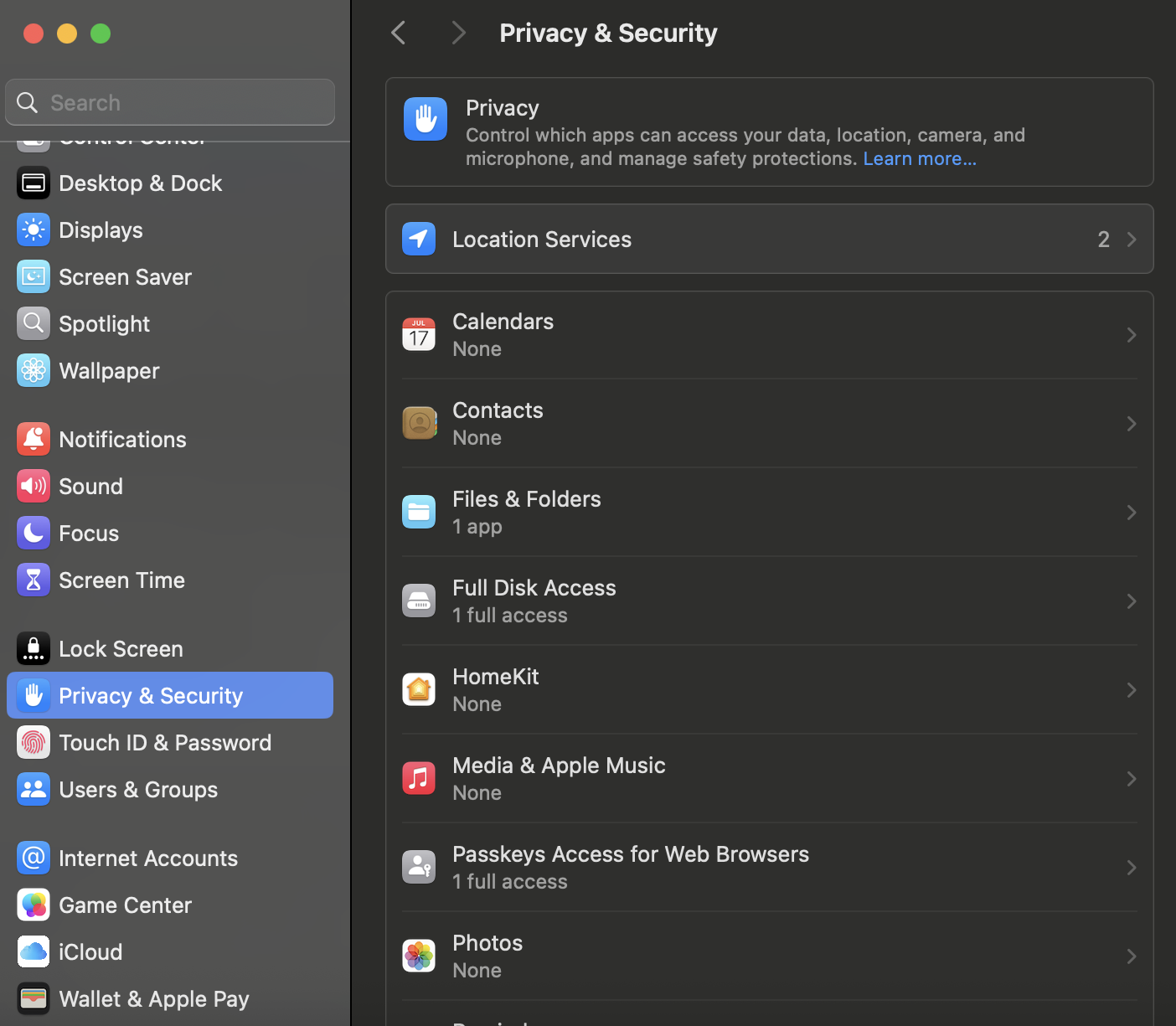
I've never denied Firefox location permission from the moment it was installed on my Mac Studio and MacBook Pro.
I've recently gone into (recently as in last night) and switched location off for Firefox, then turned it back on, as well. And it doesn't change behavior in the app.
Latest public version of Sequoia. 15.7.7.
Very strange bug.
この投稿は AlienAlpaca により に変更されました