


Windows 10 reached EOS (end of support) on October 14, 2025. If you are on Windows 10, see this article.

Mozilla サポートの検索

サポート詐欺に注意してください。 私たちはあなたに通話やショートメッセージの送信、個人情報の共有を求めることはありません。疑わしい行為を見つけたら「迷惑行為を報告」からご報告ください。

詳しく学ぶ

Thunderbird UI glitch - toolbar above message preview disappears / corrupts repeatedly

  • 1 件の返信
  • 0 人がこの問題に困っています
  • 最後の返信者: Mapenzi
  • Open

Hi, I’m having a recurring UI issue in Thunderbird with the toolbar above the message preview pane.

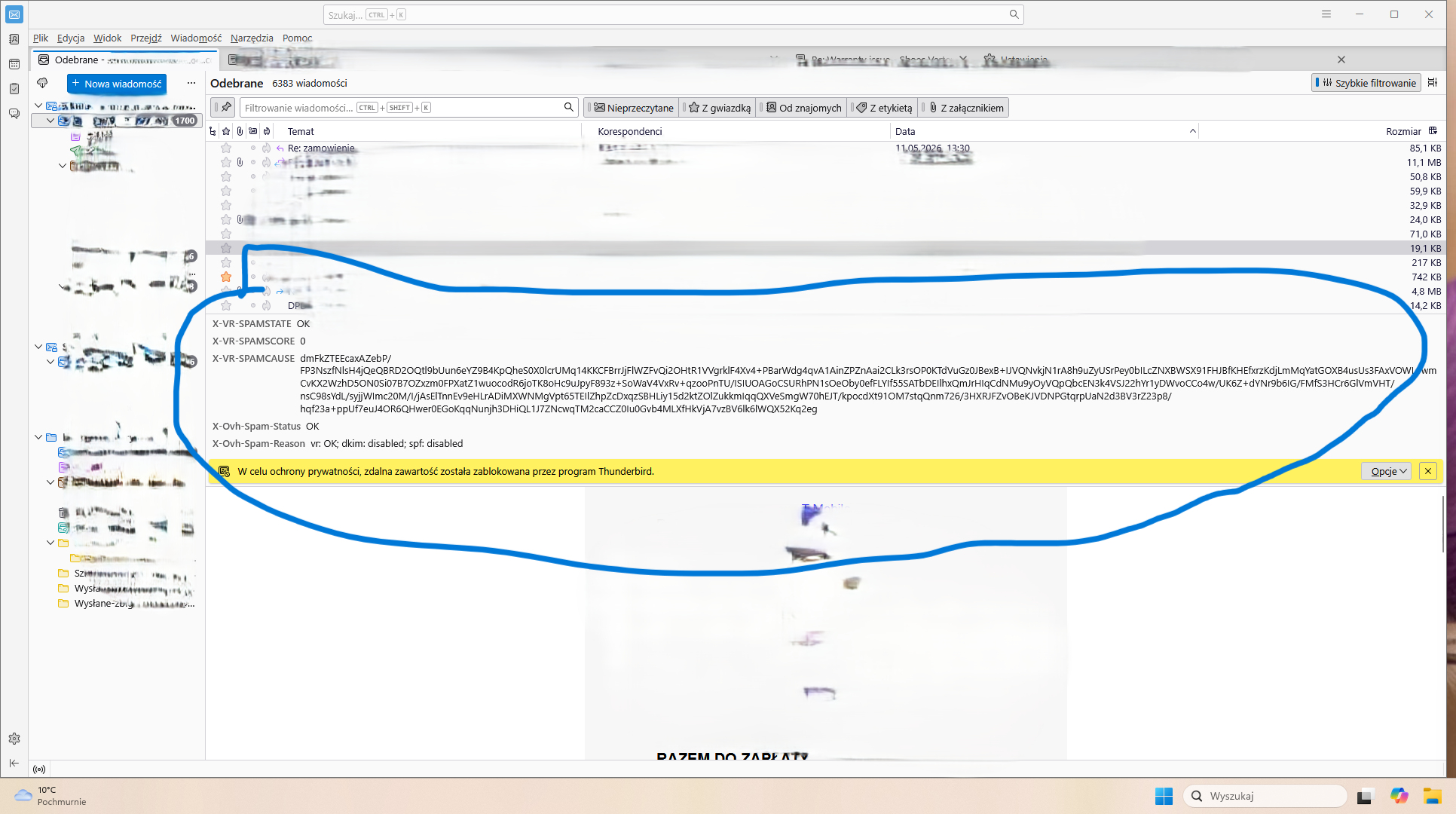
After some time of using Thunderbird, the area between the message list and the message preview becomes visually corrupted. The toolbar where the Reply / Reply All / Forward buttons should appear either disappears completely or turns into a broken/glitched gray bar.

I attached a screenshot showing the problem.

What I already tried:

Restarting Thunderbird Starting in Troubleshoot Mode Disabling all add-ons Resetting UI/customization settings

These actions help only temporarily. After some time, the issue comes back again.

Additional info:

Windows 11 64-bit Latest Thunderbird version The problem seems random, but happens multiple times per day It affects usability because I lose quick access to reply buttons and message actions

Has anyone experienced something similar or knows what may cause this? Humanity invented email clients 50 years ago and somehow we’re still fighting disappearing buttons like it’s experimental Soviet software. Beautiful continuity of civilization.

Thanks.
Hi, I’m having a recurring UI issue in Thunderbird with the toolbar above the message preview pane. After some time of using Thunderbird, the area between the message list and the message preview becomes visually corrupted. The toolbar where the Reply / Reply All / Forward buttons should appear either disappears completely or turns into a broken/glitched gray bar. I attached a screenshot showing the problem. What I already tried: Restarting Thunderbird Starting in Troubleshoot Mode Disabling all add-ons Resetting UI/customization settings These actions help only temporarily. After some time, the issue comes back again. Additional info: Windows 11 64-bit Latest Thunderbird version The problem seems random, but happens multiple times per day It affects usability because I lose quick access to reply buttons and message actions Has anyone experienced something similar or knows what may cause this? Humanity invented email clients 50 years ago and somehow we’re still fighting disappearing buttons like it’s experimental Soviet software. Beautiful continuity of civilization. Thanks.
添付されたスクリーンショット

すべての返信 (1)

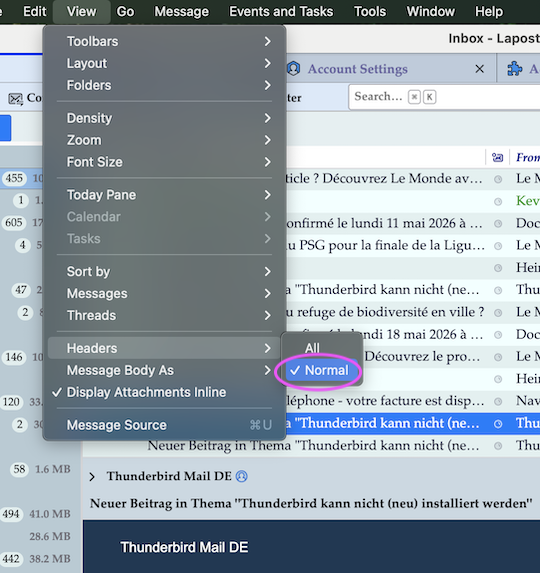
In the menu bar go to View > Headers and put a tick against ✔ Normal

質問する

投稿に返信するには あなたのアカウントにログイン する必要があります。まだアカウントをお持ちでなければ、新しい質問を開始 してください。