


Open
create exceptions to pop-up blocking on firefox for android?

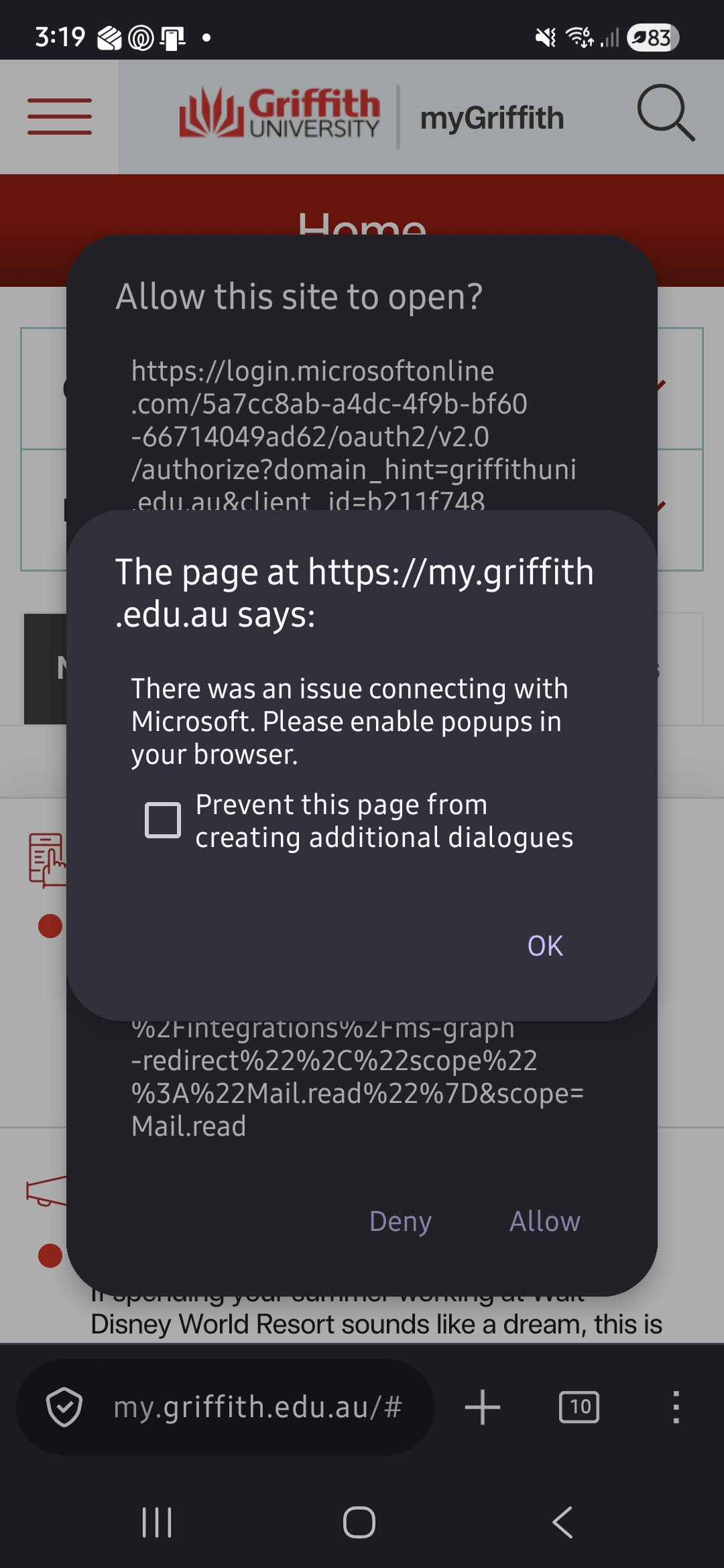
You know how you can block pop-ups and third-party redirects on firefox desktop, then make a list of exceptions? Is there a way to do this on firefox for android as well? This screen keeps popping up and its driving me mad lol.
Settings HTTPS-Only Mode: Enable in all tabs DNS Over HTTPS: Default Protection Enhanced Tracking Protection: Standard Firefox Version: 149.0.2 Device: Samsung SM-A556E OS: Android 16
Extensions: Adguard Adblocker, Decentraleyes, and uBlock Origin
You know how you can block pop-ups and third-party redirects on firefox desktop, then make a list of exceptions? Is there a way to do this on firefox for android as well?
This screen keeps popping up and its driving me mad lol.
Settings
HTTPS-Only Mode: Enable in all tabs
DNS Over HTTPS: Default Protection
Enhanced Tracking Protection: Standard
Firefox Version: 149.0.2
Device: Samsung SM-A556E
OS: Android 16
Extensions: Adguard Adblocker, Decentraleyes, and uBlock Origin
すべての返信 (1)
In Settings
1. Open links in Apps - Switch it to "Never" 2. Site Settings - Turn off "Always Request Desktop Site"
Hope it helps.