how do I combine folders?

There is a way to add a folder to a Thunderbird account that combines other folders. The one I want to create would be "Inbox and Sent emails combined". I did it in the past, but I can't remember how to do it anymore. Can someone help with this? I am running Thunderbird 140.8.0esr (64-bit) on Linux Mint.
すべての返信 (1)
Two ways:
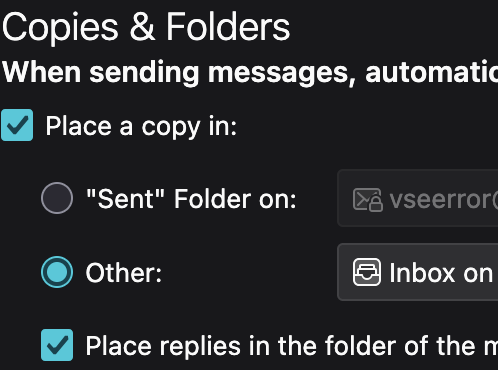
1. In Account Settings > Copies & Folders > set it to inbox. I've used this for decades (screen shot below. Downside, is it doesn't help you when sending from a device and program that doesn't support that, like a phone.
2. Create a virtual folder over both Inbox and Sent folders. And you can mark the folder as a favorite, add Favorite Folders to your folder pane using Folder Modes, and place favorites at the top of your folder pane. Doesn't have the downside of #1 above. For folder modes see https://support.mozilla.org/en-US/kb/new-thunderbird-115-supernova#w_look-and-feel-improvements-new-message-button-get-messages-folder-pane-options-meatball-menu