Windows 10 reached EOS (end of support) on October 14, 2025. For more information, see this article.

Mozilla サポートの検索

サポート詐欺に注意してください。 私たちはあなたに通話やショートメッセージの送信、個人情報の共有を求めることはありません。疑わしい行為を見つけたら「迷惑行為を報告」からご報告ください。

詳しく学ぶ

Request for Step-by-Step Instructions: Junk/Spam Folder Missing for One Account Only

  • 8 件の返信
  • 0 人がこの問題に困っています
  • 16 回表示
  • 最後の返信者: Rick

more options

Hello,

I need assistance with a very specific Thunderbird issue.

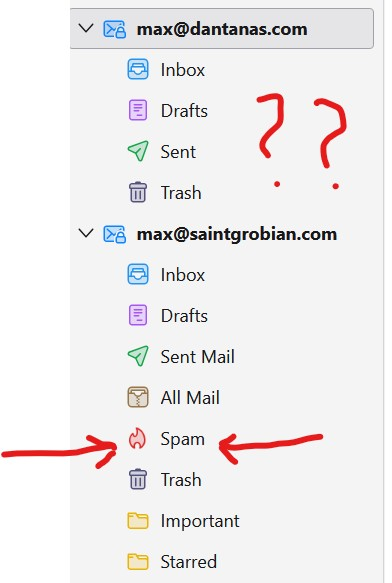
I use Thunderbird with multiple email accounts. Every one of them has a functioning Junk/Spam folder except for one: my Google Workspace account max@dantanas.com

. This is the only account where Thunderbird refuses to create or recognize a Junk/Spam folder, and the option to assign one is disabled.

I am not looking for general explanations about IMAP, Gmail, filters, server policies, or Thunderbird’s junk logic. I need a concrete, step-by-step procedure that results in:

A visible, usable Junk/Spam folder for max@dantanas.com

inside Thunderbird.

Thunderbird recognizing that folder as the Junk folder.

The Junk settings becoming available so the account can move spam to that folder like all my other accounts do.

To be clear:

All my other accounts in Thunderbird already have functional Junk/Spam folders.

The problem is isolated to this one account.

I need an exact sequence of steps that I can follow to fix it, not abstract descriptions or background information.

Please provide a direct, step-by-step set of actions that will enable Thunderbird to create or use a Junk/Spam folder for this account.

Thank you, Max Makowski max@cape-co.co max@luck.fish
Hello, I need assistance with a very specific Thunderbird issue. I use Thunderbird with multiple email accounts. Every one of them has a functioning Junk/Spam folder except for one: my Google Workspace account max@dantanas.com . This is the only account where Thunderbird refuses to create or recognize a Junk/Spam folder, and the option to assign one is disabled. I am not looking for general explanations about IMAP, Gmail, filters, server policies, or Thunderbird’s junk logic. I need a concrete, step-by-step procedure that results in: A visible, usable Junk/Spam folder for max@dantanas.com inside Thunderbird. Thunderbird recognizing that folder as the Junk folder. The Junk settings becoming available so the account can move spam to that folder like all my other accounts do. To be clear: All my other accounts in Thunderbird already have functional Junk/Spam folders. The problem is isolated to this one account. I need an exact sequence of steps that I can follow to fix it, not abstract descriptions or background information. Please provide a direct, step-by-step set of actions that will enable Thunderbird to create or use a Junk/Spam folder for this account. Thank you, Max Makowski max@cape-co.co max@luck.fish
添付されたスクリーンショット

選ばれた解決策

すべての返信 (8)

more options

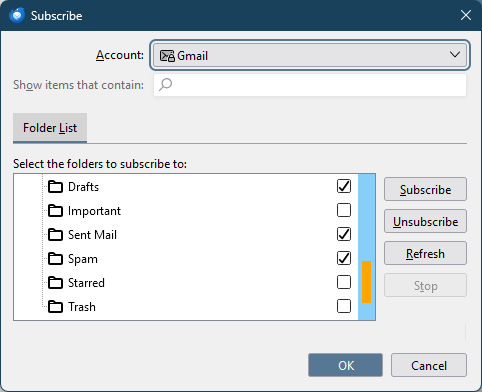
If you right-click on max@dant... in your picture, Subscribe, is there a Spam entry in the list of folders to subscribe?
more options

This is what I see.

more options

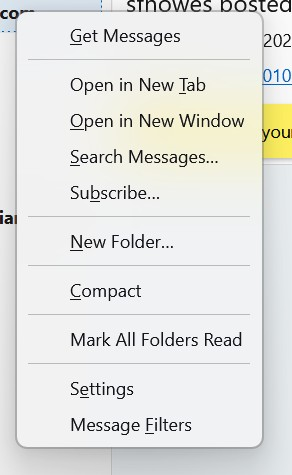
Select Subscribe... and see if the next window is like the attached picture.
more options

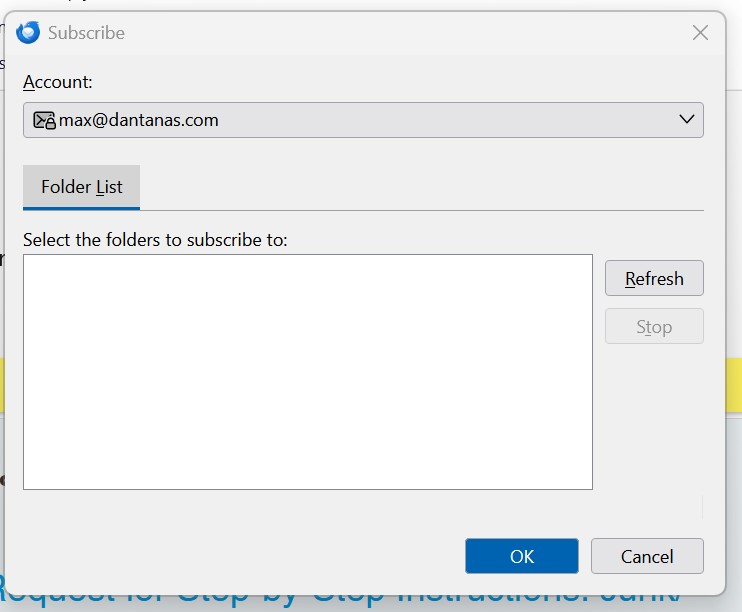
This is the next window.

more options

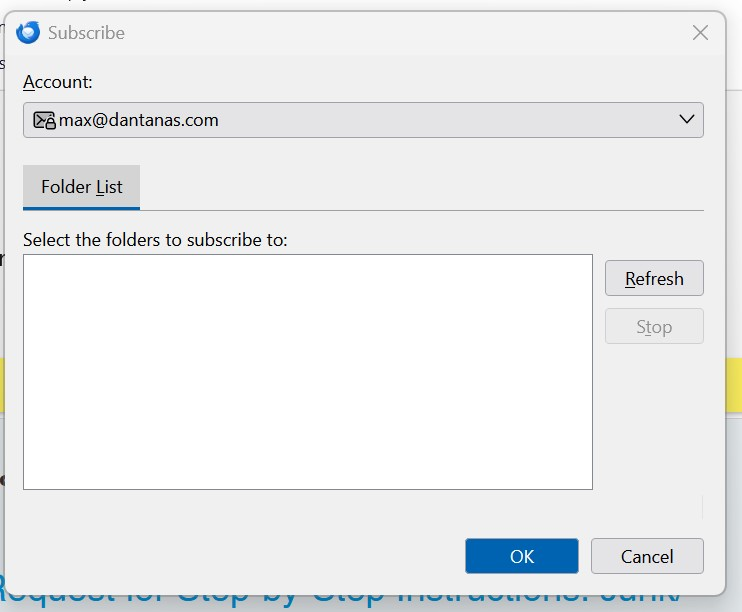
This is the image I get after I press subscribe.

more options

With consumer gmail accounts, IMAP can be enabled or disabled for each folder, in the webmail settings (Settings/Labels). Open your account in webmail and see if there is a similar setting.

more options

Meaning going to gmail and look for this.

more options

選ばれた解決策

質問する

投稿に返信するには あなたのアカウントにログイン する必要があります。まだアカウントをお持ちでなければ、新しい質問を開始 してください。