


Email filter on local folders not working.

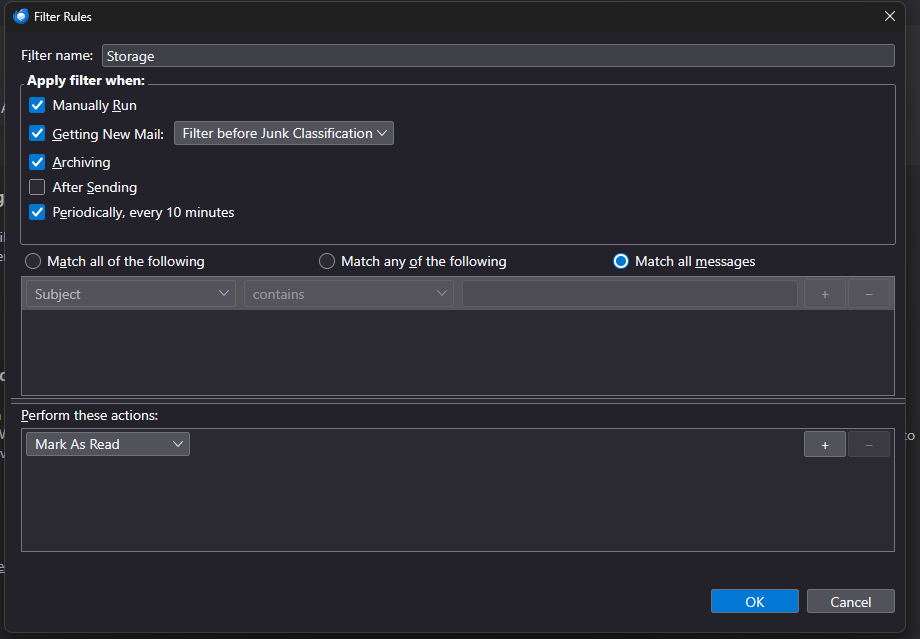
I have a filter set up on one of my computers with Thunderbird that copies all incoming emails into a local folder. I then have a filter on the local folder to mark those messages as read (see attached), but it doesn't work. Is there something I'm doing wrong?
選ばれた解決策
Your original filter is correct: Match All Messages means to apply the filter without any criteria (conditions). Perhaps you're expecting the filter to run automatically, but this happens only for the Inbox. Filters must be run manually on other folders.
すべての返信 (5)
You don't have any conditions in the filter. You need to set a condition that will always be true.
And the condition should be 'any' - not 'all'
Like this?
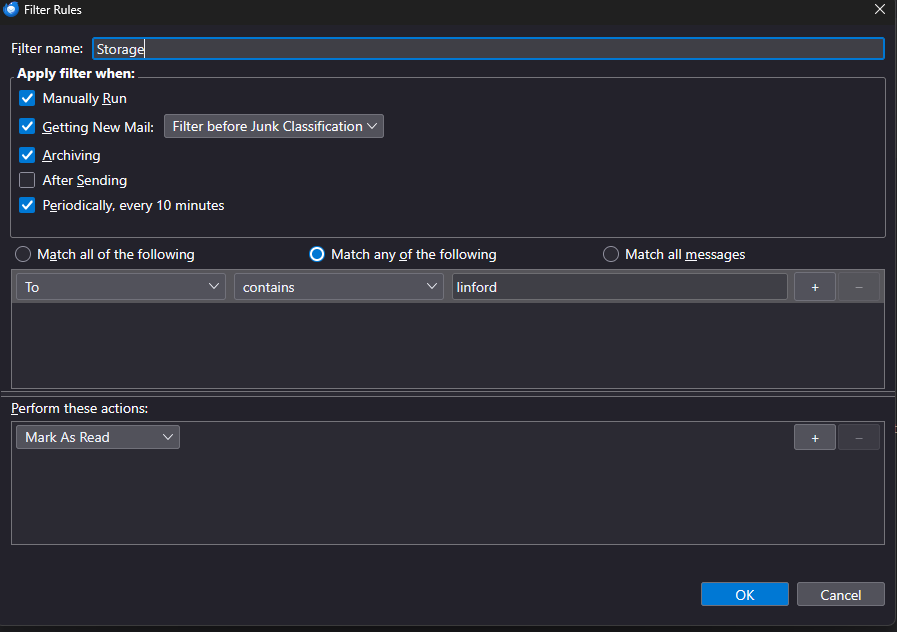
Yes, if that is always true. Another possibility would be to set To as NOT equal to santaclaus That is, you want a filter that will always always be true.
選ばれた解決策
Your original filter is correct: Match All Messages means to apply the filter without any criteria (conditions). Perhaps you're expecting the filter to run automatically, but this happens only for the Inbox. Filters must be run manually on other folders.