


Laptop rebooted; is there a way to recover the open tabs? I was thinking through sync history?

I had 10 or so tabs open on my laptop. I rebooted my laptop because iMessages failed, and i forgot to make a note of which tabs were open. They didn't restore upon rebooting. Is there somewhere this history gets synced? Its not in the 'recently closed tabs' because some of the tabs had been open for a while. thoughts?
選ばれた解決策
Hi,
Please check out How do I restore my tabs from last time? and How to restore a browsing session from backup. Does any of these help?
この回答をすべて読む 👍 1すべての返信 (4)
選ばれた解決策
Hi,
Please check out How do I restore my tabs from last time? and How to restore a browsing session from backup. Does any of these help?
Also check either:
- "3-bar" menu button > History > Recently Closed Windows
- (menu bar) History > Recently Closed Windows
Thank you both!! I had done a little more searching and found the link Denys provided (restore a browsing session). Thank you!!!
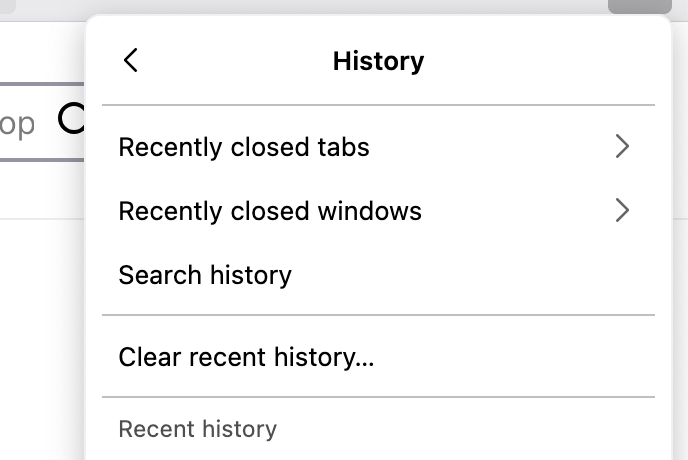
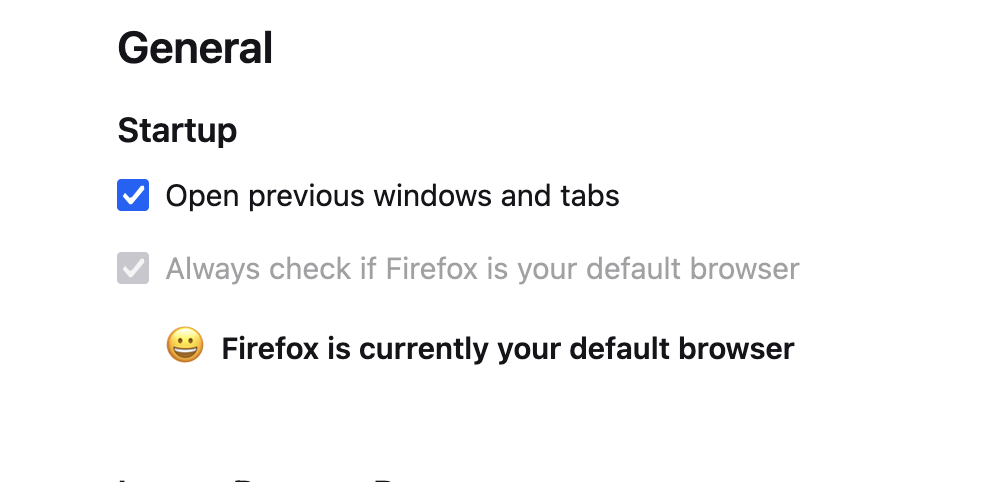
So interestingly, I check on the jscher2000's suggestions, and I don't have the 3bar option to "restore previous session"
I have attached two screen shots.
thanks again!
dbschlos said
So interestingly, I check on the jscher2000's suggestions, and I don't have the 3bar option to "restore previous session"
That usually means your session was already restored or, in the worst case scenario, there are no session history files to restore.
After checking that, you can move on to
- "3-bar" menu button > History > Recently Closed Windows
- (menu bar) History > Recently Closed Windows
Since yours is not grayed out, I think there probably is something there. But I don't know whether it's what you're looking for.