


Issue logging in to ssa.gov / login.gov

When attempting to login to ssa.gov (probably a redirect to login.gov (?)) I get the following in a new tab (with url https://secure.ssa.gov/RIL/SiView.action)
Bad Request
Your browser sent a request that this server could not understand. Size of a request header field exceeds server limit.
I have Firefox for Linux Mint v136.0.2
I usually browse with Strict but removed for this website, made now difference :-\
選ばれた解決策
I use the Windows version, but I found an answer somewhere that recommended turning off Enhanced Tracking for both Login.gov and SSA.gov. It worked for me! I finally was able to log into SSA.gov after slogging through the Login.gov verification.
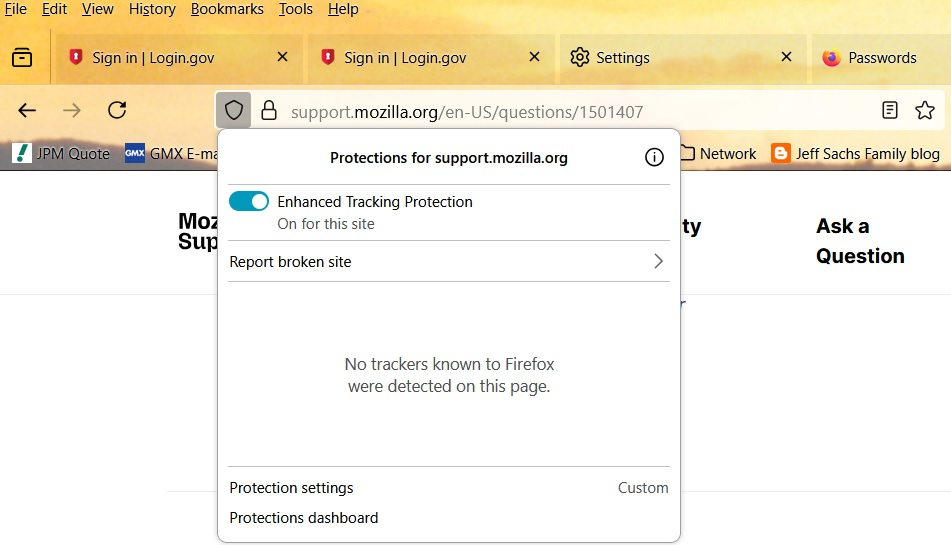
You click on the shield at the left end of the address box and a pop up comes up with a switch to turn off Enhanced Protection for that website (so you'll have to do it twice - once for Login.gov, the other for SSA.gov). The setting seems to be retained by Firefox for each website, so you don't have to remember to do it each time.
Here are to screen captures to see what you get:
この回答をすべて読む 👍 2すべての返信 (5)

Hello,
Same version, same OS, no problem.
You could try in a private windows (Ctrl +Shift +P)
You can try to clear the cookies for the site. Click on the lock pictogram (to the left of the address bar) / Clear cookies and site data...
この投稿は Logosor により に変更されました
選ばれた解決策
I use the Windows version, but I found an answer somewhere that recommended turning off Enhanced Tracking for both Login.gov and SSA.gov. It worked for me! I finally was able to log into SSA.gov after slogging through the Login.gov verification.
You click on the shield at the left end of the address box and a pop up comes up with a switch to turn off Enhanced Protection for that website (so you'll have to do it twice - once for Login.gov, the other for SSA.gov). The setting seems to be retained by Firefox for each website, so you don't have to remember to do it each time.
Here are to screen captures to see what you get:


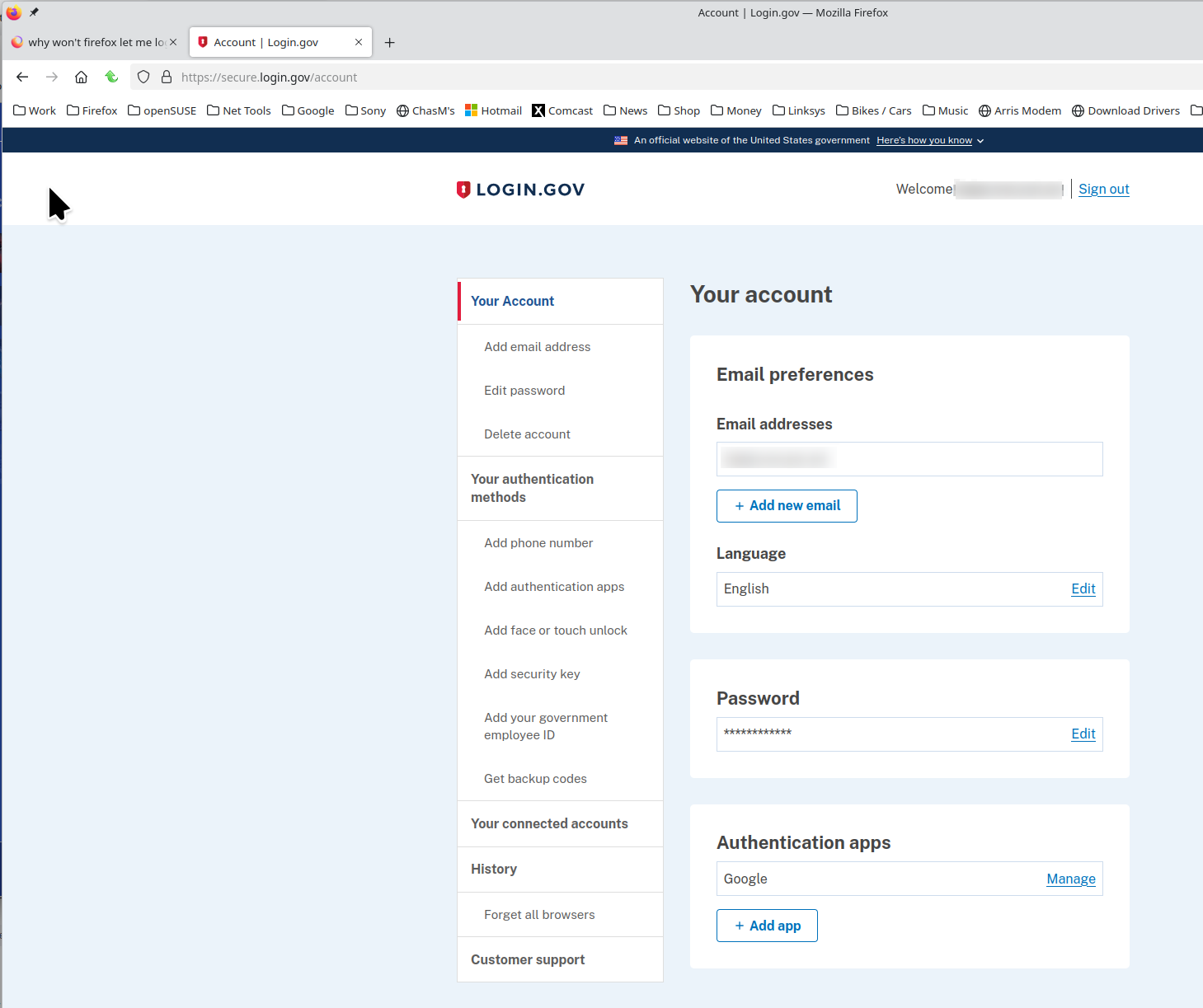
No issues for me. see screenshot Would be helpful if you showed the issue. Did you try with Firefox in Troubleshoot Mode? https://support.mozilla.org/en-US/kb/diagnose-firefox-issues-using-troubleshoot-mode#w_how-to-start-firefox-in-4troubleshoot-modesf5safe-modesf Try downloading Firefox from Mozilla, run firefox-bin from the folder and see if you have the same issue. https://www.mozilla.org/en-US/firefox/all/#product-desktop-release
Operating System: openSUSE Tumbleweed 20250722
KDE Plasma Version: 6.4.3
KDE Frameworks Version: 6.16.0
Qt Version: 6.9.1
Kernel Version: 6.15.7-1-default (64-bit)
Graphics Platform: X11
Processors: 16 × AMD Ryzen 7 5825U with Radeon Graphics
Memory: 64 GiB of RAM (62.1 GiB usable)
Graphics Processor: AMD Radeon Graphics
Manufacturer: HP
Product Name: HP ProBook 455 15.6 inch G9 Notebook PC
この投稿は jonzn4SUSE により に変更されました
Not sure about the Enhanced Protection switch but I found that ssa.gov was saving ONE HUNDRED and THIRTY TWO COOKIES!!!! Why? I've no idea, I deleted those and now it works.
Yes, clearing cookies was something that others mentioned when I was trying to find a solution. I've had Firefox clear everything when I exit for quite a while, and I use the Exceptions list for the few cookies I want to keep, so I didn't run into this problem.
Glad you got it working!