


Encrypt Button disabled when composing email on Thunderbird 128.7.0esr (64-bit)

I wish to send an encrypted email. I have imported and accepted the recipient's public key.
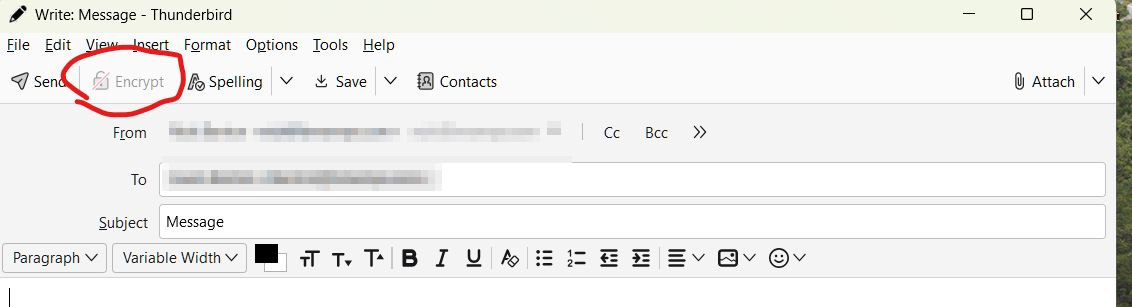
When I compose an email to this recipient, the "encrypt" button is disabled.
Also, the security button mentioned in this article is not present on the compose toolbar, or anywhere for that matter https://support.mozilla.org/en-US/kb/openpgp-thunderbird-howto-and-faq#w_how-do-i-send-an-encrypted-or-digitally-signed-email
Windows 11.
Any idea how to fix this?
I wish to send an encrypted email. I have imported and accepted the recipient's public key.
When I compose an email to this recipient, the "encrypt" button is disabled.
Also, the security button mentioned in this article is not present on the compose toolbar, or anywhere for that matter https://support.mozilla.org/en-US/kb/openpgp-thunderbird-howto-and-faq#w_how-do-i-send-an-encrypted-or-digitally-signed-email
Windows 11.
Any idea how to fix this?
この投稿は CScotty により に変更されました
すべての返信 (1)
Solution:
Here the the crucial step that seems to be missing from the instructions.
1) Open account settings 2) Select End to End encryption 3) Select your key