


Delete several entries from your browsing history after shortlisting using history search function

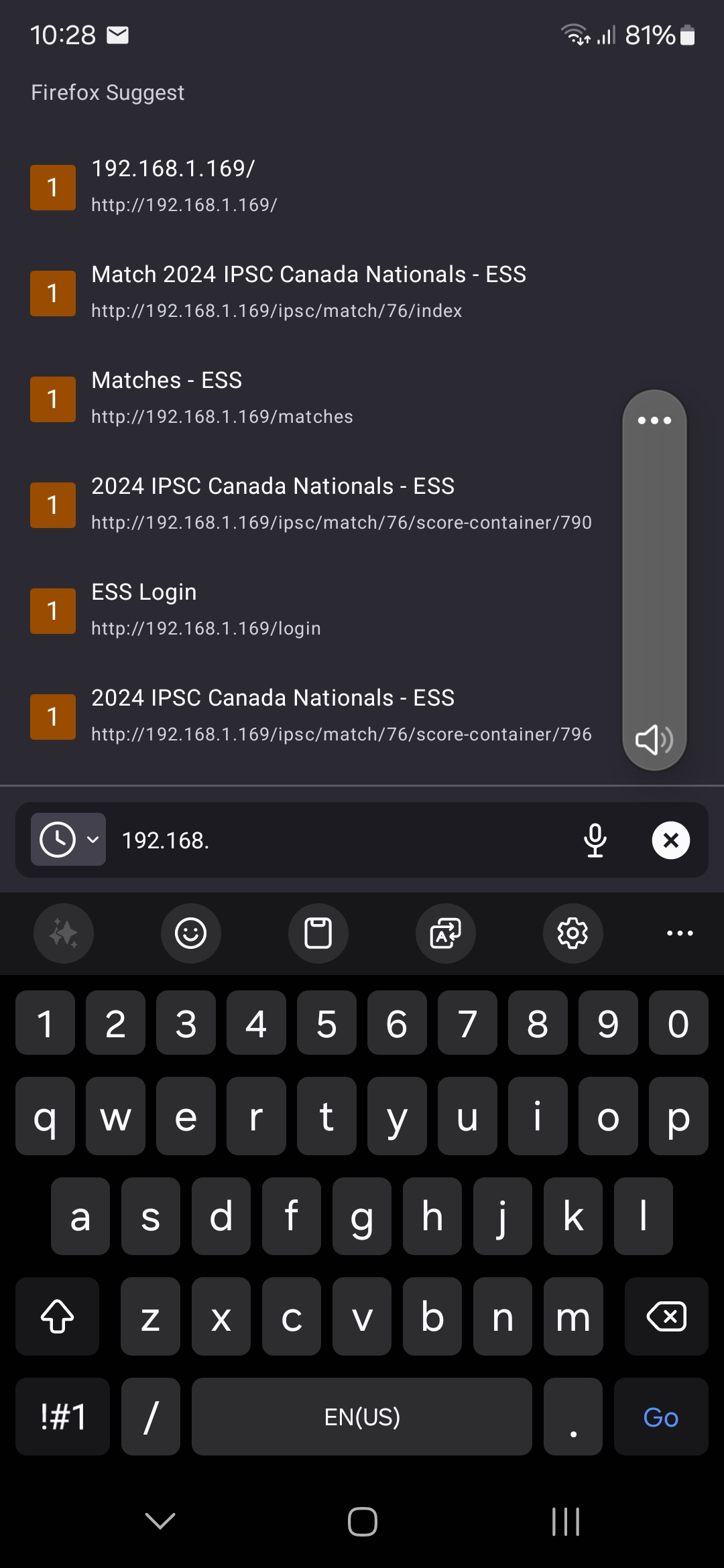
Firefox android keeps a full history of entries form the address bar. This list is very helpful when using "search history" option for address bar autocomplete or suggestions. ("Firefox suggests")
HOWEVER, it is insanity inducing when invalid entries exist in that list, as they are endlessly suggested, but cannot easily be exorcised from said list.
Sure, the list can be displayed, and individual or even multiple entries can be displayed (as described in this article: https://support.mozilla.org/en-US/kb/clear-your-browsing-history-firefox-android
However, this technique requires you to manually scroll through thousands of entries to select the items you may wish. There is no tool to sort the list or any other list manipulation tools. There is a search function, as identified by the magnifying glass icon in the menu bar, and the search tool quickly displayed all the target appearances from the thousands. It even conveniently shows them on the search results page... BUT you cannot effect any of the actions available for the unsearched list. All you can do is open one of the search results. You can't delete, select or anything.
This makes editing the history for invalid or otherwise undesirable entries IMPOSSIBLE.
The tool set needs to be extended to the search results list, or some other tool needs to be provided to edit the history in some other way.
Any suggestions are welcome, this could also be considered s feature suggestion. My only option is to use a different browser, and that is very unplayable to me. I am a radio firefox defender.
すべての返信 (1)
This does not work. The question is specific to FIREFOX ANDROID.
As explained in the original post, The android version does not have any of the tools the other versions of firefox has when it comes to managing the "History".
Problem still open.
I'd like to post this as a requested feature unless someone has a solution.