


Windows 10 will reach EOS (end of support) on October 14, 2025. For more information, see this article.

Mozilla サポートの検索

サポート詐欺に注意してください。 私たちはあなたに通話やショートメッセージの送信、個人情報の共有を求めることはありません。疑わしい行為を見つけたら「迷惑行為を報告」からご報告ください。

詳しく学ぶ

このスレッドはアーカイブに保管されました。 必要であれば新たに質問してください。

No Login Pop-Up Window on Mobile Site

  • 2 件の返信
  • 0 人がこの問題に困っています
  • 113 回表示
  • 最後の返信者: Liv M

more options

I'm unsure if this is a Firefox Mobile issue (since the site's login pop-up works just fine on my laptop that I also use FF on), or an issue with the website itself, but I've already emailed the site about it and got no response yet. So, figured I'd try here. Also, I just tried re-enabling Chrome to truly see if this is browser or app related and sadly this works on Chrome's Mobile but not FF's.

On the mobile and desktop version of this site: thingstogetme.com

There's an option to login with Facebook or Apple ID. The Apple ID pop-up works fine, but the Facebook one does not. Again, this is only an issue on Mobile. The Facebook option will turn a darker blue once you tap on it, indicating it's been selected, but nothing will happen. If you tap the page, it'll go back to its regular, un-selected blue.

I've turned off uBlock Origin, switched between mobile and desktop pages, refreshed, nothing works for this problem. Thus this essentially soft-locks me out of this site unless I use my laptop.
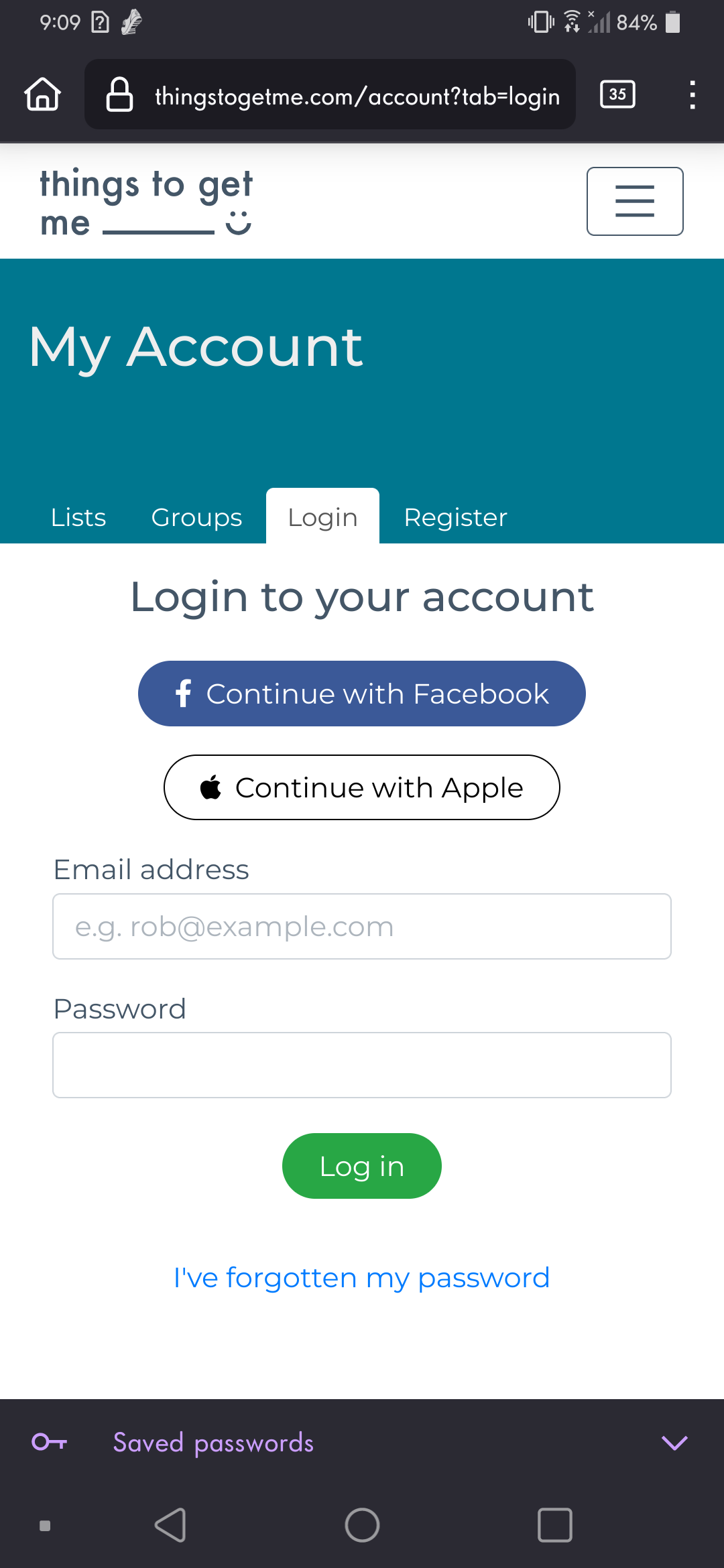
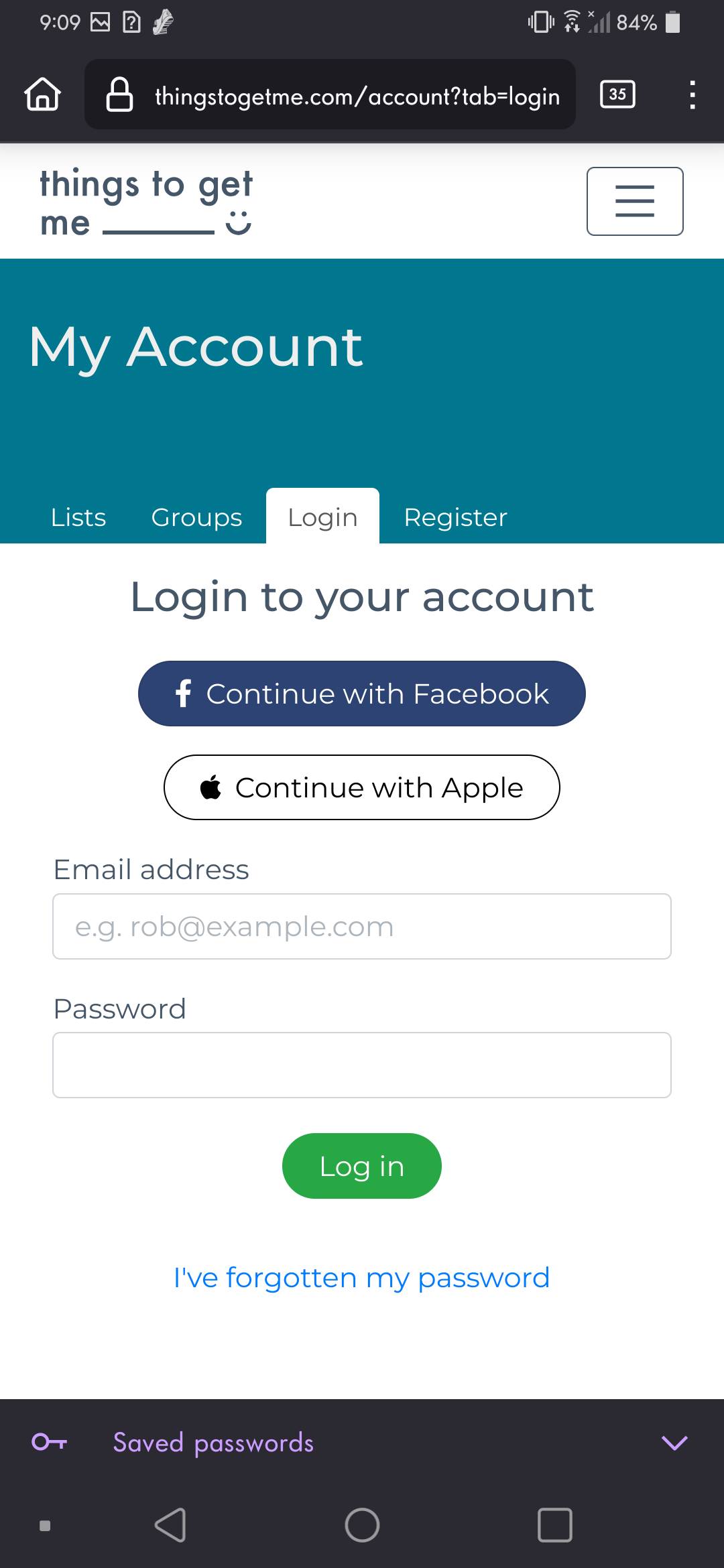
I'm unsure if this is a Firefox Mobile issue (since the site's login pop-up works just fine on my laptop that I also use FF on), or an issue with the website itself, but I've already emailed the site about it and got no response yet. So, figured I'd try here. Also, I just tried re-enabling Chrome to truly see if this is browser or app related and sadly this works on Chrome's Mobile but not FF's. On the mobile and desktop version of this site: thingstogetme.com There's an option to login with Facebook or Apple ID. The Apple ID pop-up works fine, but the Facebook one does not. Again, this is only an issue on Mobile. The Facebook option will turn a darker blue once you tap on it, indicating it's been selected, but nothing will happen. If you tap the page, it'll go back to its regular, un-selected blue. I've turned off uBlock Origin, switched between mobile and desktop pages, refreshed, nothing works for this problem. Thus this essentially soft-locks me out of this site unless I use my laptop.
添付されたスクリーンショット

選ばれた解決策

Turned off ETP and it works for me. see screenshots
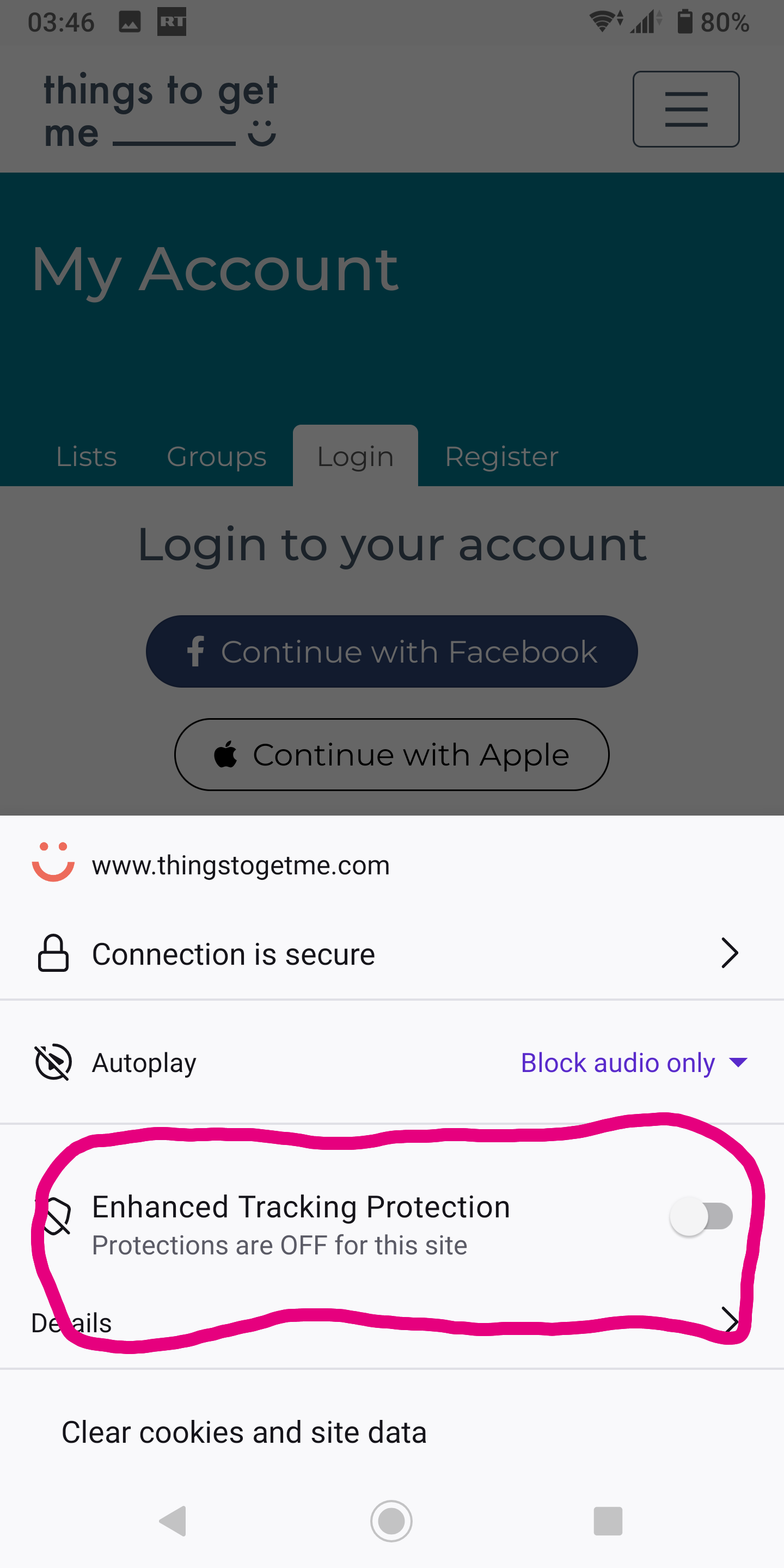
この回答をすべて読む 👍 1

すべての返信 (2)

more options

選ばれた解決策

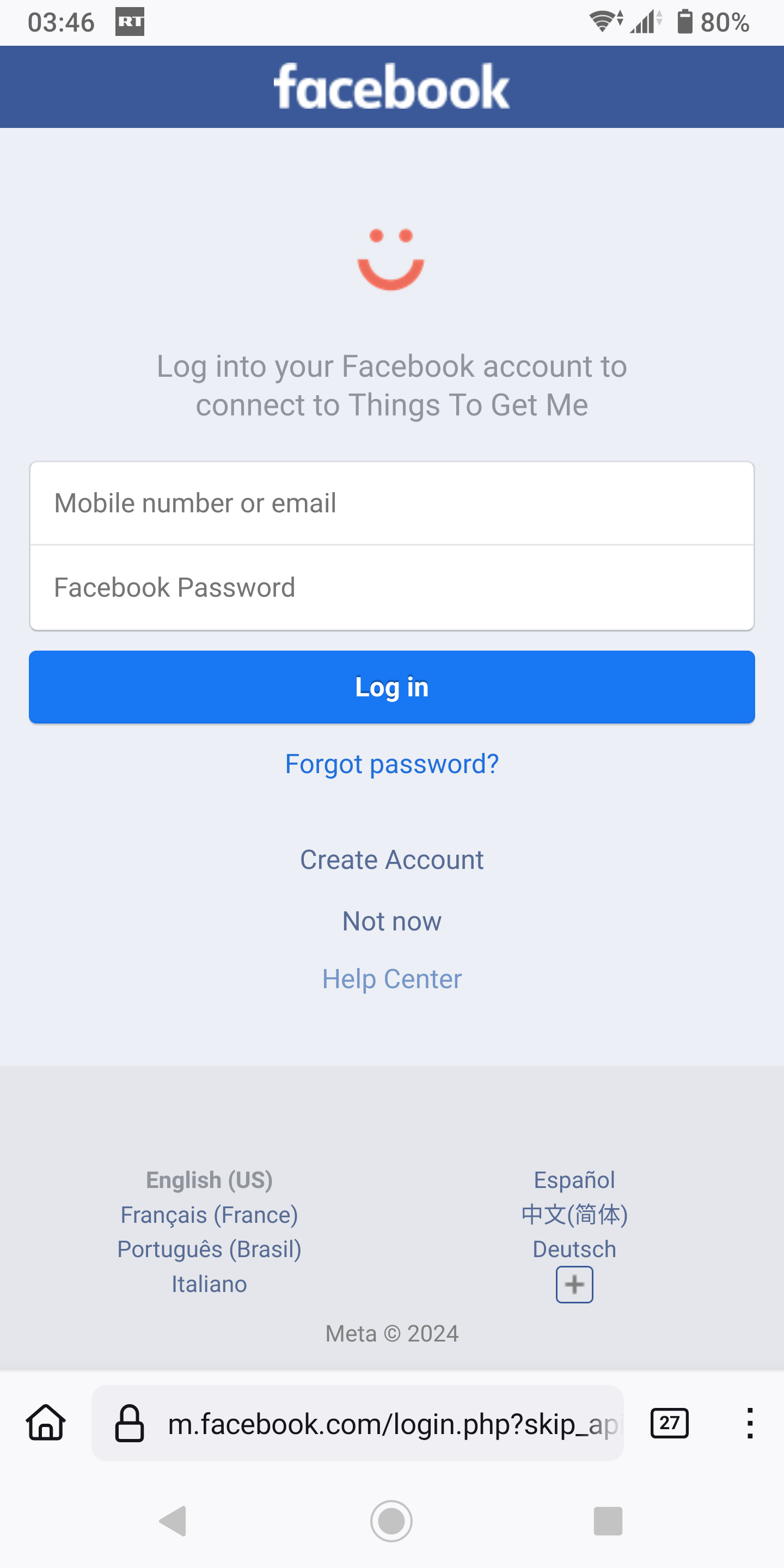
Turned off ETP and it works for me. see screenshots
more options

@jonzn4SUSE Ayy that does fix it, thank you. I can even turn it back on once I'm logged in.