


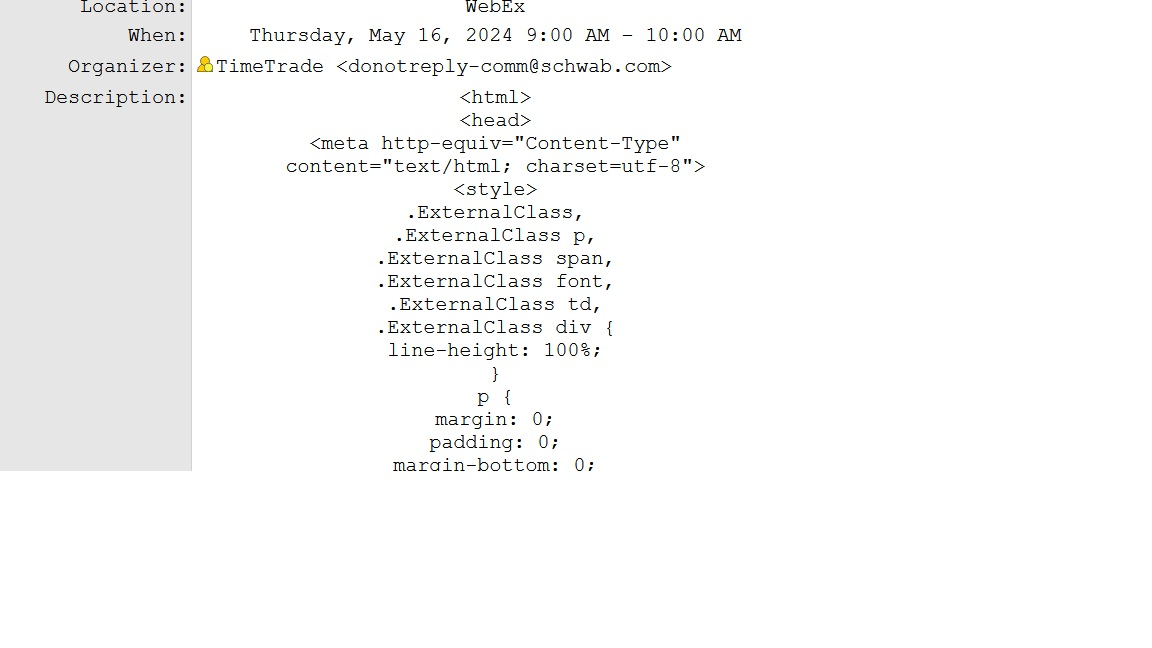
Event invitation shows a lot of meta data, with the original message from the sender at the bottom

I received a message with the remark "This message contains an invitation to an event." What follows is several screens of metadata (that's what I think it's called), followed by the original note from the sender. Is there a way for me to suppress all this metadata? When I forward the message to a friend who has an iPad, it shows up without the metadata. I'd like that to be the situation when I use Thunderbird.
I've attached a screen shot of a portion of what I've called "metadata". I didn't include the very top of this metadata because it contains personal data.
すべての返信 (3)
選ばれた解決策
The fact that forwarding it worked indicates that the mail folder just needs repair. Try highlighting the folder, right click, select properties and then click repair. That often works.
I can't believe it, but you're right. It worked!
What happens to make a message require repair? Don't worry, if you don't know the answer, that's okay, I'm just agog...
First, I don't understand the underlying details, but for an overview, the message folder is two components: the message file and the index file (e.g., inbox, and inbox.msf). The msf file is the index and is continually rewritten as messages are added and deleted. On occasion, this gets corrupted, causing what you saw, but can also cause the sender of one message to appear as sender of a different message -- the message is still correct and processes correctly, but can appear incorrectly on message list pane. If you seek this, it's an indication of a needed repair. There, more than you wanted to know. :)