

このスレッドはアーカイブに保管されました。
必要であれば新たに質問してください。

Solved
アーカイブに保管済み
Multiple password request popups
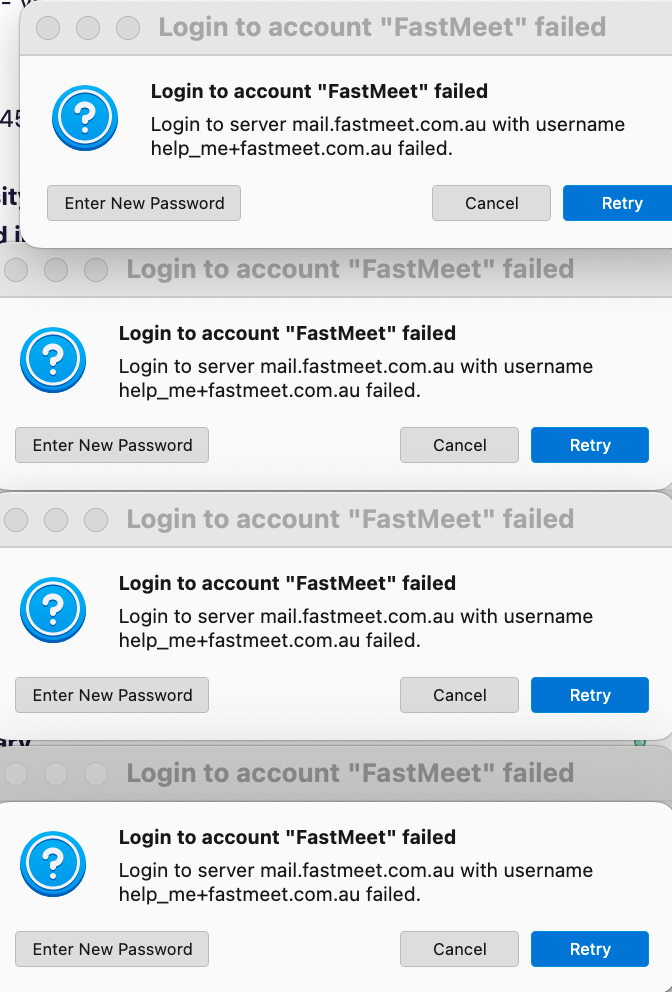
There is an account in my Thunderbird settings for which I have forgotten the Password, and a popup informs me of this. However when I click Cancel, the popup pops up again and again every minute or two, till if if left alone, the plethora of popups fills the screen. How can I make it request the password only once, and not keep opening popups? It may be some days before I can retrieve the password.
There is an account in my Thunderbird settings for which I have forgotten the Password, and a popup informs me of this. However when I click Cancel, the popup pops up again and again every minute or two, till if if left alone, the plethora of popups fills the screen. How can I make it request the password only once, and not keep opening popups? It may be some days before I can retrieve the password.
すべての返信 (1)
選ばれた解決策
You might try changing the account settings to not check for mail at startup and not to check for mail periodically. That's no guarantee, as Thunerbird is trying to be helpful in accessing the account.