Update Security Settings for Telstra Email account

Received email from Telstra "From 30 January 2024, Telstra will stop allowing any emails to be sent from unauthenticated email addresses. Put simply, emails won’t be sent if your security settings aren’t configured to validate your username and password before the email is sent. From our records you are currently sending unauthenticated emails from........." "What’s next? To continue to send email, you will need to update your security settings for each device that you use to check and send emails https://www.telstra.com.au/support/email/unauthenticated-traffic-limit "
Unfortunetly this link does not give instructions for Thunderbird. Contacted Telstra support and they said to contact Thunderbird support.
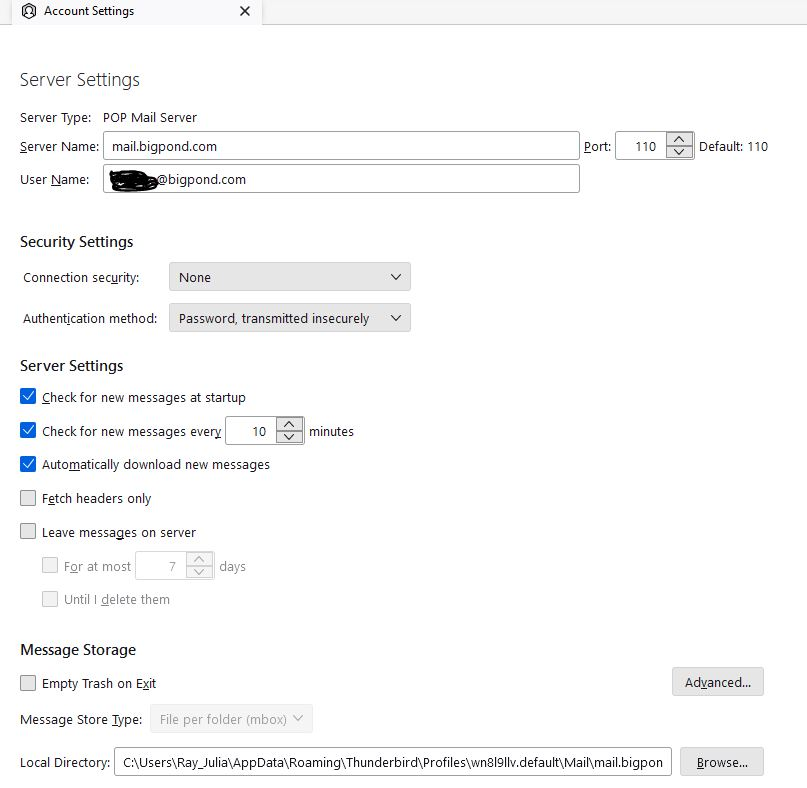
Screen shot of current settings attached. Have been getting the following message when sending multiple emails - "Reference: 451-4.5.3. OB315 Unauthenticated traffic limit met."
Can someone help with this. Thanks in advance.
すべての返信 (3)
選ばれた解決策
Hello, Looking at the instructions for the other mail clients, you simply need to make sure your SMTP server is authenticated.
To check that: - Settings - Click on the e-mail address to open the account settings - Scroll down to the Outgoing Server (SMTP) - Click on edit - and from the window that appears ensure that the authentication method is with password or something more advanced.
Let me know if this helped.

Thanks - but Account Settings gives me control only over junk mail. I can not find the outgoing server: the search function did not find it. What now?
John,
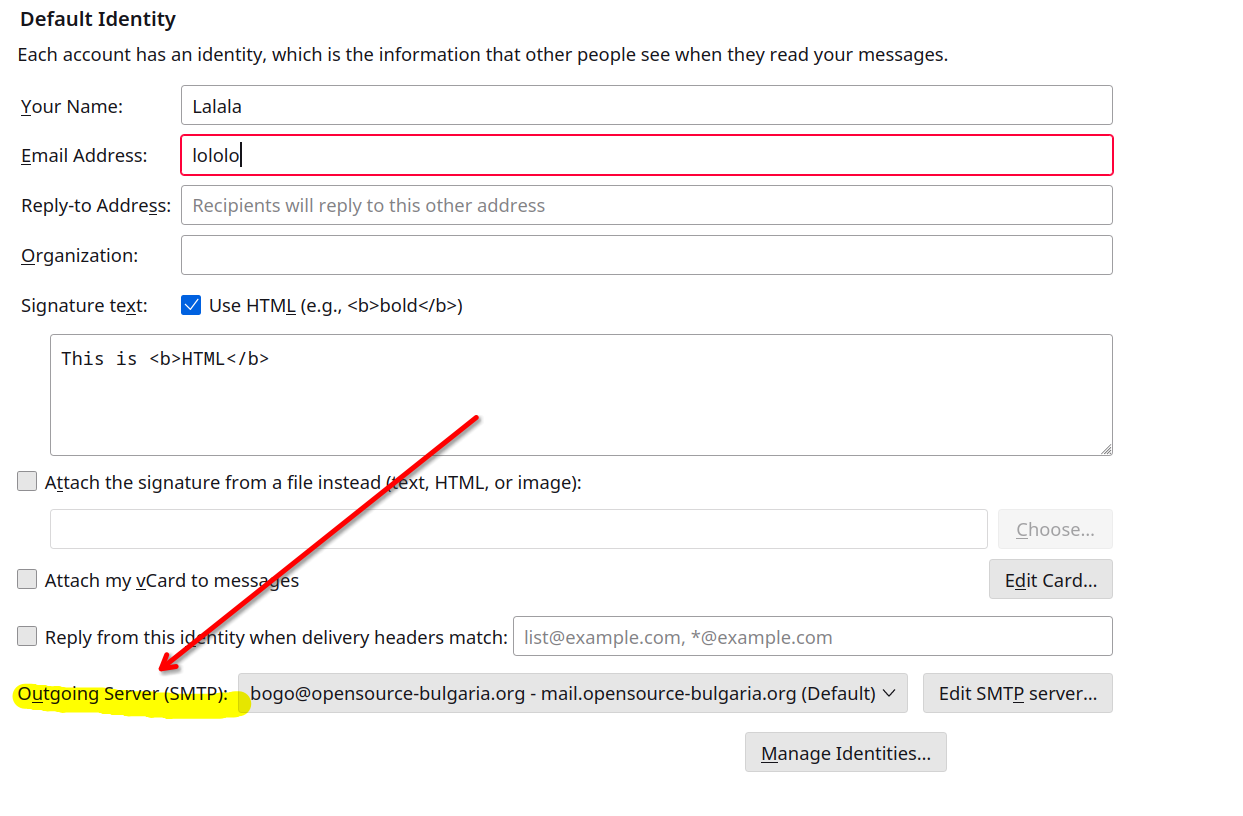
Right click on your e-mail account - Settings - it will open your "Default Identity screen" - Scroll down all the way to the end - see the "outgoing server (SMTP)" and then follow the instructions above.