


Windows 10 reached EOS (end of support) on October 14, 2025. If you are on Windows 10, see this article.

Mozilla サポートの検索

サポート詐欺に注意してください。 私たちはあなたに通話やショートメッセージの送信、個人情報の共有を求めることはありません。疑わしい行為を見つけたら「迷惑行為を報告」からご報告ください。

詳しく学ぶ

このスレッドはアーカイブに保管されました。 必要であれば新たに質問してください。

cardbook list

  • 1 件の返信
  • 0 人がこの問題に困っています
  • 66 回表示
  • 最後の返信者: Matt
  • アーカイブに保管済み

I have my adresses in Cardbook as a internet addressbokk on my NAS server.

and clicking I made two addresslist. One for a club and one to send christmas cards.

It is impossible to give them a name In cardbook they appear as a blank line. clicking on one of them gives the list, but it is always a surpirise which one. Right click on one of them and chosing new e-mail them gives the addresses in the to field of new message. But printing the list is impossible. I can open the list, add addresses (by right click an entry in the list on the left) or delete one. But print (afdrukken) in the middle gives me nothing

How to???????
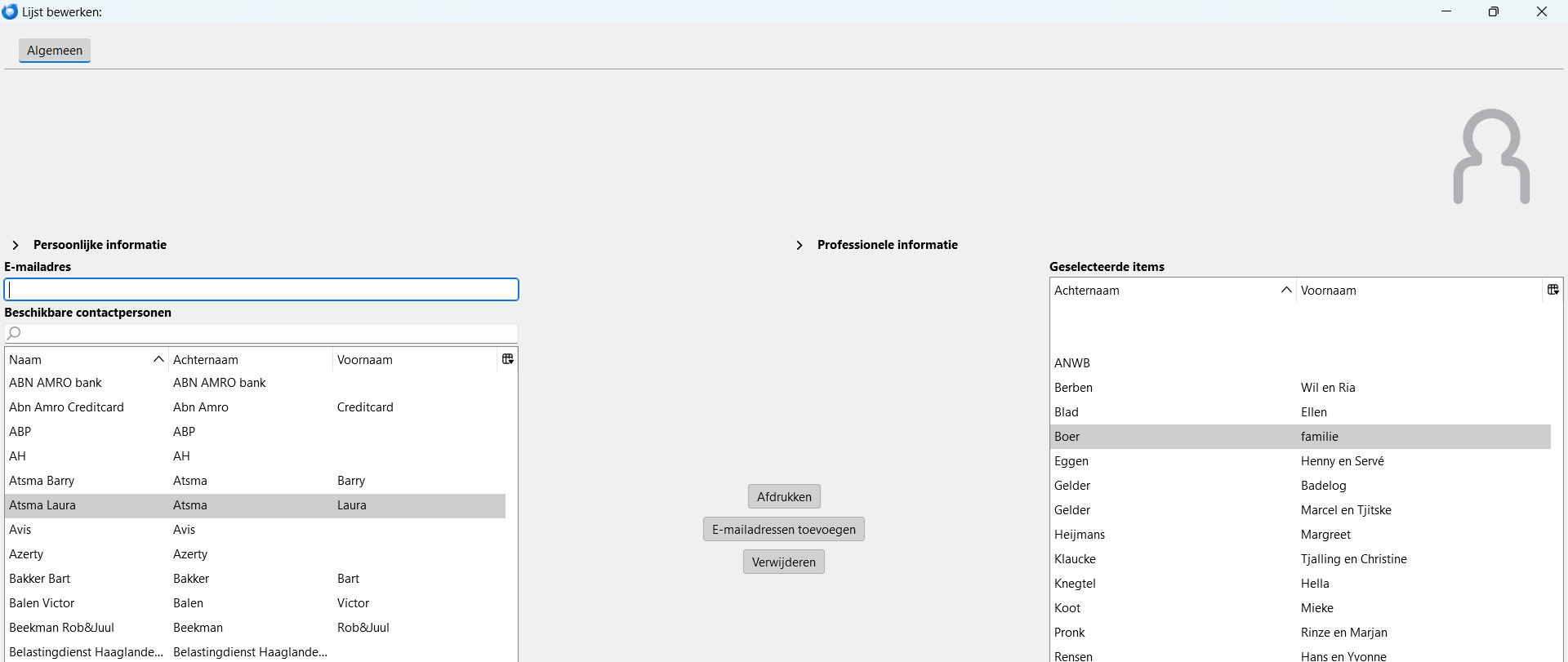
I have my adresses in Cardbook as a internet addressbokk on my NAS server. and clicking I made two addresslist. One for a club and one to send christmas cards. It is impossible to give them a name In cardbook they appear as a blank line. clicking on one of them gives the list, but it is always a surpirise which one. Right click on one of them and chosing new e-mail them gives the addresses in the to field of new message. But printing the list is impossible. I can open the list, add addresses (by right click an entry in the list on the left) or delete one. But print (afdrukken) in the middle gives me nothing How to???????
添付されたスクリーンショット

すべての返信 (1)

That sounds like a card book issue, not a Thunderbird one.

The cardbook download page https://addons.thunderbird.net/en-us/thunderbird/addon/cardbook/?src=search list this as the support site for the product. https://gitlab.com/CardBook/CardBook/-/issues