


Why has Thunderbird suddenly started showing oldest emails when I log in?
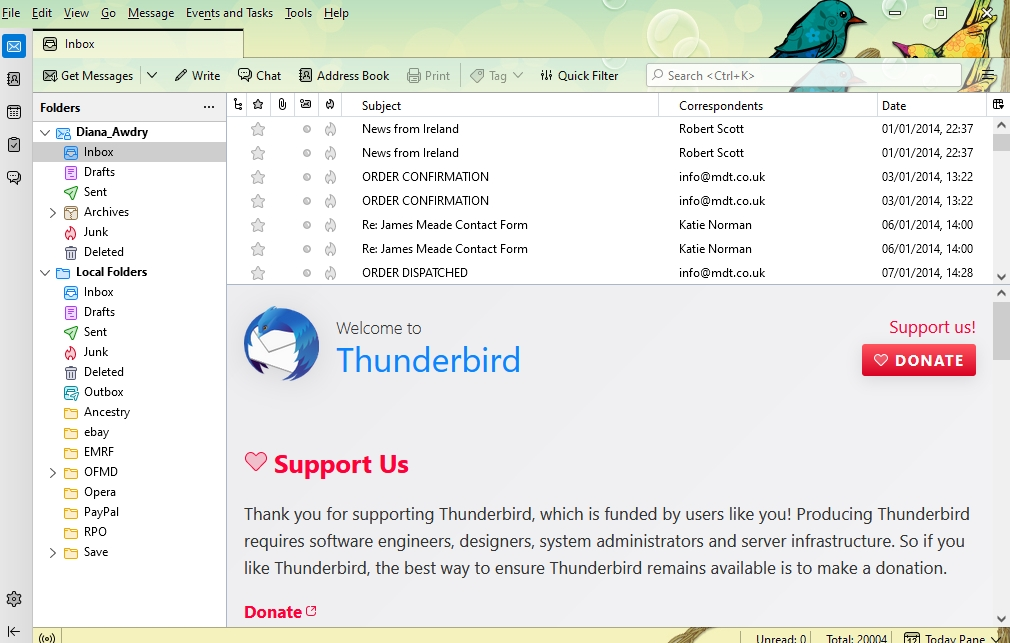
For the last week or so Thunderbird has been showing the oldest messages in my Inbox when I log in. I can't find a setting to revert to Most Recent.
すべての返信 (5)
Look at top line of message list pane. It has words such as 'subject' 'from' 'date', etc. Click the 'date' to tell Thunderbird to sort by date.
Sorting is not the problem, they are already sorted oldest to newest.
Then I don't understand your problem. Can you do a screenshot and explain it? Thank you.
OK, I tried playing around with some of the other sort options, then sorting by date again - this seems to have cured the problem, though it doesn't explain it, as the emails were definitely in the correct order before. One of life's little mysteries I suppose. Thank you for your help. Diana
It was my pleasure to assist. You're quite welcome.