


Firefox continues to change my search engine even after re-adding it several times via 'Add "XYZ"'
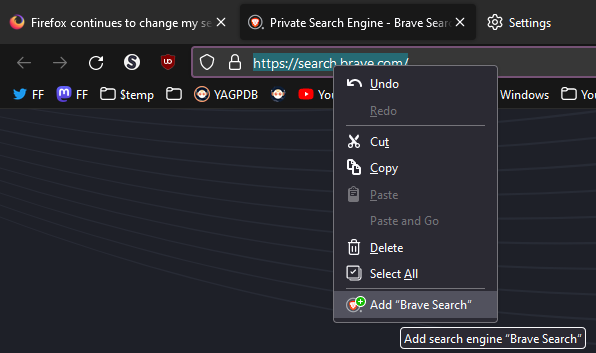
Hello there, for the past few months I had the issue that FireFox keeps changing my default search engine to google. Every so often I go to search.brave.com, rightclick on the url bar and click 'Add "Brave Search"', which then adds brave search as search engine to my settings where it can be selected. This has worked flawlessly for quite some time before, but nowadas it just keeps ressetting my search engine back to google which I do not want.
If anyone has experienced the same issue or has a fix for this please let me know. And no I didn't want to install an extention to change my default search engine, i just want this "Add xyz search engine" feature to work again.
OS version: Windows 11 Version 21H2 Firefox Version: 108.0.2 (64-bit)

すべての返信 (3)
Are you using an extension to set the (default/current) search engine ?
No, i am not. I am just visiting the website of the search engine, right clicking on the url bar and hitting 'Add "XYZ Search"' After that, the search engine then shows up in my settings and I can select it as default.


Have you tried to just download the Brave browser and use that by itself?