


inbox shows empty but is not. Searching for messages in the inbox gives null result.

A couple days ago, TBird suddenly stopped showing new messages. I've confirmed the messages are there on browser-based email clients and through the mail-app on my phone. I've sent test messages successfully.
I've repaired the folder, deleted .msf files, several json files, and tried re-installing the account.
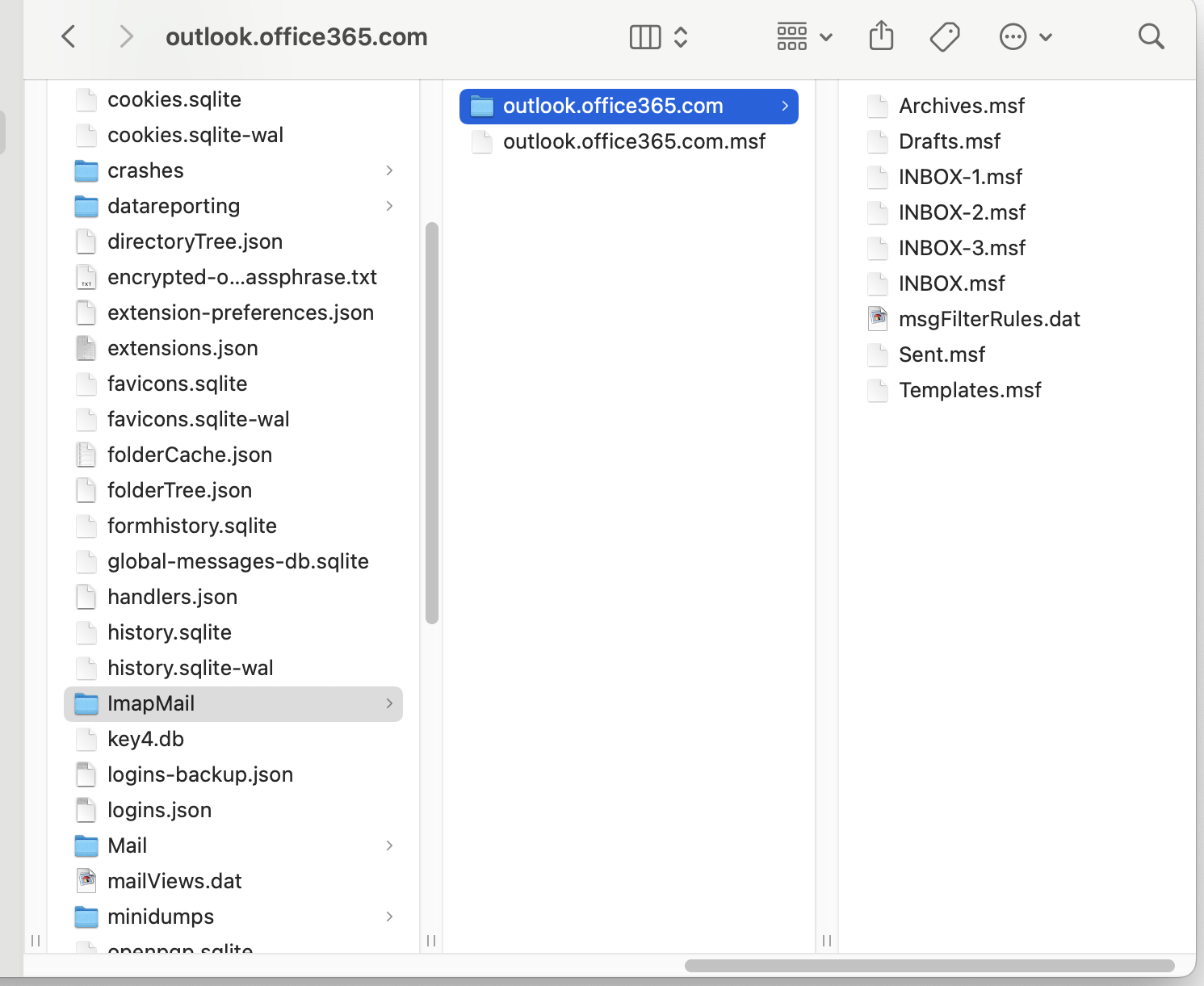
Interesting behavior: In the ImapMail/account-folder/ there is a file called INBOX.msf Every time I restart Thunderbird, I get a duplicate copy: INBOX-1.msf, INBOX-2.msf, INBOX-3.msf, ....
If the right path forward is uninstalling and re-installing Thunderbird, then please include instructions on "migrating" from TB to TB.
すべての返信 (3)
3 more data points to add to this:
1) I've uninstalled Thunderbird, removed all local data from Library, reinstalled and relaunched. Same behavior. Screenshot shows multiple incarnations of the INBOX-N.msf file. Each restart of Thunderbird generates a new one.
2) When I ask the client to "Get messages", it goes through the login process (as it does when starting) but it does not generate a new INBOX-N.msf file.
3) When sending a message: Message gets sent; copy saved to "Sent-folder" on server. Thunderbird gets stuck, however, at 100% progress mark. I've confirmed that the message is saved on the server, but Thunderbird is stuck anyway on the "copying message to Sent folder..." window. Closing the window and "Discarding changes" gets it unstuck.
この投稿は paulb4real により に変更されました
I have this issue - did you find resolution?
BogG,
The problem has resolved. It resolved itself. I'm using Thunderbird to connect to an Outlook Server. I suspect an "upgrade" to Outlook left it incompatible with Thunderbird. The problem went away in a few days.
Sorry that's not more definitive. Good luck.