


Firefox 107.0 stops adding a second security key to Yahoo or Google

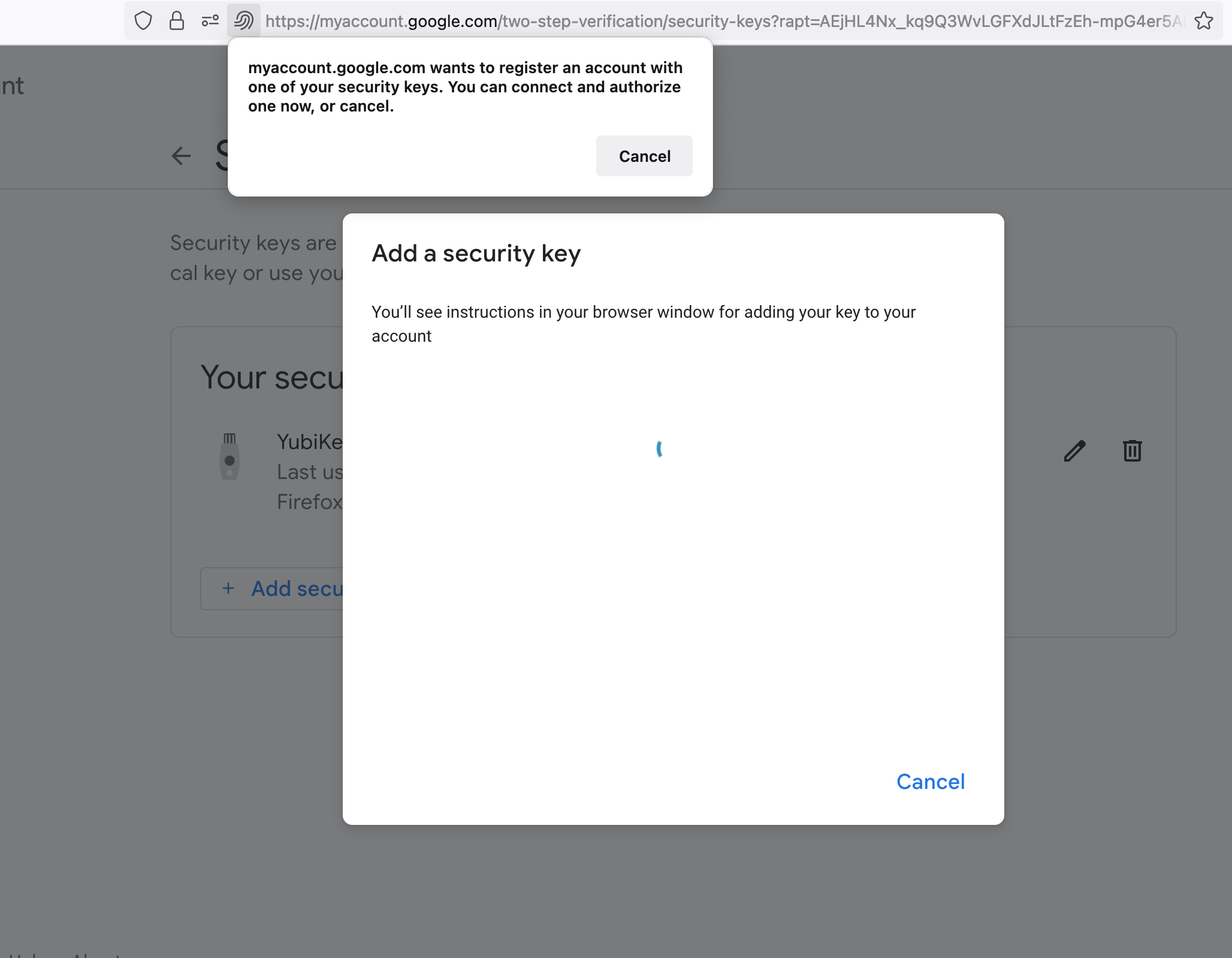
I am trying to add a second security key (Yubikey 5) to my 2FA accounts on Yahoo and Google. The first key was added a year ago. No problems. Now I try to add the second key I get a message from Firefox saying to continue or cancel, but only find a cancel button. If I press Cancel, operation fails. If I press Continue or Cancel in the website dialog (outside of Firefox message box) it also fails. I attach screen shot. The error is similar for both Yahoo and Google, but slightly different. I show the Google one.
Firefox 107.0, MacOS 11.7.1
すべての返信 (3)

The Browers doesn't control how your online site does their 2FA. Did you contact the site about the 2FA authentication issues. That message is coming from the sites you doing the 2FA not Firefox.
I successfully added the second Yubikey to my Yahoo and Google accounts by using Apple Safari. So this is not a problem with those sites. It is definitely a Firefox problem.
I never use 2FA for either yahoo or google accounts. And never had issue with on Firefox or Google accounts. And Yubikey 5 isn't a Firefox product/software so that would be dependend on Yubikey 5 testing and finding out why it's not working on Firefox. Then if that is a bug reporting to firefox bugzilla to look into.