


Secure connection failed after install (MacBook Pro M1)
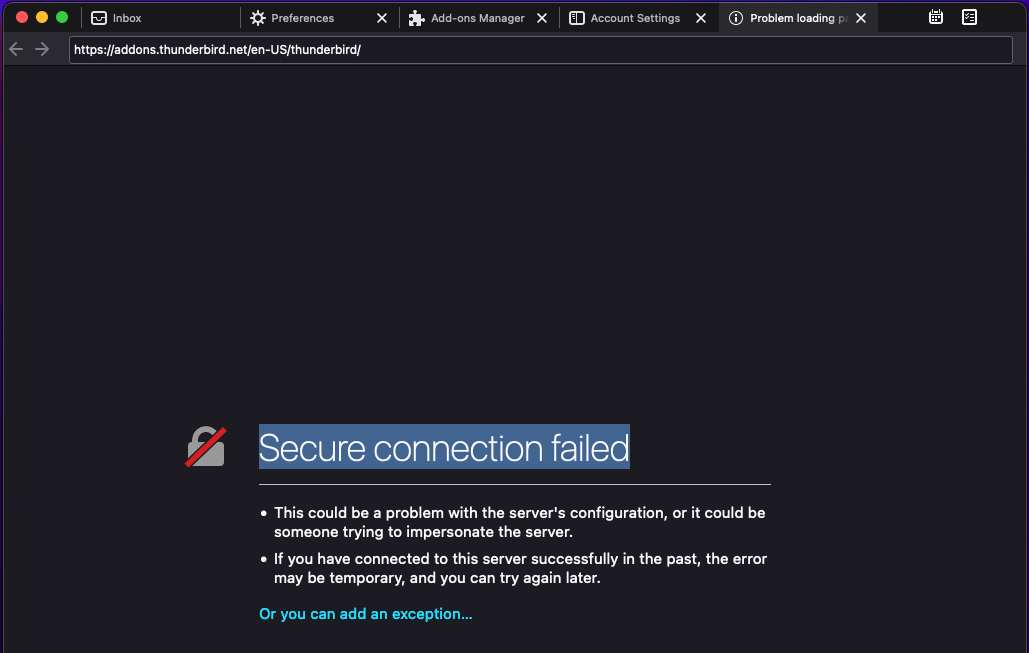
After installation, every interaction with the internet comes a message "Secure connection failed". It is a fresh install. Embedding Gmail has worked. But I can not add for example new languages or addons.
選ばれた解決策
I can open the Add-ons site from within TB with no errors on W10, so I suspect there's some external app blocking the connection. Do you have an antivirus that scans secure connections? They are well-known to interfere. Also, but less likely, connection issues sometimes arise on OS X unless the setting in Preferences/General/Network & Disk Space, Connection is 'No proxy'.
すべての返信 (4)

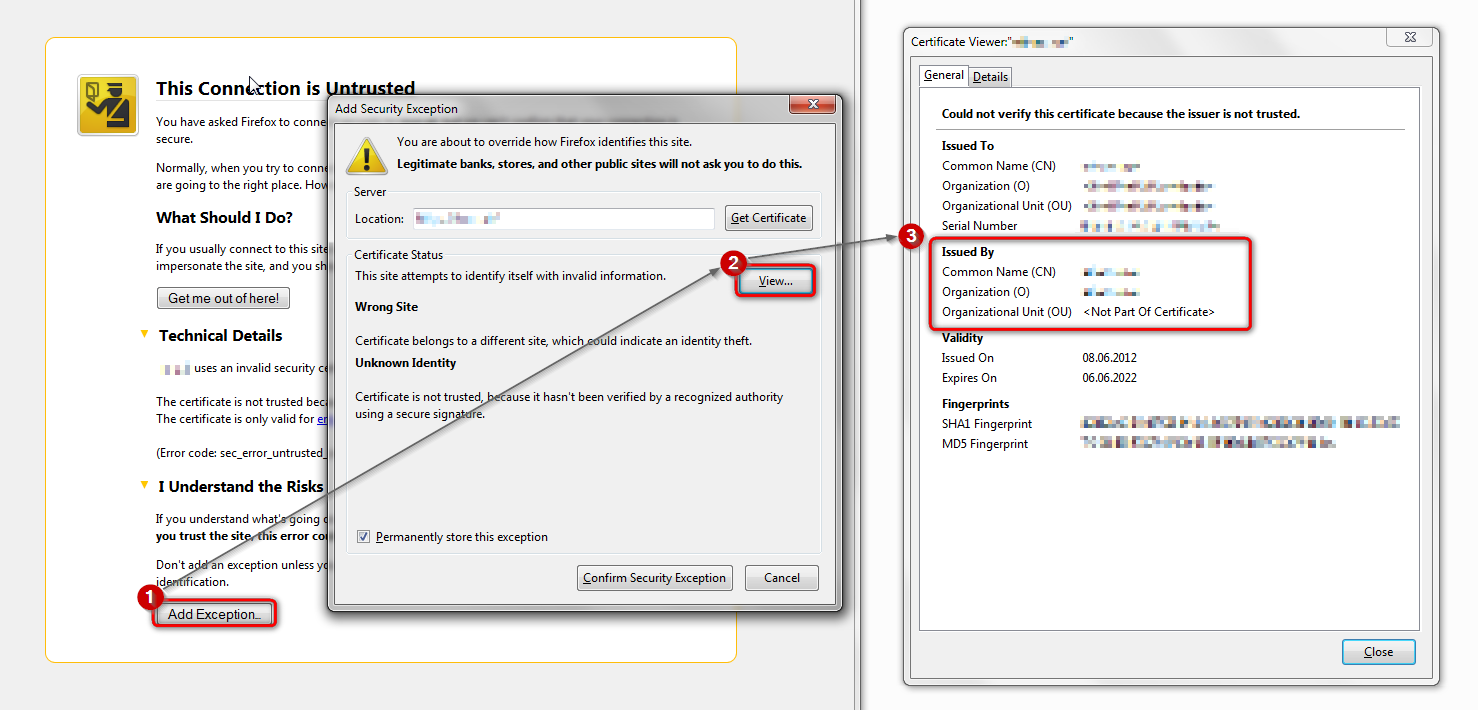
Click 'Or you can add an exception', but don't actually create an exception (yet). Is there any specific error code? If so, please post a screenshot of the error.
Then inspect the certificate - see attached screenshot for instructions.
Whos's the issuer of the cert, and what's the cert's validity dates? Please post a screenshot of the certificate viewer window with the above information visible.
many thanks for the quick response. when i click the link, nothing happens. no window opens and I am not forwarded.
選ばれた解決策
I can open the Add-ons site from within TB with no errors on W10, so I suspect there's some external app blocking the connection. Do you have an antivirus that scans secure connections? They are well-known to interfere. Also, but less likely, connection issues sometimes arise on OS X unless the setting in Preferences/General/Network & Disk Space, Connection is 'No proxy'.
This solved my problem:
"Preferences/General/Network & Disk Space, Connection is 'No proxy'"
Many thanks for the help!