このスレッドはアーカイブに保管されました。
必要であれば新たに質問してください。

Solved
アーカイブに保管済み
Missing Calendar Icon
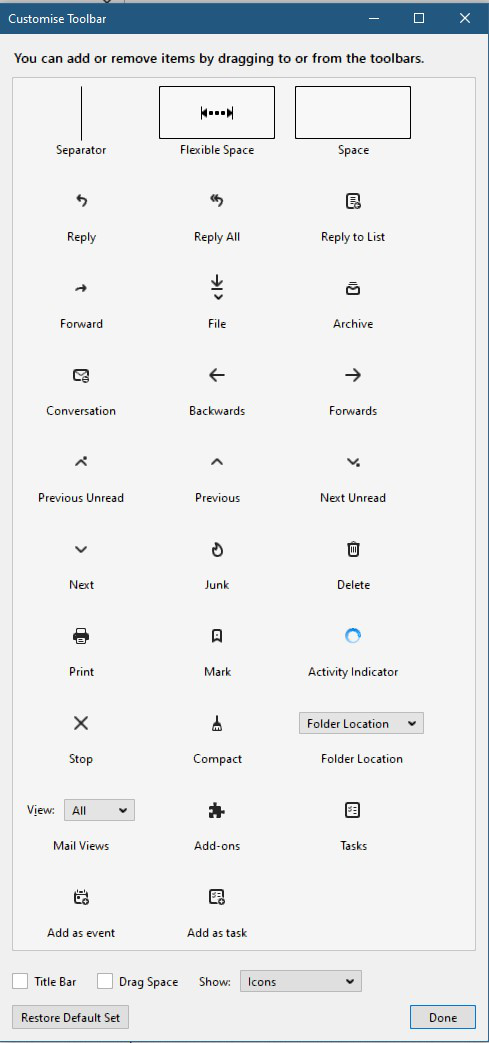
On my laptop I was able to add an Icon to the Inbox tab of Thunderbird by going to Customise Toolbar the dragging the Calendar icon to the inbox toolbar however on the desktop PC the Calendar icon is not in the set of icons to choose from :(
I have clicked the 'Restore Default Set' however this hasn't resolved the issue :(
Any ideas what the fault is and how I can get the icon back to use it?
On my laptop I was able to add an Icon to the Inbox tab of Thunderbird by going to Customise Toolbar the dragging the Calendar icon to the inbox toolbar however on the desktop PC the Calendar icon is not in the set of icons to choose from :(
I have clicked the 'Restore Default Set' however this hasn't resolved the issue :(
Any ideas what the fault is and how I can get the icon back to use it?
この投稿は w.iain.morrison により に変更されました
すべての返信 (1)
選ばれた解決策
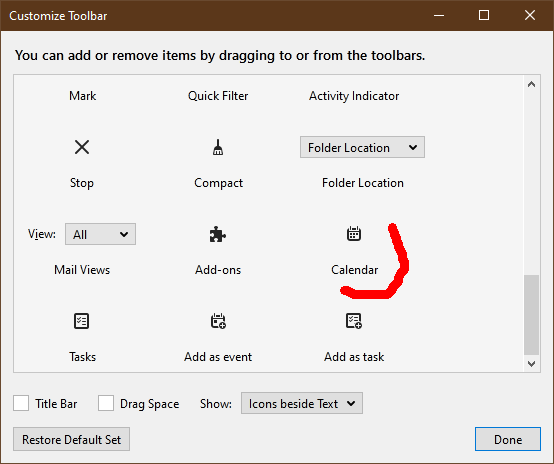
The Calendar icon is here in TB 78.1/W10 (see picture). Start in safe mode (hold Shift when you launch TB), check 'Reset toolbars and controls', 'Make changes and restart'. Does the icon show in Customize?