


Wordpress Twitter Embed Loses Formatting When Viewed in Firefox
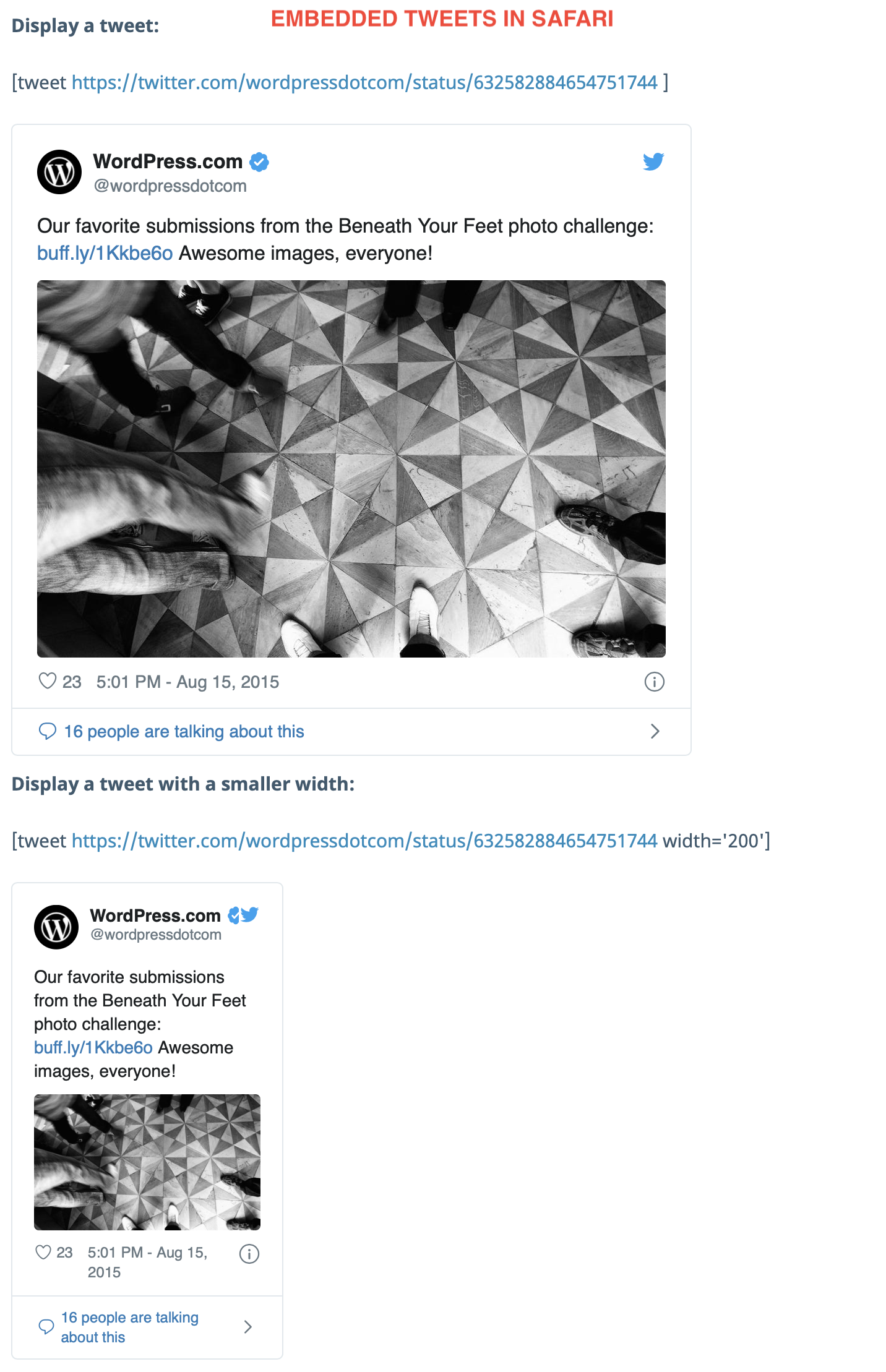
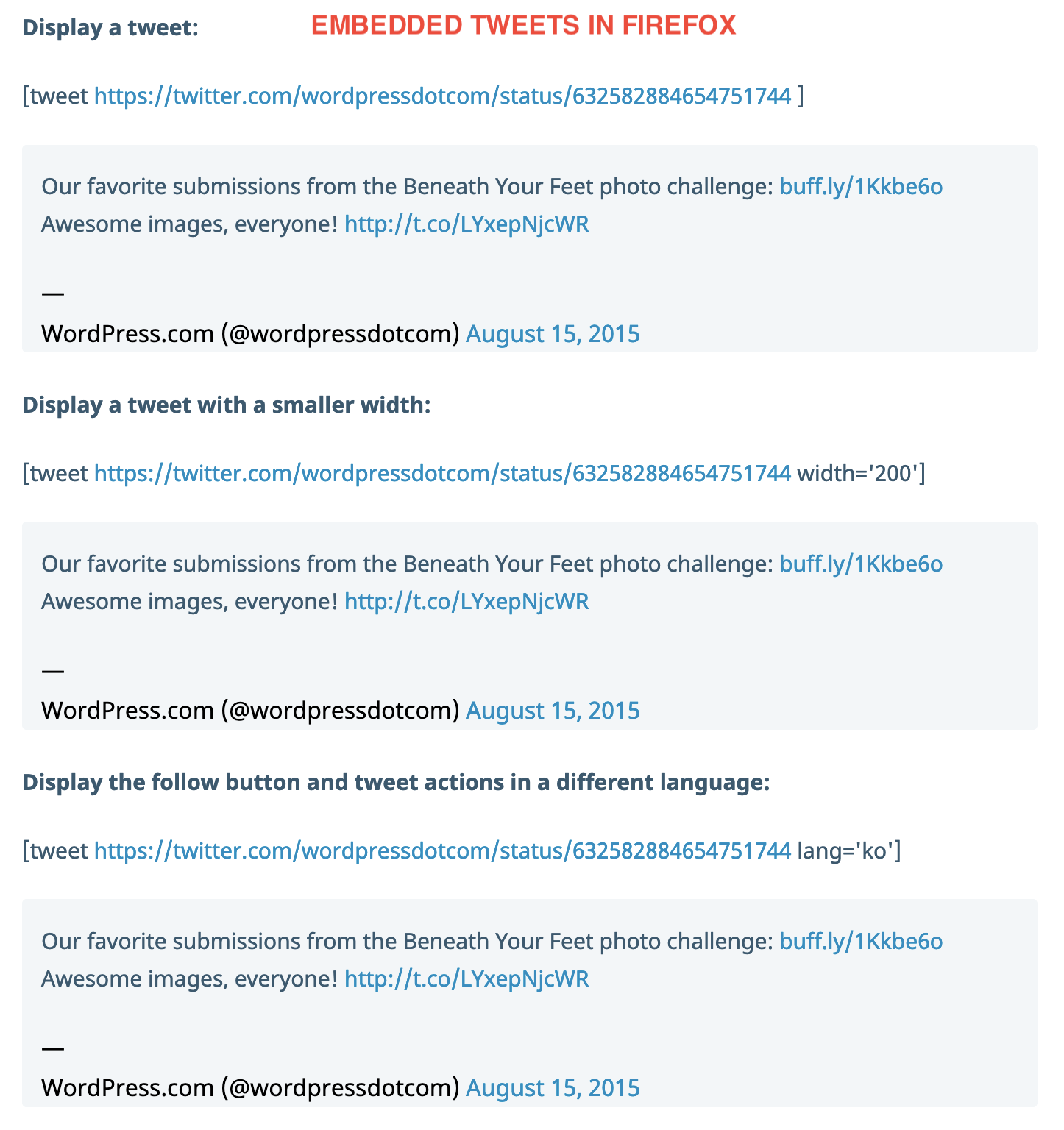
I was having trouble embedding Tweets in my Wordpress blog. Basically all the formatting looks wrong, so it doesn't look like a Tweet, it looks more like I copied/pasted the text from a Tweet into a Blog post.
When I was chatting with Wordpress support, I realised the problem only occurred when I was using Firefox. The support specialist then viewed the blog post in Firefox, but it displayed the Tweets as intended for them!
https://wordpress.com/support/wordpress-editor/blocks/twitter-block/2/
The Support article in Wordpress includes several embedded Tweets. When I view them in Safari or Chrome, I see them as Tweets. When I view in Firefox, the formatting is wrong. I reinstalled Firefox but still had the same problem.
Does anyone have any idea what's happening with this? Since Firefox appeared to work normally for the Wordpress support team, maybe no one else will have the same issue.
I'll include screenshots of the embedded tweets as they appear for me in Safari and in Firefox.
選ばれた解決策
My guess is that it's probably Enhanced Tracking Protection (ETP) blocking the code that embedded Tweets have in them. If your settings for ETP are too strict, it may get blocked as social media tracking.
The Web Console in Firefox will show you any errors or warnings for blocked content and will usually tell you why it was blocked.
この回答をすべて読む 👍 0すべての返信 (2)
選ばれた解決策
My guess is that it's probably Enhanced Tracking Protection (ETP) blocking the code that embedded Tweets have in them. If your settings for ETP are too strict, it may get blocked as social media tracking.
The Web Console in Firefox will show you any errors or warnings for blocked content and will usually tell you why it was blocked.
Thanks Wesley, your reply was absolutely spot-on.