


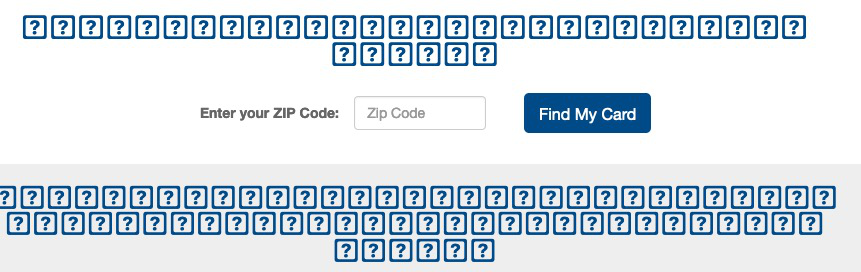
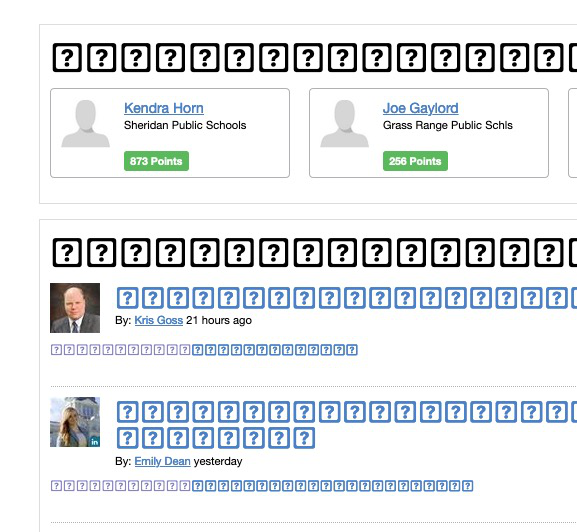
Most web pages are now displaying squares with question marks! Installed Mac OS Catalina several days ago, but this just started yesterday. HELP!
Most web pages are now displaying squares with question marks! Installed Mac OS Catalina several days ago, but this just started yesterday. HELP! Attaching a screen shot
すべての返信 (3)

Is this with all websites/pages, some, a few?
Type about:preferences#content<enter> in the address bar. Across from fonts and colors, press the Advanced button. On the bottom, turn on Allow Web Sites To Choose Their Own.
Fonts Information - Detected via Flash http://browserspy.dk/fonts-flash.php?detail=1
"Allow web sites to choose their own fonts" was already selected. Still having this issue.
Are you using a Font manager that installs fonts in a non default location ?
This likely means that Firefox isn't able to access the requested font and falls back to a 'last resort' font that shows all glyphs as a '?' or an 'A'.
You can check for sandbox security issues when Firefox has a problem to access fonts installed locally.
You can set this pref to 2 or 1 on the about:config page to reduce the sandbox security level.
- security.sandbox.content.level = 1
- close and restart Firefox to make the change effective.
If '1' still doesn't have effect then try '0' to disable the sandbox.
If this didn't work then undo/reverse the change and reset the pref via the right-click context menu to the default value.
You can open the about:config page via the location/address bar. You can accept the warning and click "I accept the risk!" to continue.
See also: