


Windows 10 reached EOS (end of support) on October 14, 2025. If you are on Windows 10, see this article.

Mozilla サポートの検索

サポート詐欺に注意してください。 私たちはあなたに通話やショートメッセージの送信、個人情報の共有を求めることはありません。疑わしい行為を見つけたら「迷惑行為を報告」からご報告ください。

詳しく学ぶ
このスレッドはアーカイブに保管されました。 必要であれば新たに質問してください。
Solved アーカイブに保管済み

WTF? the request was blocked for security reasons - no email sent

rhkennerly

Mac OS 10.15.1 FF 71.0 (64-bit) IOS 13.2.3 FF 20.2 (16690)

Since the Mac upgrade, I can get my ifon synced using the 2FA SMS sent. But when I try to sign in my iPad keeps getting the message "the request was blocked for security reasons."

I do not get an email or text notification from Mozilla that the iPad is trying to log in. (although I do get emails and 2-factor authentication emails).

When I try to use the 2FA sent by FF to activate an account, I'm sent (on the iPad) to the Google Play store.

I've deleted, restarted & reinstalled on the iPad.

I really need this iPad to work for...well...Work.

I just don't have a clue what else to do.
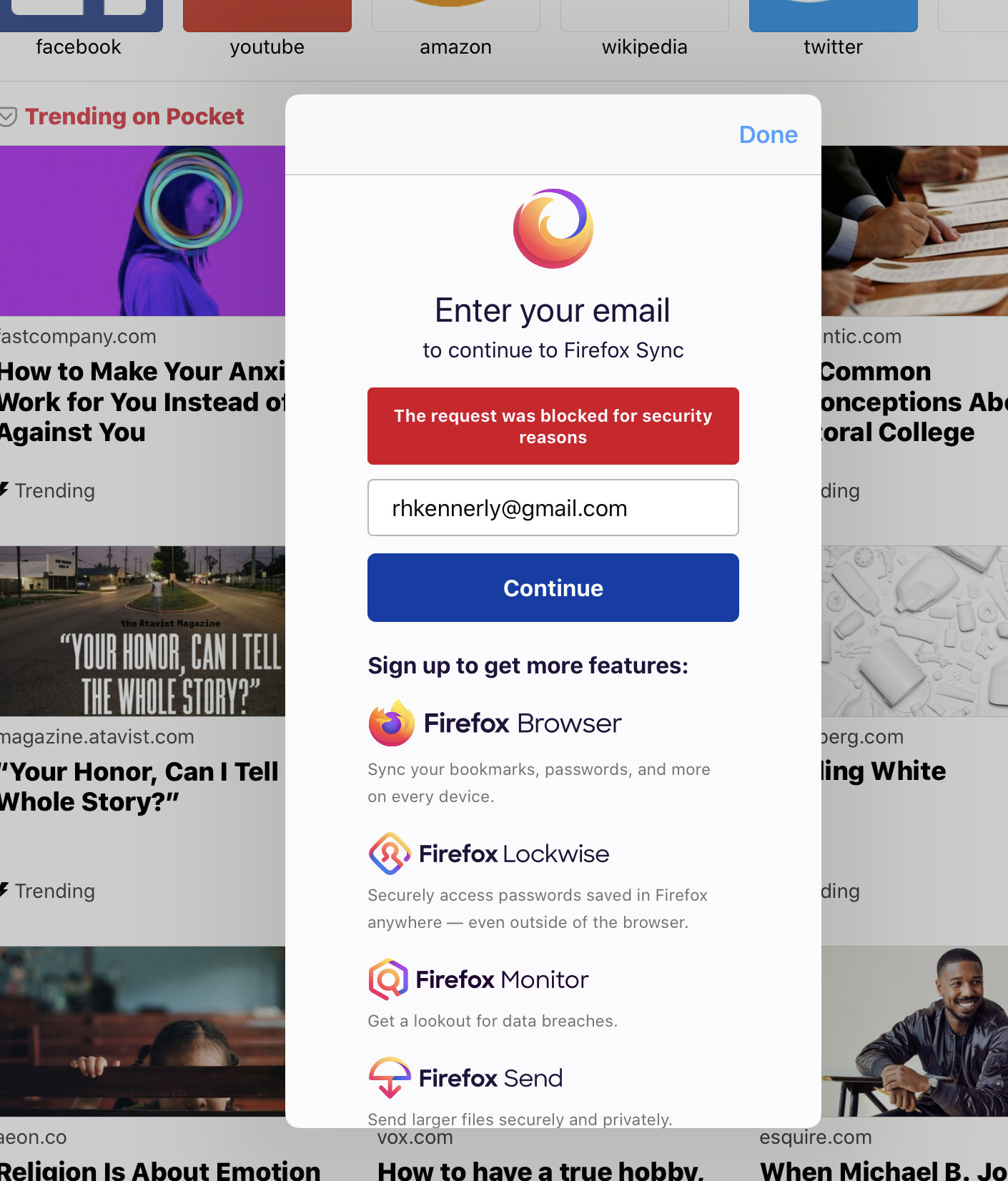
Mac OS 10.15.1 FF 71.0 (64-bit) IOS 13.2.3 FF 20.2 (16690) Since the Mac upgrade, I can get my ifon synced using the 2FA SMS sent. But when I try to sign in my iPad keeps getting the message "the request was blocked for security reasons." I do not get an email or text notification from Mozilla that the iPad is trying to log in. (although I do get emails and 2-factor authentication emails). When I try to use the 2FA sent by FF to activate an account, I'm sent (on the iPad) to the Google Play store. I've deleted, restarted & reinstalled on the iPad. I really need this iPad to work for...well...Work. I just don't have a clue what else to do.
添付されたスクリーンショット

すべての返信 (2)

選ばれた解決策

Thanks for reaching out about this! Are you using a VPN? If so, please disconnect from it and try logging in again.

See also: My sign in was blocked for security reasons on Mozilla account

worked like a charm. tnx!