


la bibliothèque s'ouvre en onglet et pas en fenêtre,

je veut bien que la bibliothèque firefox s'ouvre s'ouvre dans un onglet et pas en fenêtre, et j'aime bien que firefox reste sur l'onglet en cours tout en ouvrant un nouveau onglet , et ça lorsque je fais un clic droit sur un mot pour le rechercher sur google.
すべての返信 (2)
Did your setting look like this?
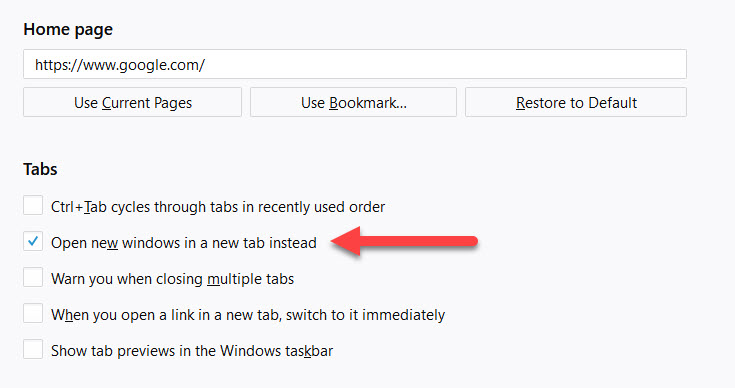
Maybe use the Bookmarks sidebar instead of the Bookmarks Manager (Library) if you want to open multiple links and have access to the bookmarks.
Note that you can use this chrome URI to open the Bookmarks Manager (Library) in a tab and not in a standalone window.
- chrome://browser/content/places/places.xul
There are some prefs, accessible via the about:config page, to control the focus if you click a link (open link in background or foreground). You can toggle the default action by holding the Shift key down when you left-click or middle-click a link.
- browser.tabs.loadInBackground (normal links)
- browser.tabs.loadDivertedInBackground (javascript)
- browser.tabs.loadBookmarksInBackground (bookmarks)
- browser.search.context.loadInBackground
You can open the about:config page via the location/address bar. You can accept the warning and click "I accept the risk!" to continue.