


I deleted a website from saved logins in Security section. Now FF will not remember my password for this site. How can i get FF to remember a password now?

FF would not update my new password for my log in to Infusionsoft for the first time since i have used FF and used Infusionsoft. Instead of deleting history or cache, i went to: Options > Security > Saved Passwords and deleted Infusionsoft from the list.
Now, FF will not add it back automatically NOR save the password for it.
How can i get FF to remember the url and a password now is there a way to manually add it back in?
選ばれた解決策
I haven't tried it myself, but it sounds as though after you fill the login form, before clicking the login button, you right-click on one of the login form fields and select "Save login info" -- an entry added to the menu by the extension. Does that work?
すべての返信 (7)
Hi Beth.
You can try this extension to see if that allows to save the password.
- Saved Password Editor: https://addons.mozilla.org/firefox/addon/saved-password-editor/
got the extension. loaded it, am i to just try to change the password again in infusionsoft/ i did, it didn't save it.. not sure after i download the extension, what the next step is.
選ばれた解決策
I haven't tried it myself, but it sounds as though after you fill the login form, before clicking the login button, you right-click on one of the login form fields and select "Save login info" -- an entry added to the menu by the extension. Does that work?
thank you for the tip, tried everything that can be done when right clicking.... nothing works.. this is silly, yes?
You can check the logins.json file in the profile folder to see if there is an item present from this website.
You can use the button on the "Help -> Troubleshooting Information" (about:support) page to go to the current Firefox profile folder or use the about:profiles page.
- Help -> Troubleshooting Information -> Profile Directory:
Windows: Show Folder; Linux: Open Directory; Mac: Show in Finder - http://kb.mozillazine.org/Profile_folder_-_Firefox

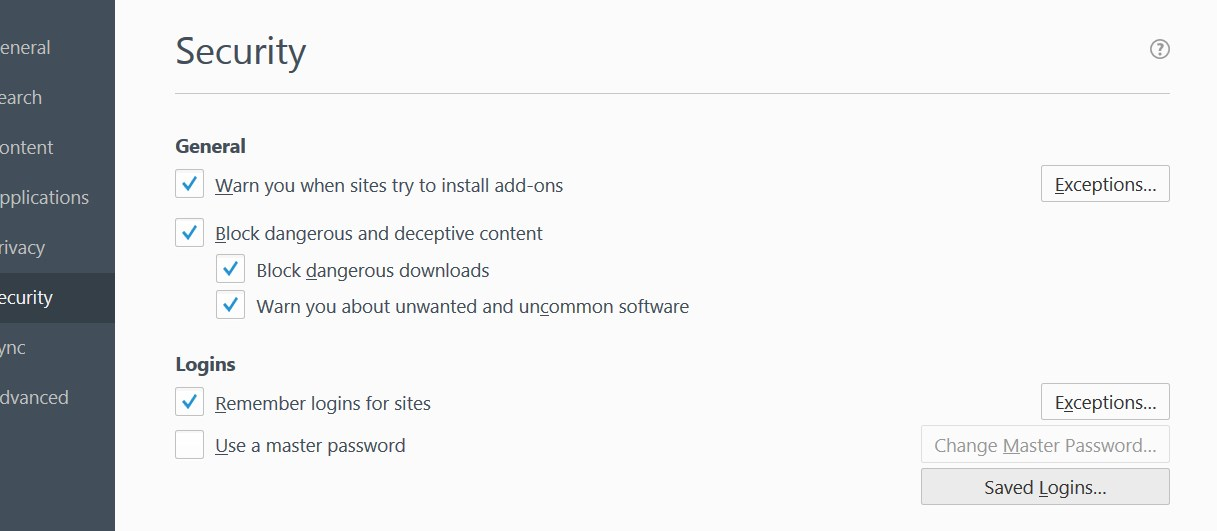
Type about:preferences#security<enter> in the address bar.
Under Logins, go to the far right and press the Exceptions button. Is that site listed?
Thank you everyone! here is the answer: download that exception download. There appears a "key" up in right upper corner of my browser. if you open that, you can manually enter a website, user log in and password.
The OTHER way is exactly what jscher2000 suggested. When you are faced with the log in page of a website for user name and password, if you RIGHT click on either one of them, the same box appears to change the password or user name right there!
thanks so MUCH everyone.. I was going Nuts having to log into this site i use at least 4 or 5 times a day!!!! now i don't!
thank you again!